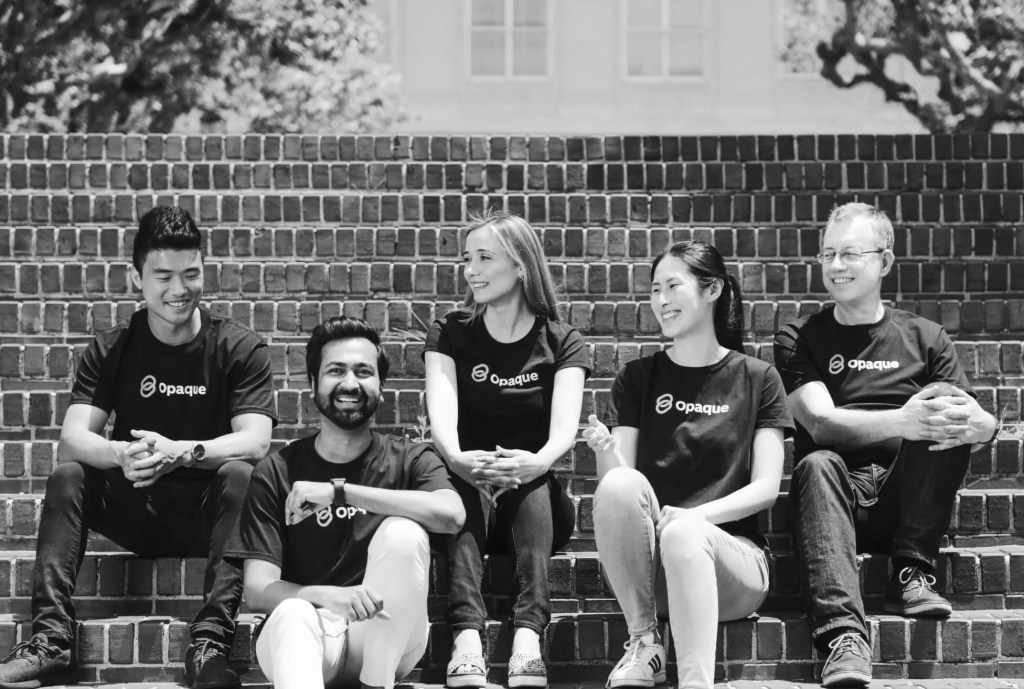
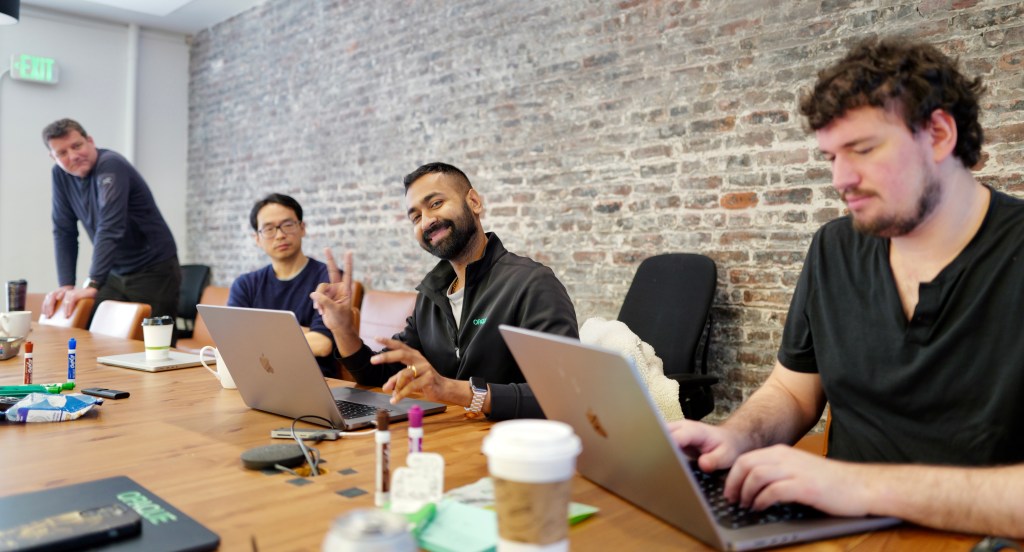
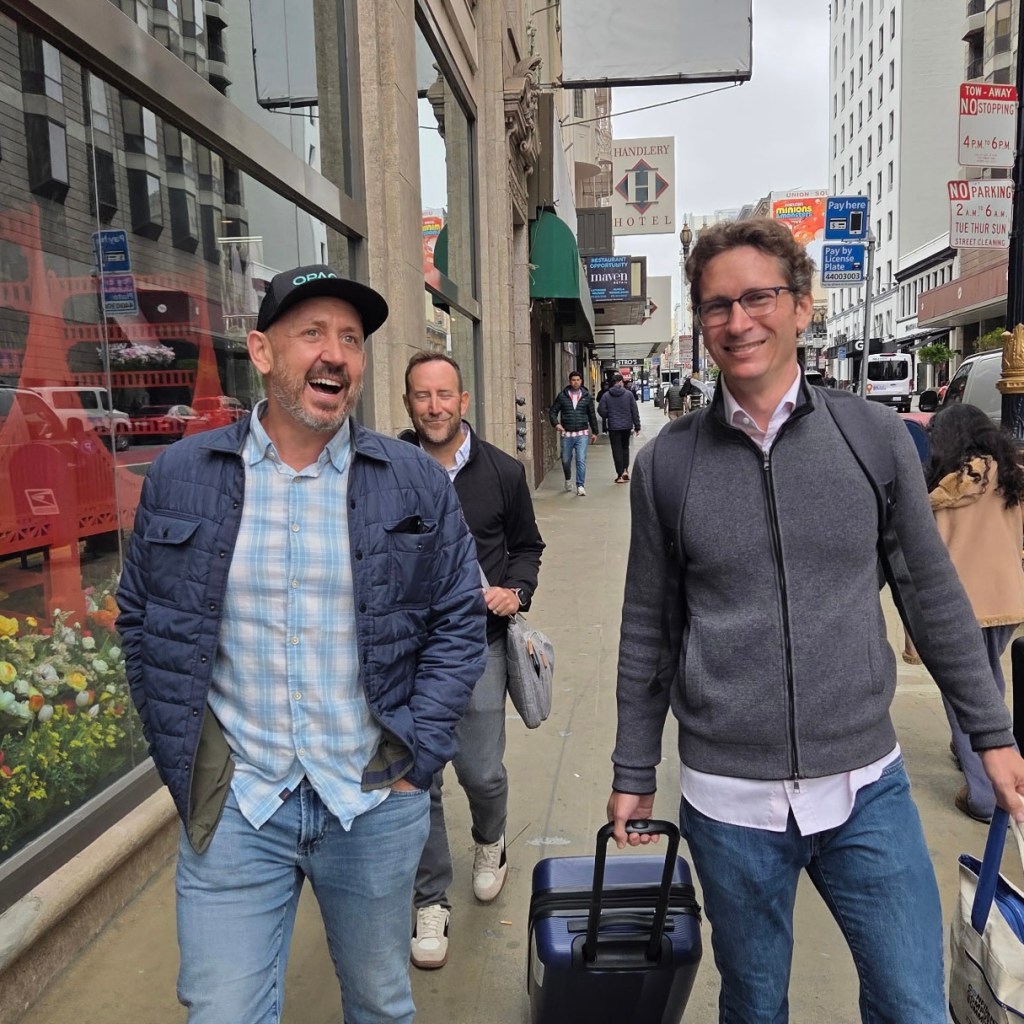
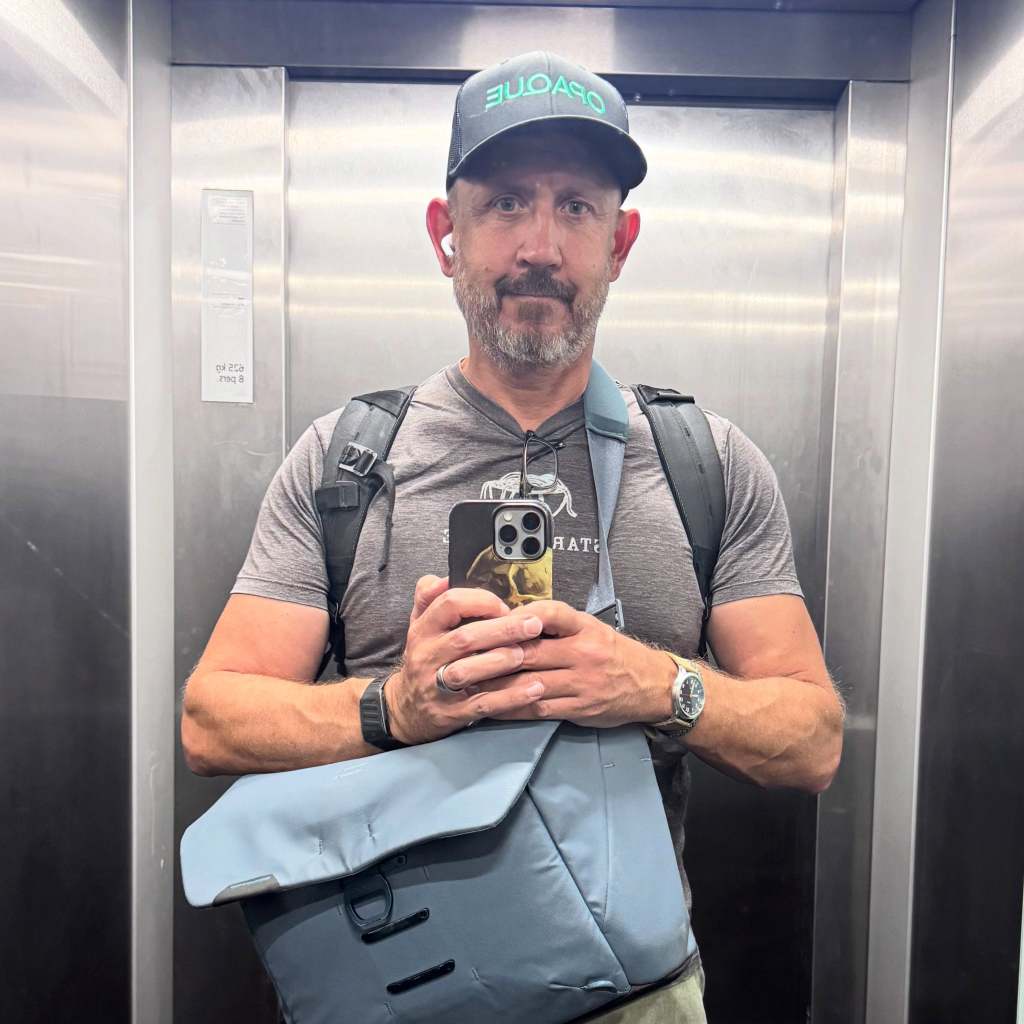
I joined OPAQUE in October 2023. The founders, Ion Stoica, Raluca Ada Popa, Rishabh Poddar and Chester Leung, invited me to join them on their journey to make the world a little safer. They had spent years at UC Berkeley’s RISELab proving that data can stay protected while it’s being used. My job was to turn that research into a company and a market.
In my first conversations with analysts and journalists I could barely articulate what we did. I knew what we needed to achieve. I wasn’t sure it was possible. People I trust and respect told me it was not. It was and we proved this.
We defined a category
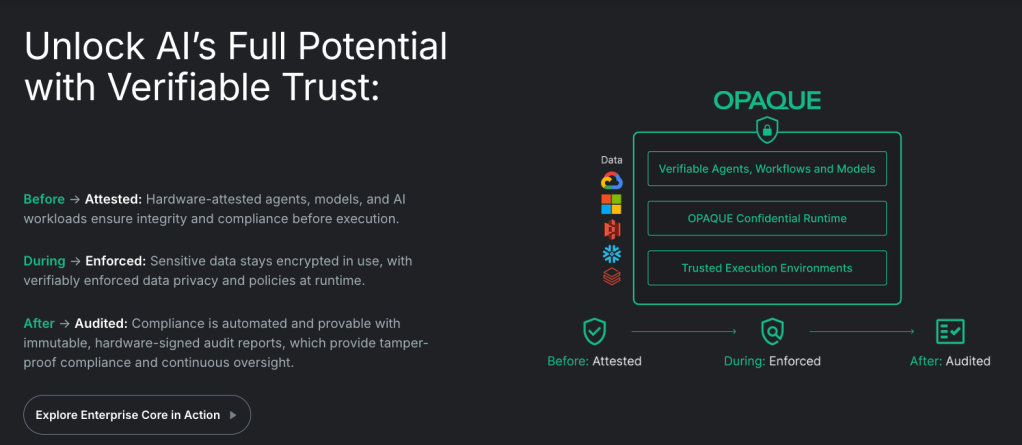
We called it confidential AI: verifiability for the AI stack. Cryptographically enforced proof, signed by hardware, that governance and security policies hold while AI runs on sensitive data, instead of a promise that they will. It doesn’t cover every policy or close every hole. It covers many of the critical ones, and it replaces “trust us” with evidence.
That work now secures AI systems at government agencies, national sovereign AI projects, enterprise software vendors and regulated industries.
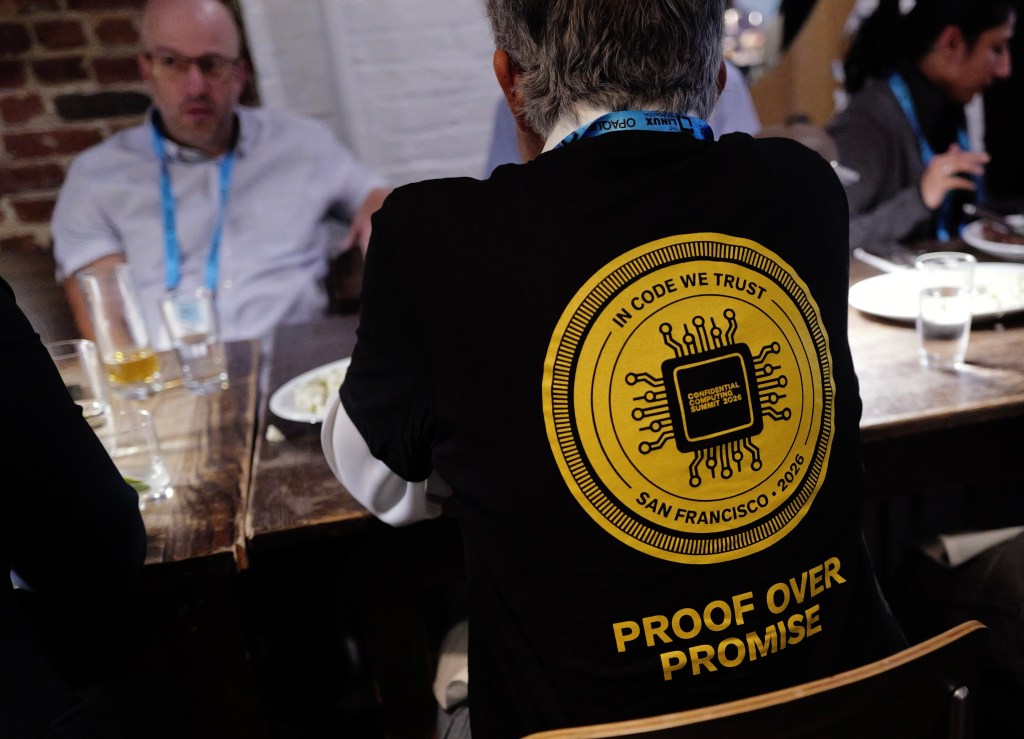
We didn’t build the category alone. We created the Confidential Computing Summit, and from day one it was about building a security and governance layer for AI, in the open. We were privileged to have the sponsorship and participation of NVIDIA, Intel, AMD, Microsoft, Google, Apple, ServiceNow, Google DeepMind, Anthropic, AWS and many others. This year we were thrilled to have the Linux Foundation take over operations of CCSummit; their world class team will continue to make this event the annual event for AI security and governance.
Then Apple shipped Private Cloud Compute and made the architecture the standard for running AI on personal data. Meta, Google and OpenAI followed with their own versions. A research idea pioneered by OPAQUE’s founders became the way the largest technology companies on earth run AI on the data that matters most.
This year
We secured many terrific customer and partners across enteprise independent software vendors, regulated industries, governmental agencies, global systems integrators, and AI labs. Earlier this year, in January, we closed our Series B at a $300 million valuation.
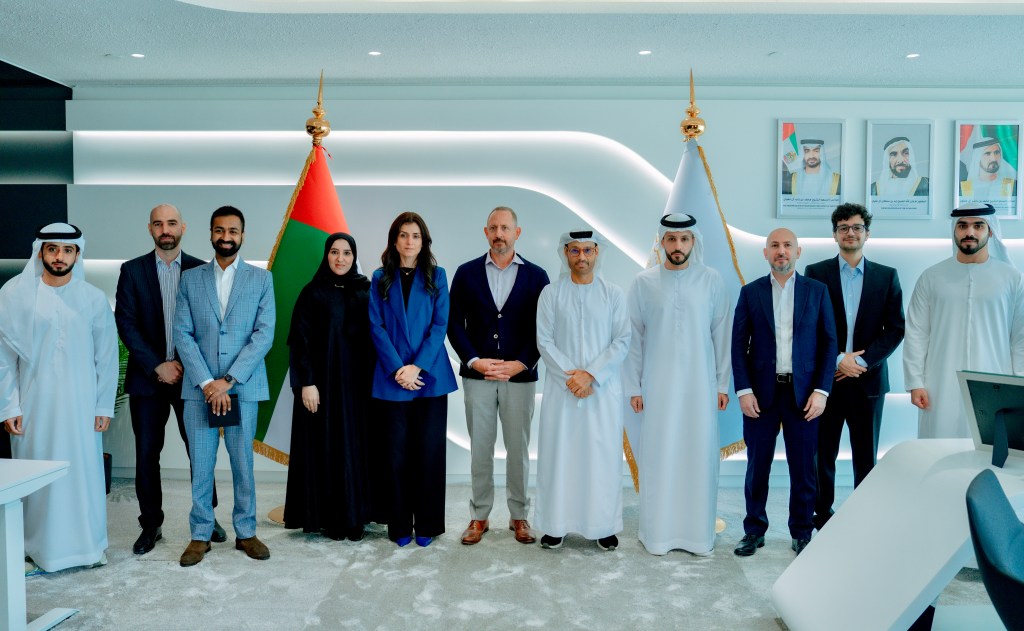
We partnered with the brilliant team at the Technology Innovation Institute in Abu Dhabi — Dr. Najwa Aaraj, Dr. Victor Mateu and Dr. Victor Sucasas — and with the UAE Cyber Security Council to create a governance and security framework for verifiable AI systems. It’s becoming a national standard, and it’s shaping how the region and the rest of the world think about governing AI.
In June we launched AgenTrust, an open source community for verifiable agent governance. It took off. Nearly a million downloads in just over three months. I’ve since learned that several companies have launched on that code, and large enterprises and government agencies, including in regulated industries, have adopted it as core components of their AI stack.
We were also among the first to argue that AI agents have to be treated as insiders, with cryptographic enforcement behind the policies that govern them. This past weekend Satya Nadella, Chairman and CEO of Microsoft, made the same case.
Why Anthropic
It’s been an incredible run, and I’m thrilled to be joining Anthropic. Their culture, their mission and their values align with mine, personally and professionally, and I’m thrilled to join a journey and a mission that matters to the world.
I’m grateful to our customers, who trusted us with their most sensitive workloads before the category had a name. To our partners, who built it with us. To our investors and board. And to the OPAQUElings, who worked incredibly hard to make the world a little better and a little safer.
Hire these people
Not every OPAQUEling is joining Anthropic. Some of the most talented people I’ve worked with are looking for their next role right now, in engineering, design and go-to-market. If you’re hiring, find them on LinkedIn or reach out to me directly. Every one of them will be an accelerant to your mission and your business.
We set out to make the world a little better and a little safer. I’m proud to say that we did, with the help of our customers, our partners and many others. Thank you all.
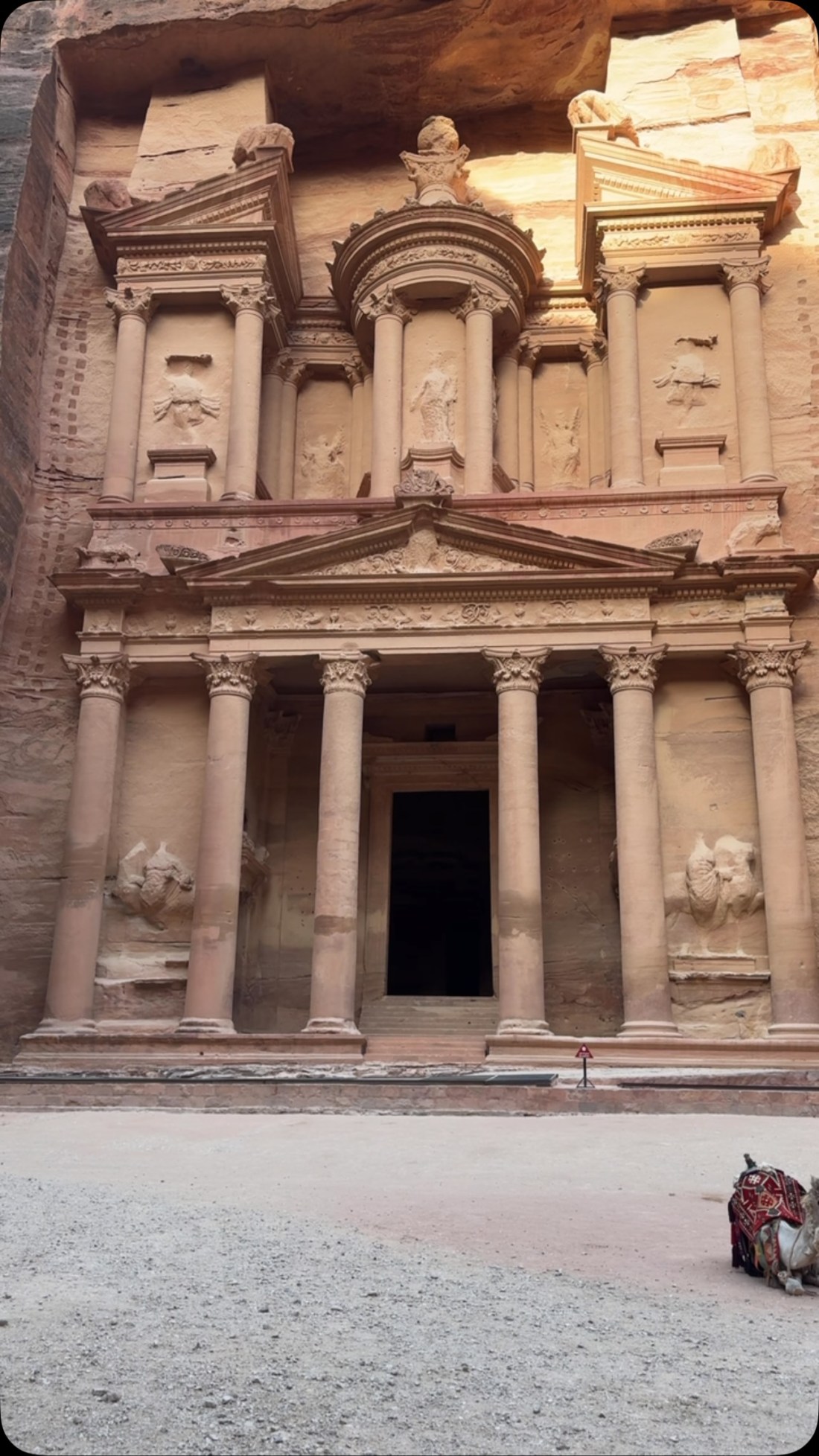
I walked up to the Treasury and there was nobody there.
I spent a week in Abu Dhabi and Dubai for work, then took four days to drive around Jordan looking at old things. I posted as I went. This is that series, collected, with the pictures.
Start with the part that surprised me most.
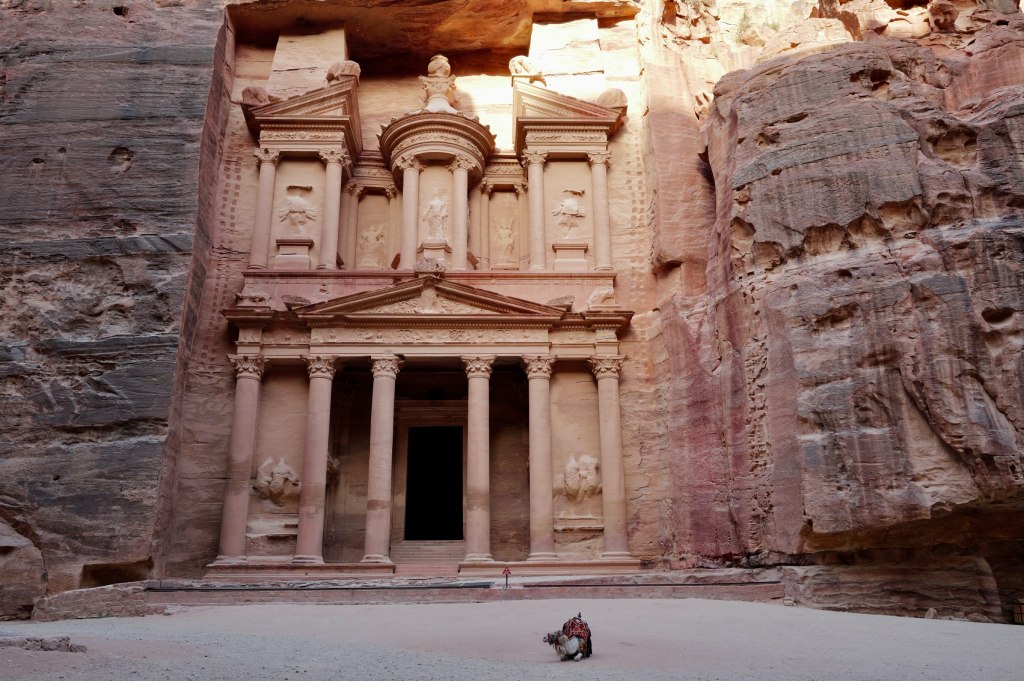
The Treasury at Petra, empty
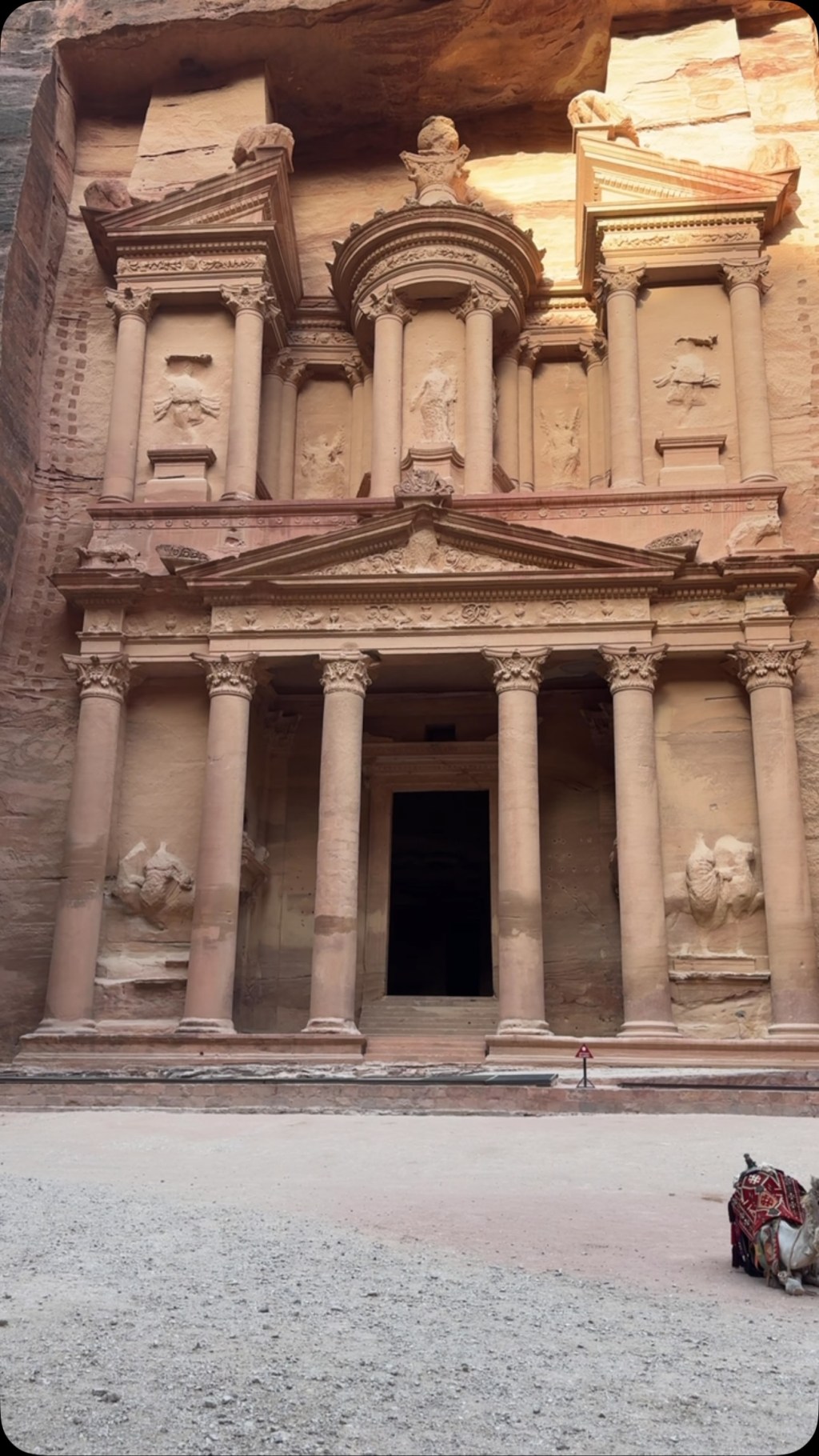
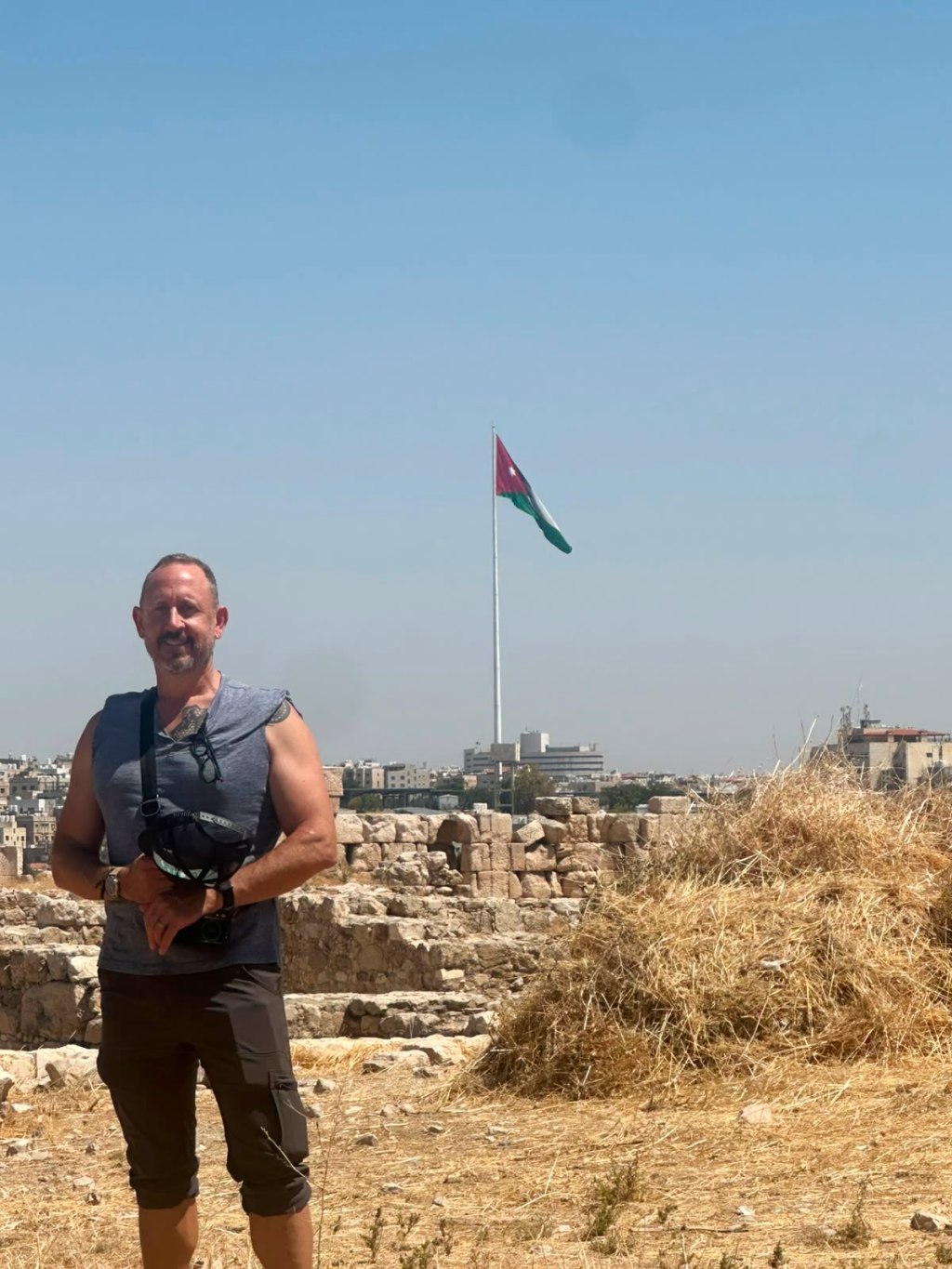
I walked up to the Treasury with literally nobody around.
Tourism here fell off a cliff with covid and never came back. The war next door finished the job. Jordan isn’t in it, but people don’t make that distinction from a distance, so the country eats the loss anyway. Hotels are empty. Guides are sitting idle.
My experience was terrific. Completely safe. The people are among the most generous I’ve encountered anywhere. And it was a childhood dream fulfilled — walking through the biblical sites, the Neolithic sites, and the Paleolithic ones.
Go now. You’ll have it to yourself, and the country could use the visit.
The guide
Amman · 24 July
Osama
This is Osama, my guide in Jordan — @osszyoud. We completely refactored my itinerary. He has a degree in archaeology, and we removed the luxury nonsense in favor of locally owned places and archaeological and historical sites.
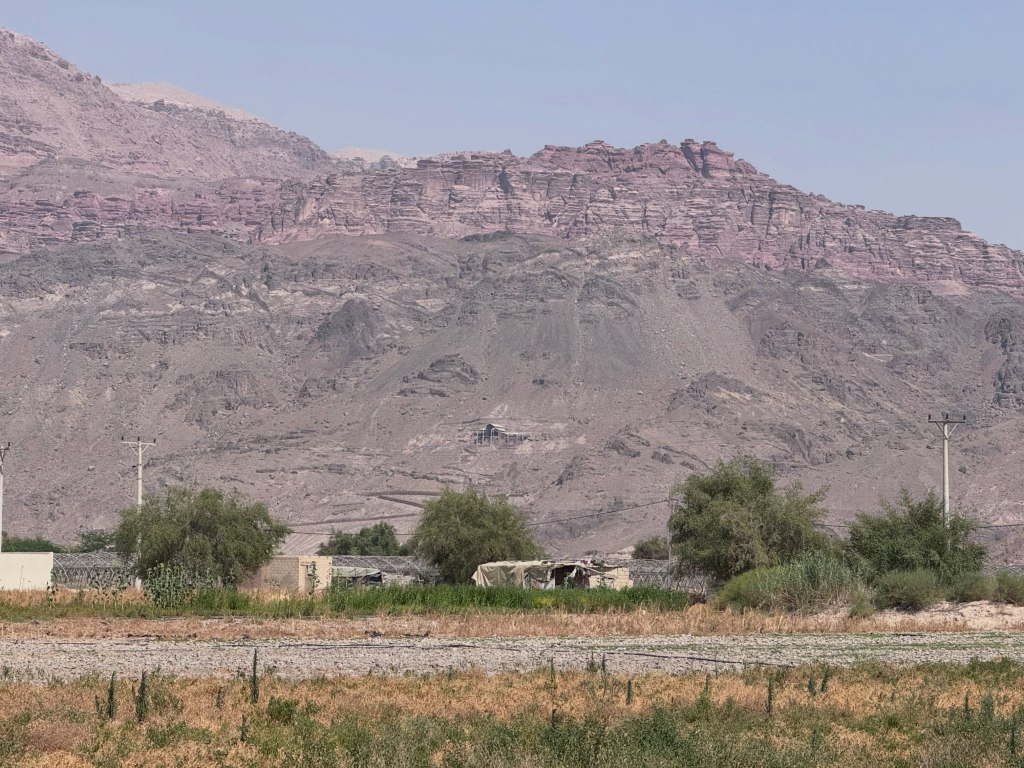
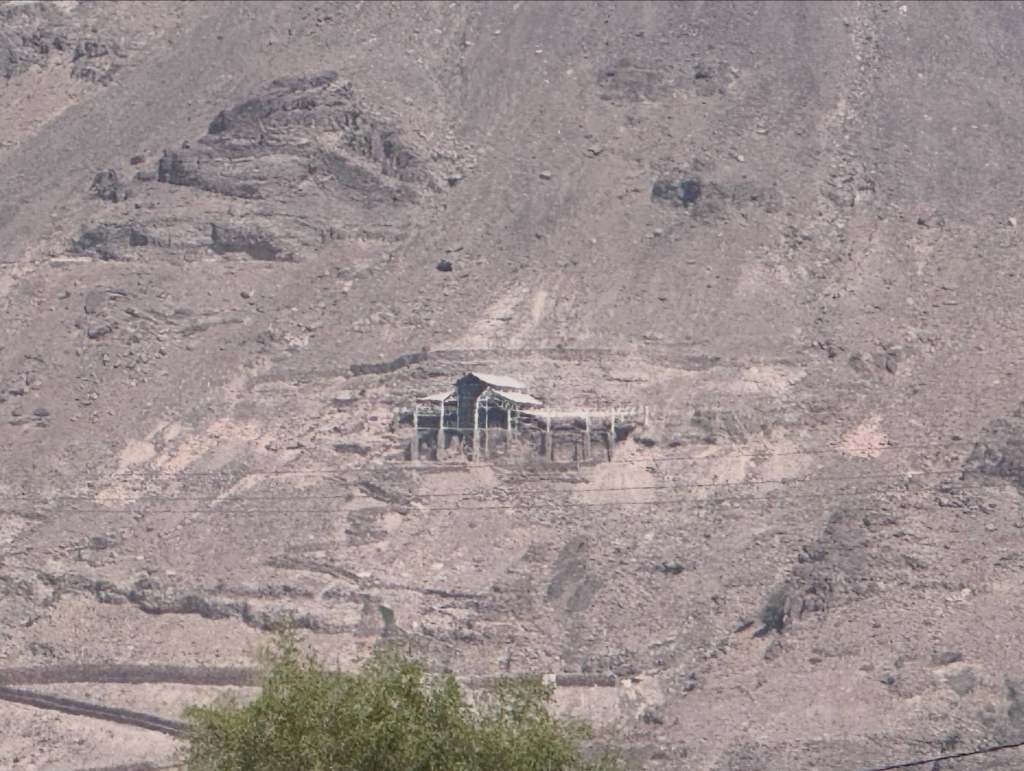
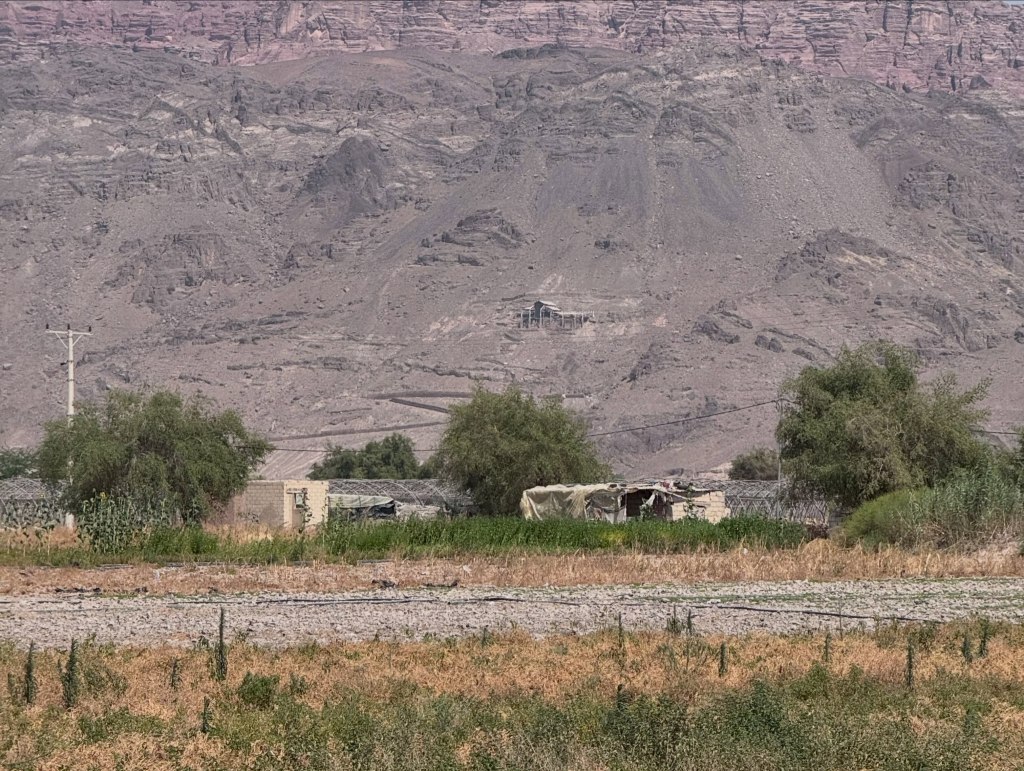
Going to see Lot’s cave and where Moses died.
That decision is why the rest of this exists. If you go, hire him. There’s a section at the bottom on how.
The corridor
That “Paleolithic” part isn’t a stretch. Humans have been in this corridor for a very long time.
Stone tools from the Jordan Rift date to roughly 1.5 million years ago, some of the earliest evidence of hominins outside Africa. This valley is the road out. Every migration north went through here. Neanderthals lived in these hills. Later, Beidha next to Little Petra was a farming village around 7000 BCE, and ‘Ain Ghazal outside Amman produced human statues from about 7200 BCE that are among the oldest large-scale sculptures of people anywhere on earth.
Which brings you to Petra, which is practically modern by comparison.
Amman
Amman · 24–25 July
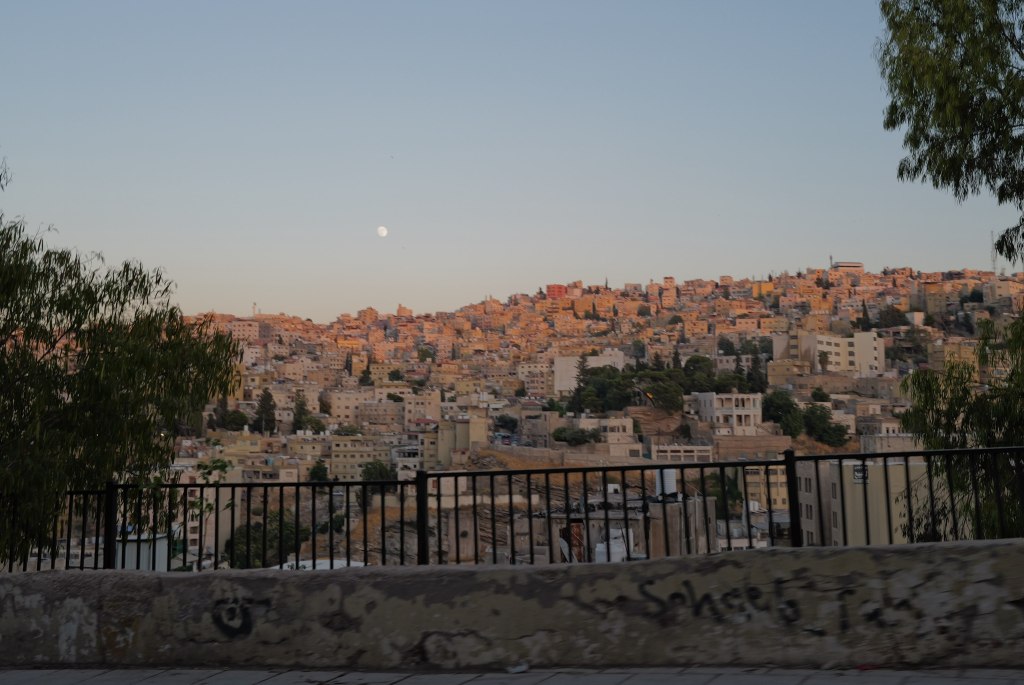
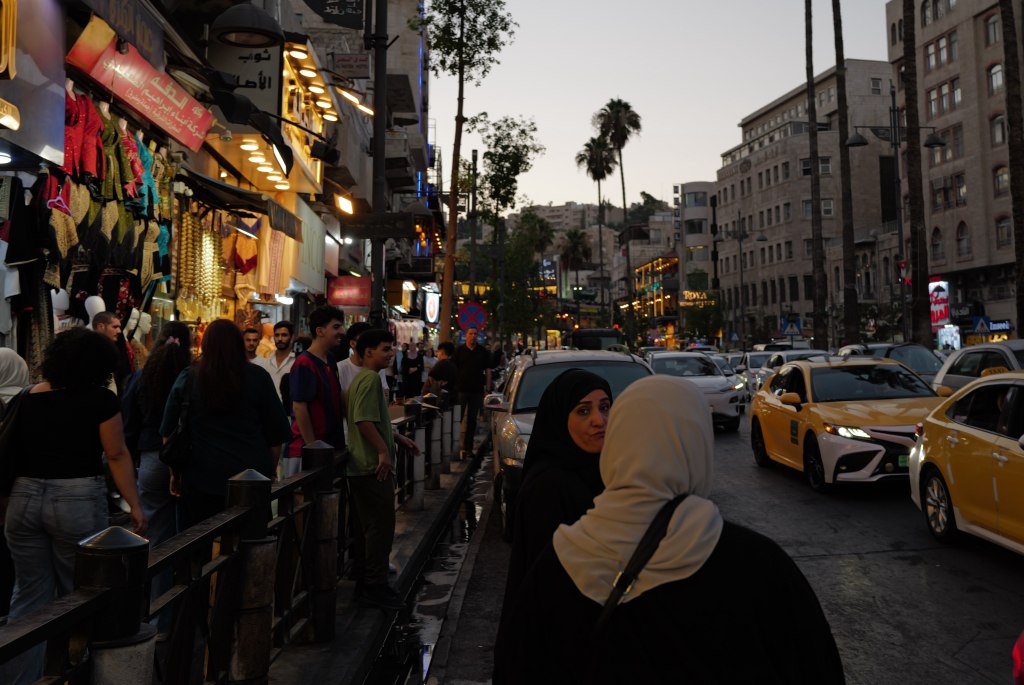
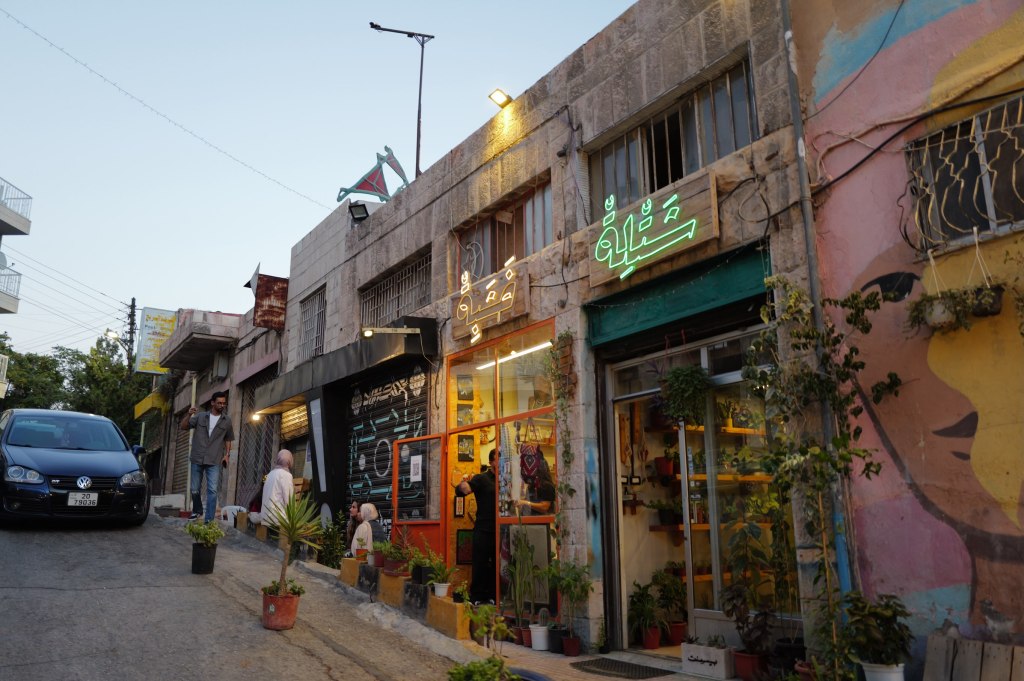
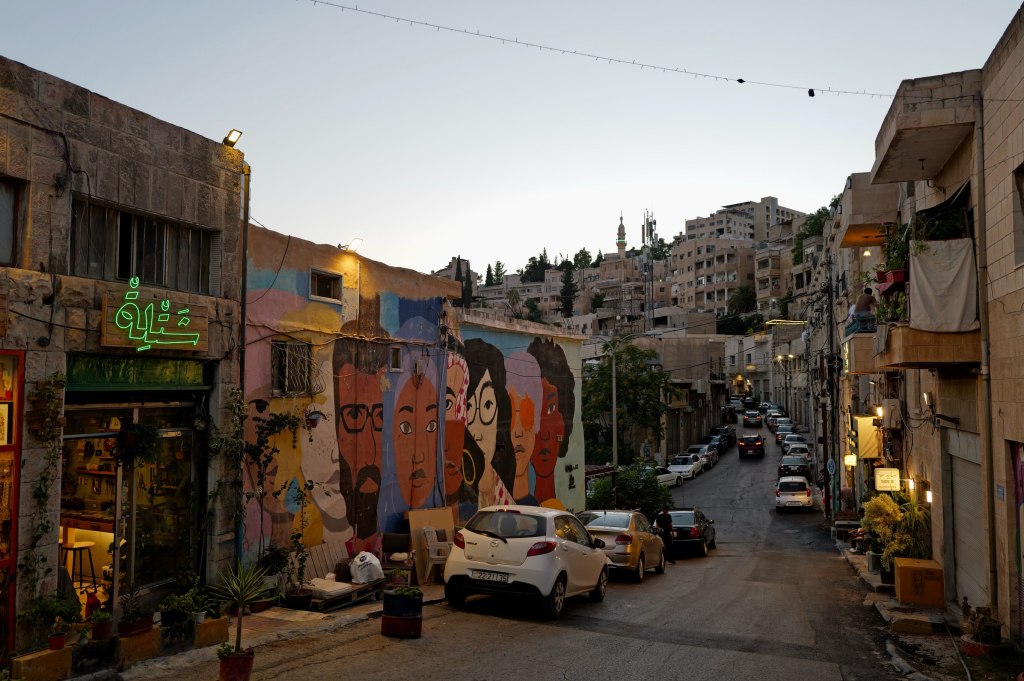
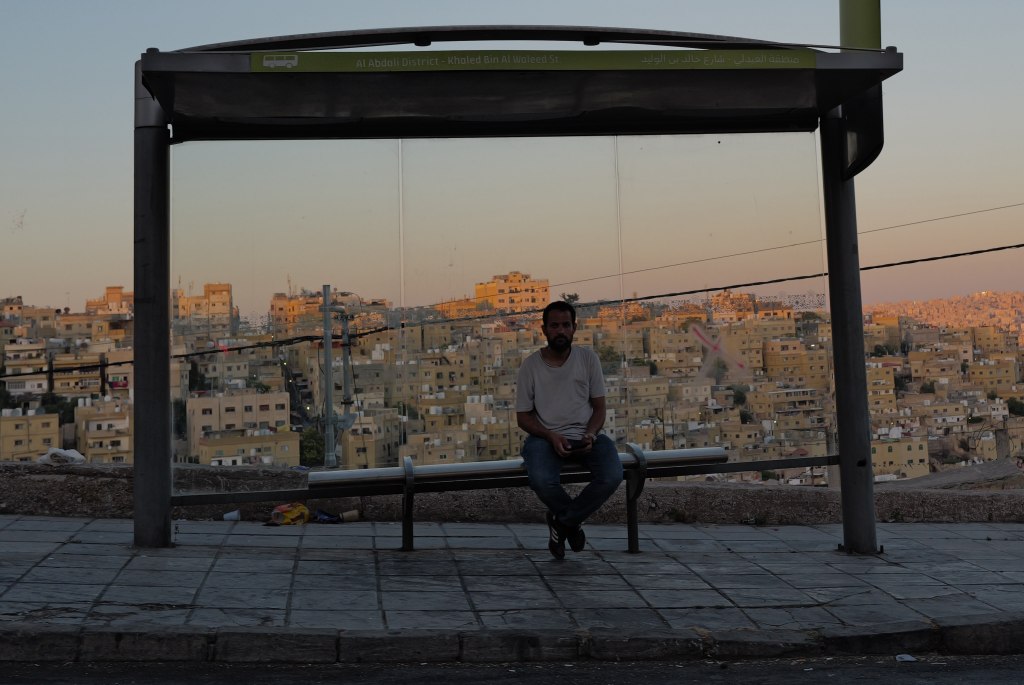
Amman at dusk
It started as Rabbath Ammon, capital of the Iron Age kingdom of Ammon. It appears in 2 Samuel as the city where David sent Uriah the Hittite to die so he could take Bathsheba. Ptolemy II renamed it Philadelphia in the 3rd century BCE, after himself. It became one of the Decapolis, ten Greek cities in a Semitic landscape. Rome annexed it in 106 CE and put it on a new imperial road. Everything monumental downtown comes from the building boom that followed. Byzantium made it a bishopric. Muslim armies took it in 635 and the Greek name went away. The Umayyads built a palace on the acropolis around 730.
Then it stopped. The Abbasids moved the capital to Baghdad in 762. An earthquake flattened the region in 749. Amman emptied out and stayed empty for about a thousand years. A Swiss traveler passing through in 1812 found broken columns and Bedouin camps. There’s no medieval quarter here and no Ottoman old city. That period is just missing.
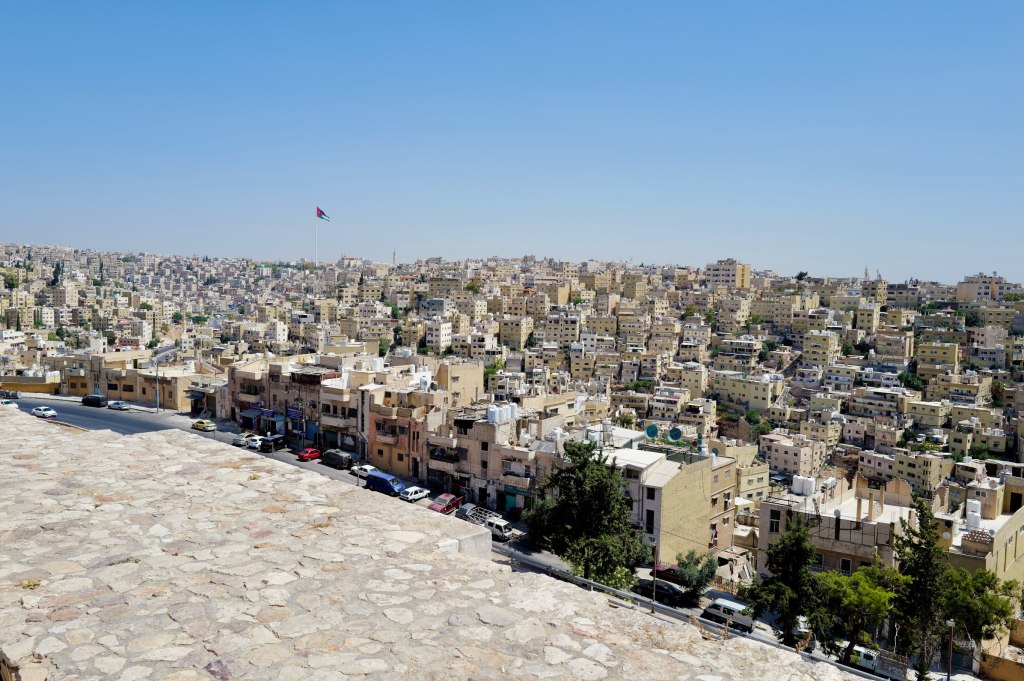
Downtown Amman
It started again in 1878. Circassian refugees fleeing the Russian conquest of the Caucasus arrived, moved into the vaults of the Roman theatre, and built a town around them. The railway arrived in 1903. Abdullah I made it his capital in 1921 over Salt, which was older, larger, and wealthier. That was the point. Salt had entrenched families. Amman had nobody.
The town was built on seven hills. It covers more than nineteen now. People still navigate by them instead of by street names. Jabal Amman, Jabal al-Weibdeh, Jabal al-Hussein. The Citadel is Jabal al-Qal’a, the hill of the fortress, and it’s where all of this started.
Five thousand people then. Over four million now.
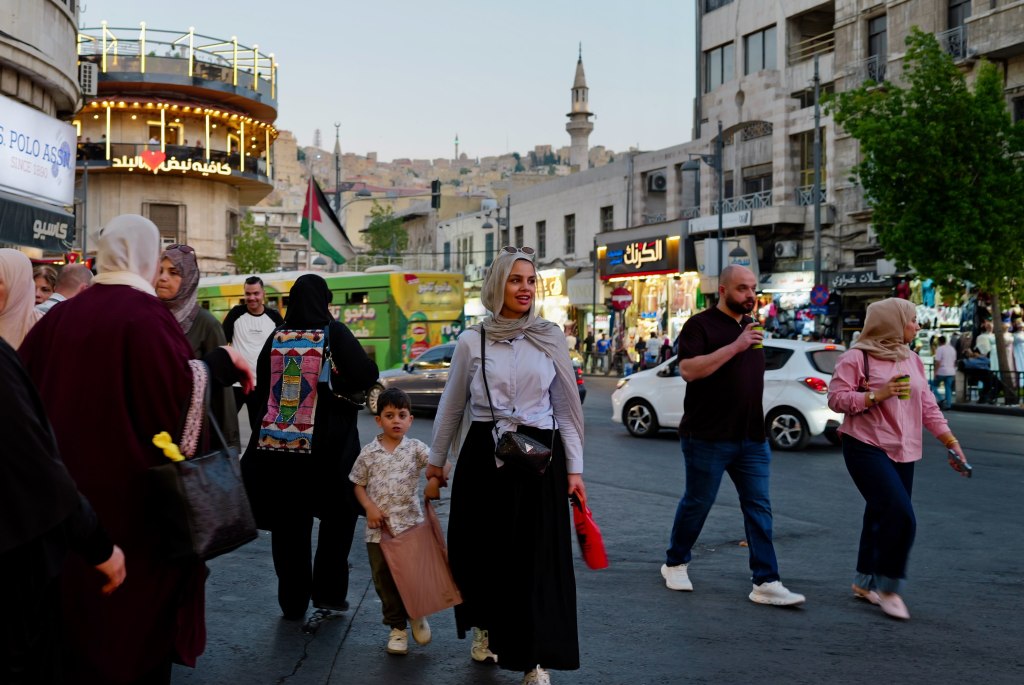
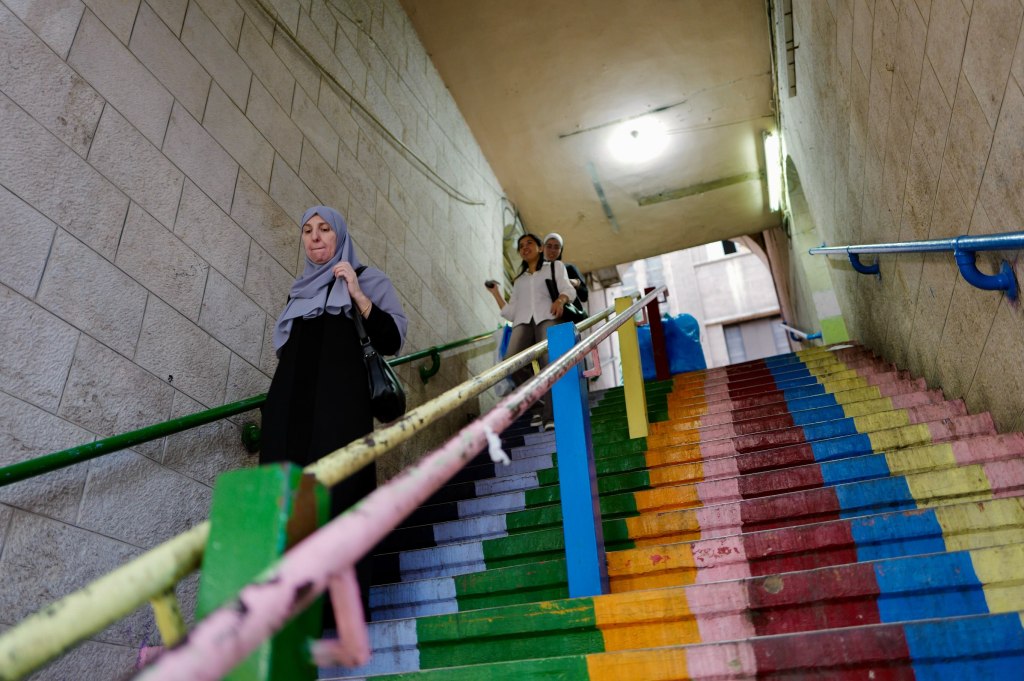
Amman streetRainbow stairsAmman at night
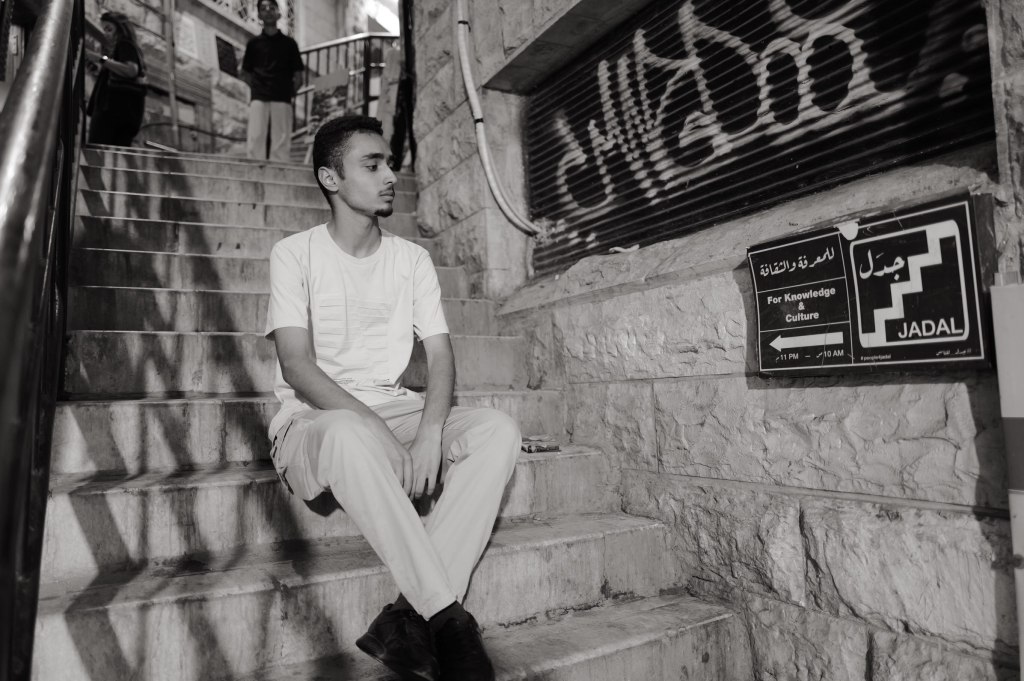
I met this young man downtown. He asked me to take photos of him for his Instagram. Nice to meet you, Sanad.
Sanad
The Citadel
Jabal al-Qal’a · 25 July
The Citadel
The hill has been occupied since the Neolithic. The Ammonites fortified it in the Iron Age and ran their kingdom from here. The Romans built the Temple of Hercules on top of it in the 160s CE, dated by an inscription to Marcus Aurelius and Lucius Verus. What’s left of the statue that stood inside is a marble hand and elbow. Scale them up and the figure was around thirteen meters tall.
Temple of Hercules
Byzantium put a church here in the 6th century, built out of recycled Roman columns. The Umayyads took over around 730 and built a palace complex on the north end: audience hall, cistern, bath, colonnaded street. The dome you see is a modern reconstruction funded by Spain. Archaeologists still argue about whether it was ever roofed that way.
The Umayyad palace dome
The palace had about twenty years. An earthquake hit in 749 and the Abbasids moved the capital to Baghdad in 762. After that the hill sat empty for a thousand years.
Six thousand years of occupation on one 850-meter ridge. You can walk the whole sequence in an hour.
From the Citadel
King Abdullah I Mosque
Amman · 25 July
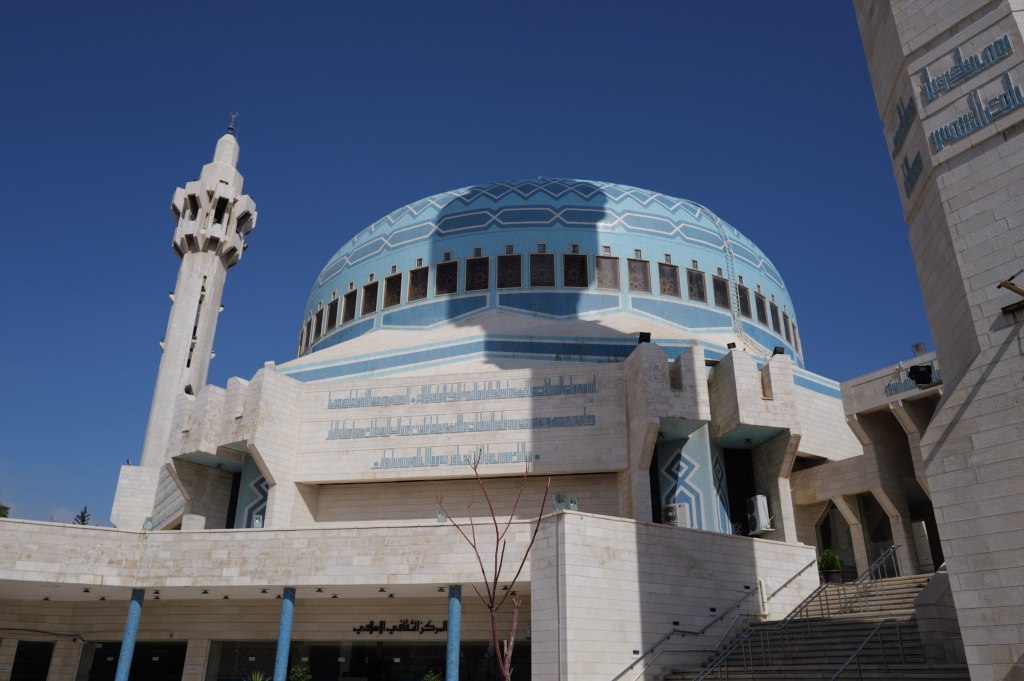
King Abdullah I Mosque
Built between 1982 and 1989, which makes it one of the newer things in a city full of Roman stone. King Hussein put it up as a memorial to his grandfather, Abdullah I, the man who chose Amman as his capital in 1921 and was assassinated at al-Aqsa in 1951 with Hussein standing beside him.
20 July 1951, Friday prayers. Abdullah walked into al-Aqsa in Jerusalem with his fifteen-year-old grandson next to him. A 21-year-old tailor’s apprentice named Mustafa Shukri Ashu stepped out from behind a door and shot him three times in the head and chest. He died there in the entrance.
Then the gunman fired at the boy. By Hussein’s own account the bullet hit a medal on his chest and glanced off — a decoration his grandfather had given him and insisted he wear that morning. Hussein went after the man instead of taking cover. The bodyguards shot the gunman dead on the spot.
The motive was the West Bank. Abdullah had annexed it, and enough people were convinced he was preparing a separate peace with Israel that a plot formed to stop him. Ten men were accused. Six were convicted.
Hussein was sixteen when he took the throne.
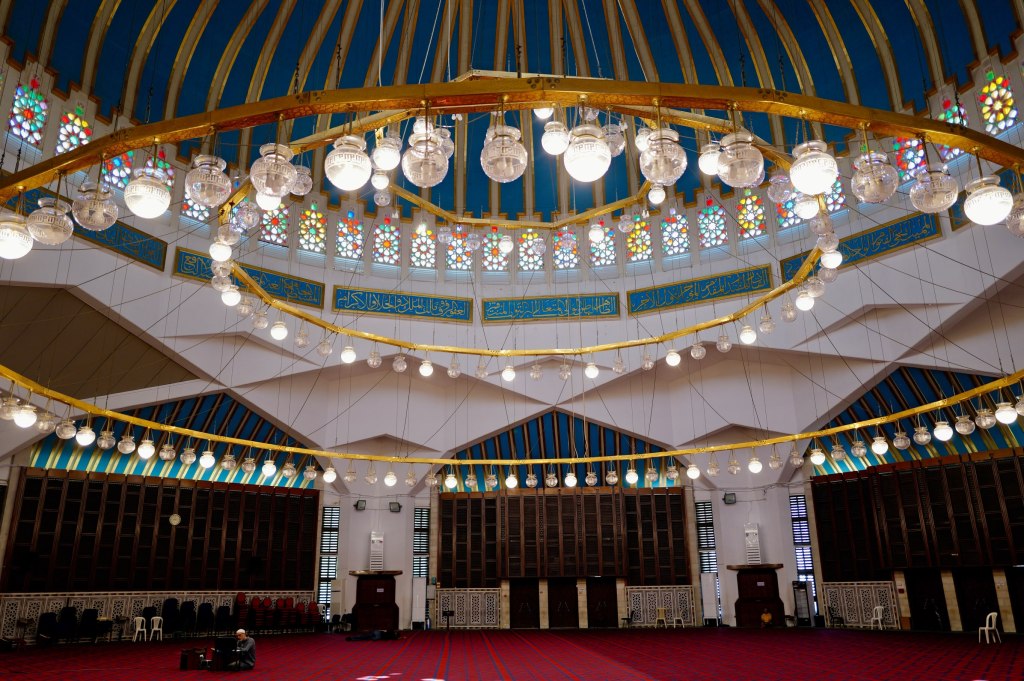
The dome
The dome is 35 meters across, mosaic in blue, and it carries its own weight with no interior columns holding it up. Nothing blocks the floor. Three thousand worshippers inside, another three thousand in the courtyard.
The building is a grandson’s monument to a grandfather he watched die. That’s worth knowing before you walk in.
Mount Nebo
Mount Nebo · 25 July
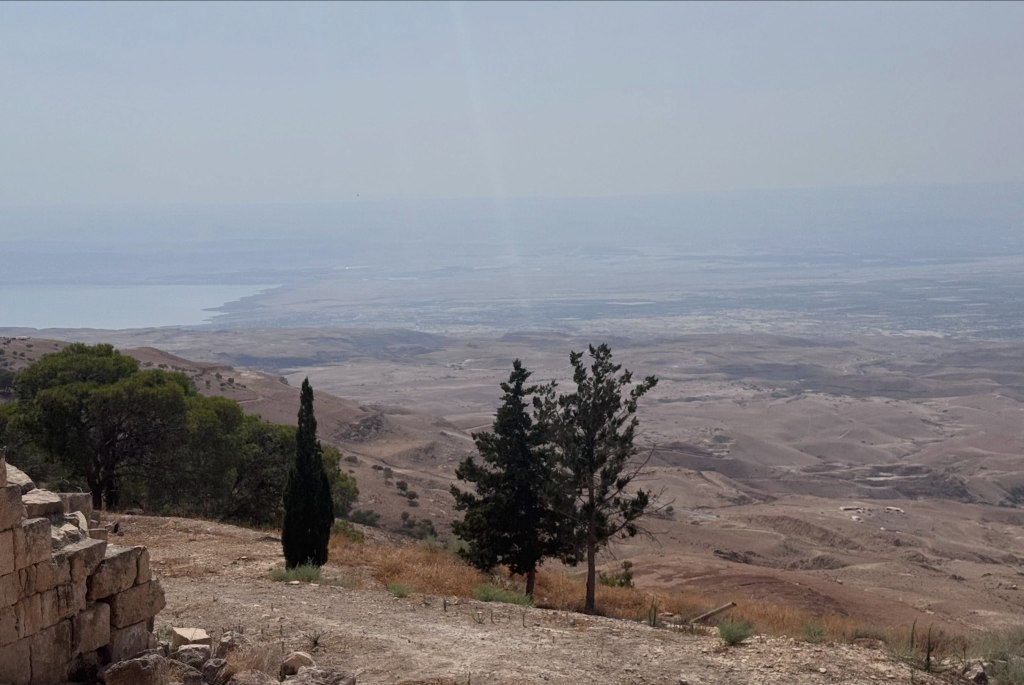
The view from Mount Nebo
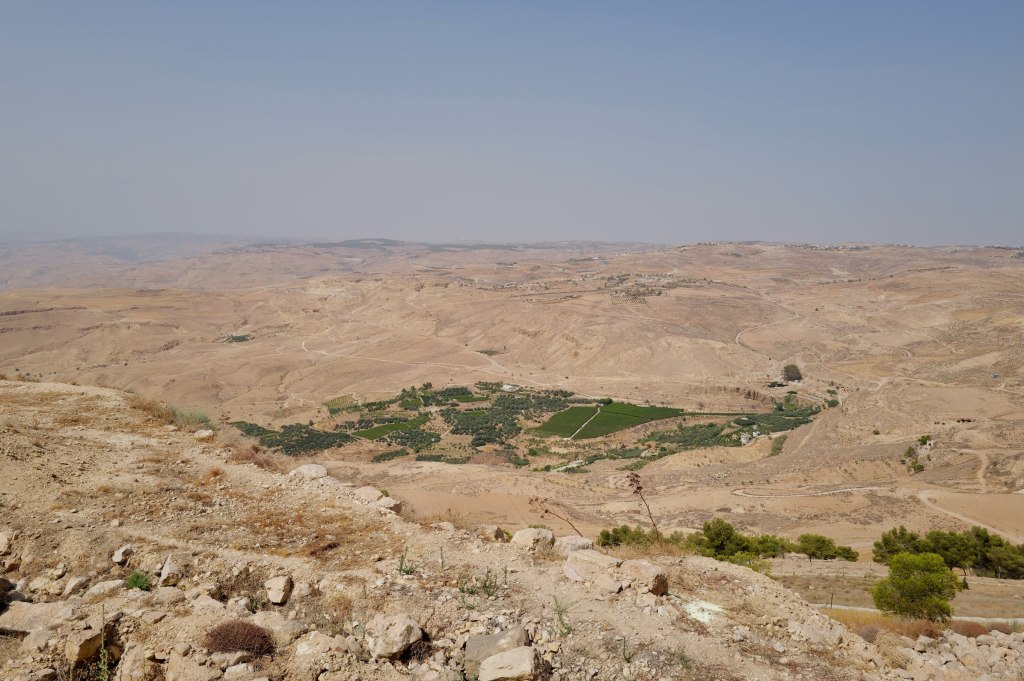
About 710 meters up, forty minutes southwest of Amman. On a clear day you can see the Jordan Valley, the Dead Sea, Jericho, and the hills of Jerusalem.
Deuteronomy 34 says Moses climbed here and God showed him the land — Gilead, Dan, Judah, the Negev, the valley down to Zoar. Then told him he wasn’t going in. He died here at 120. He was buried in a valley in Moab; nobody knows where.
Forty years of work. He was shown the country and not allowed to walk into it.
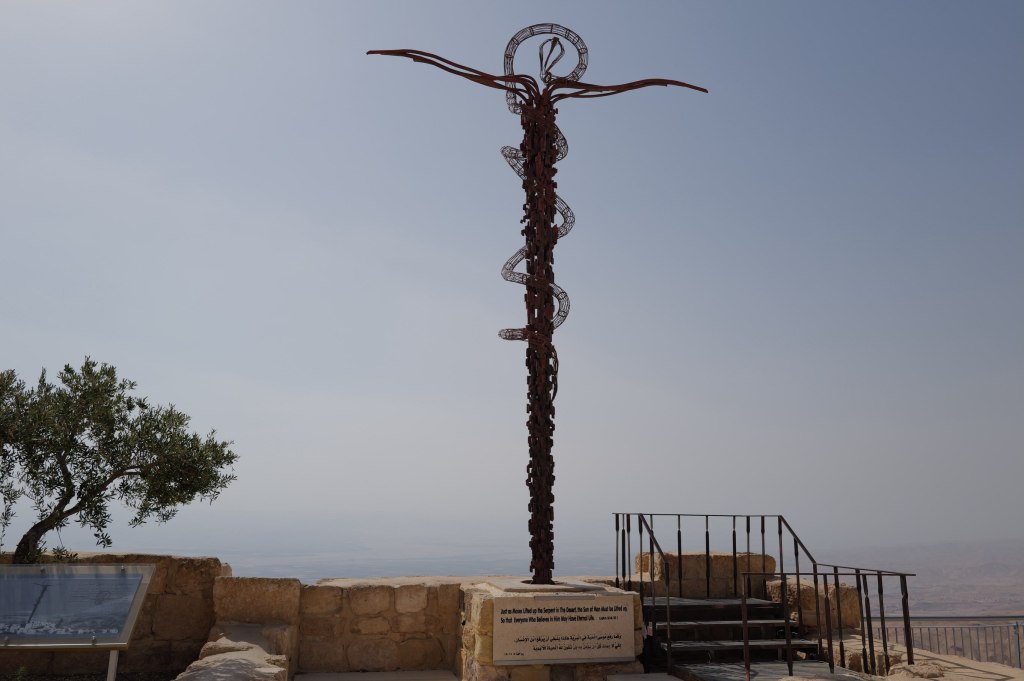
The Brazen Serpent
What’s actually here is Byzantine. A Spanish nun named Egeria came through around 384 CE on a pilgrimage across the Holy Land and wrote a letter home describing a church already standing on this summit, with monks living beside it who showed her the spot they said was Moses’ tomb. Her account is one of the earliest firsthand travel records from Christian late antiquity.
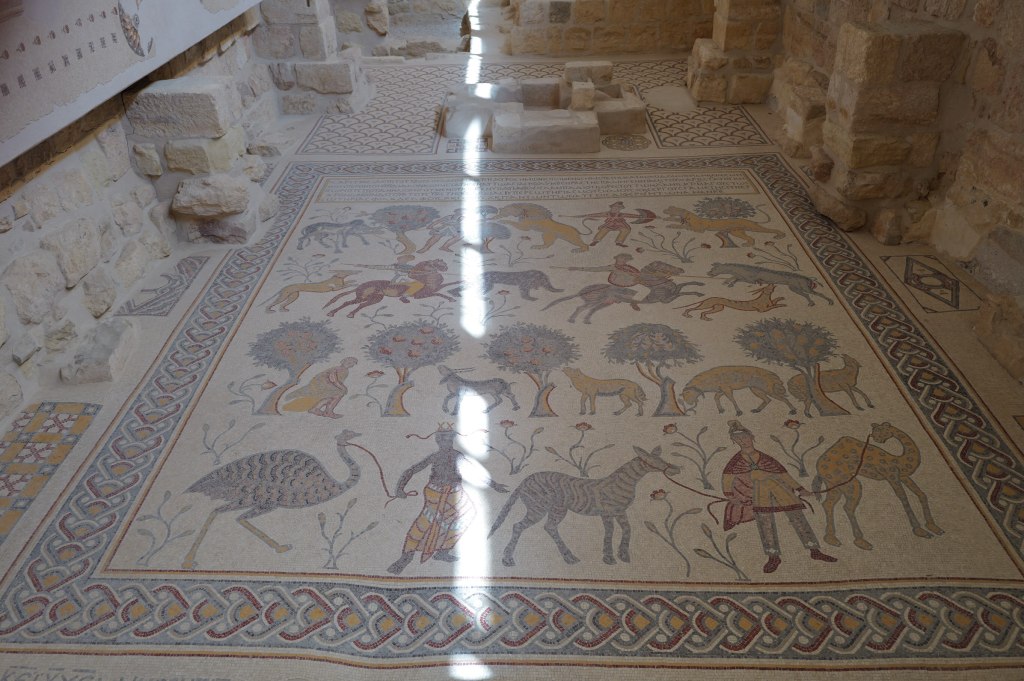
The 531 CE mosaic floor
The mosaic floor was laid in 531 CE and the artists signed their names to it: Soelos, Kaiomos, Elias.
The site was abandoned around the 16th century and sat in ruins. The Franciscans bought it in 1932 and have been excavating ever since. Pope John Paul II came in 2000 and planted an olive tree.
2 Maccabees claims Jeremiah hid the Ark of the Covenant in a cave on this mountain and sealed the entrance. It’s a 2nd-century BCE text making a claim about events four hundred years earlier. Nobody has found anything.
Looking toward the valley
Martin Luther King Jr. used this mountain in the last speech he gave, in Memphis. He said he’d been to the mountaintop and seen the promised land, and that he might not get there with them.
He was killed the next day.
Madaba, and a map on the floor
Madaba · 25 July
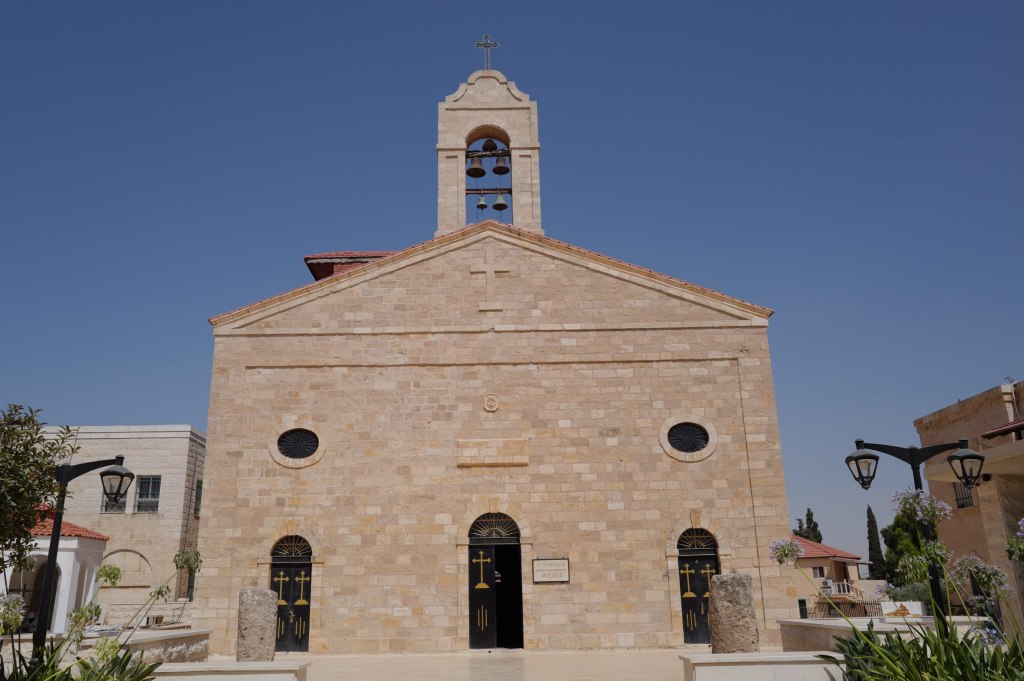
Church of St. George
The building is from 1896. What’s on the floor is from the 6th century.
Madaba was empty for centuries until 1880, when Christian families from Karak moved here after a feud and the Ottomans gave them permission to settle, on the condition they build only on the footprints of old churches. Digging those foundations is how they found the map. The church went up over it in 1896.
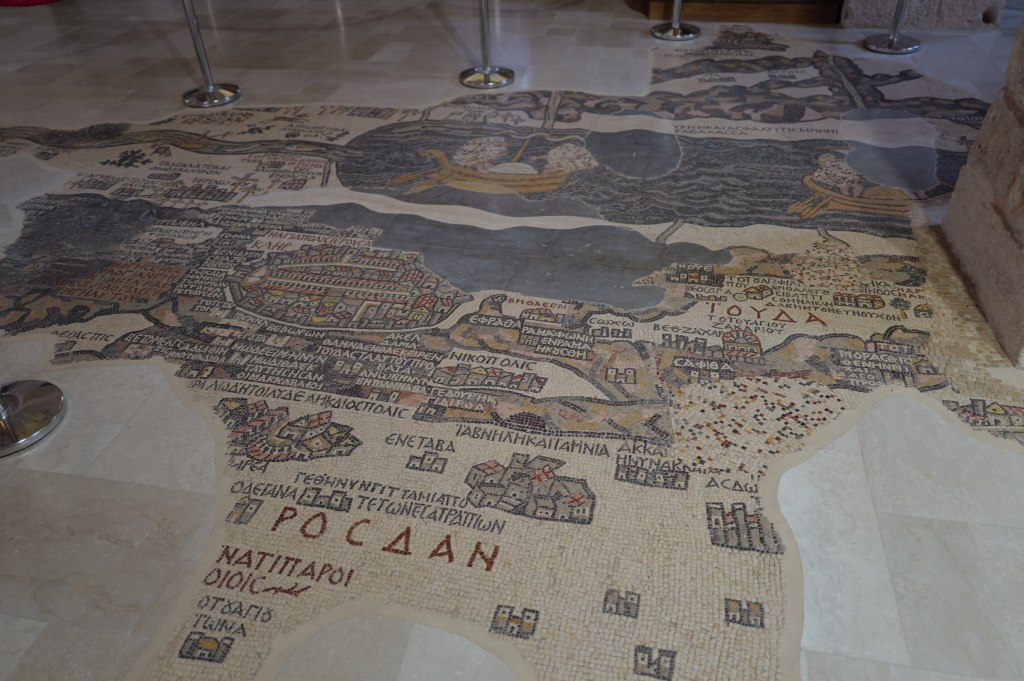
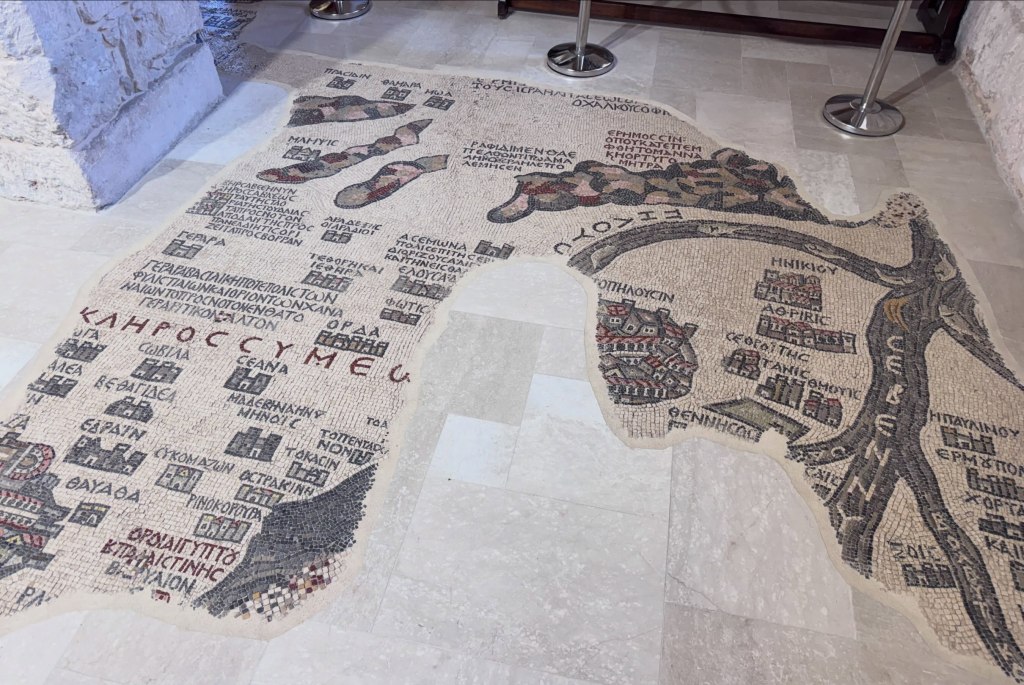
The Madaba Map
The Madaba Map was laid around 560 CE. It covered the floor at roughly 16 by 6 meters and took something like two million cut stone tesserae. About a quarter of it survives. It’s the oldest surviving map of the Holy Land and the oldest known depiction of Jerusalem, and it’s oriented east rather than north, so you read it standing at the western edge facing the altar and facing the actual land.
The Jerusalem panel
Christian pilgrims used the map to navigate to holy sites. The Jerusalem panel shows the city walls, the gates, the Church of the Holy Sepulchre, and the Cardo Maximus. For a long time that was just a picture. Then in the 1970s Israeli archaeologists excavating the Jewish Quarter used the map to predict where the Cardo should be, dug, and found it.
A 6th-century floor mosaic worked as a survey document fourteen hundred years later.
During the iconoclastic period, in the 8th century, church mosaics across Jordan and Palestine lost their people. Human and animal figures were considered idolatry. Someone lifted the tiles out one at a time and reset them as scrambled patterns, leaving the floor intact and walkable. The local Christian communities almost certainly did this to their own churches, during a period when both the Byzantine world and the Umayyad caliphate were arguing over whether religious images were idolatry.
Petra, before the Siq
Bab al-Siq · 26 July
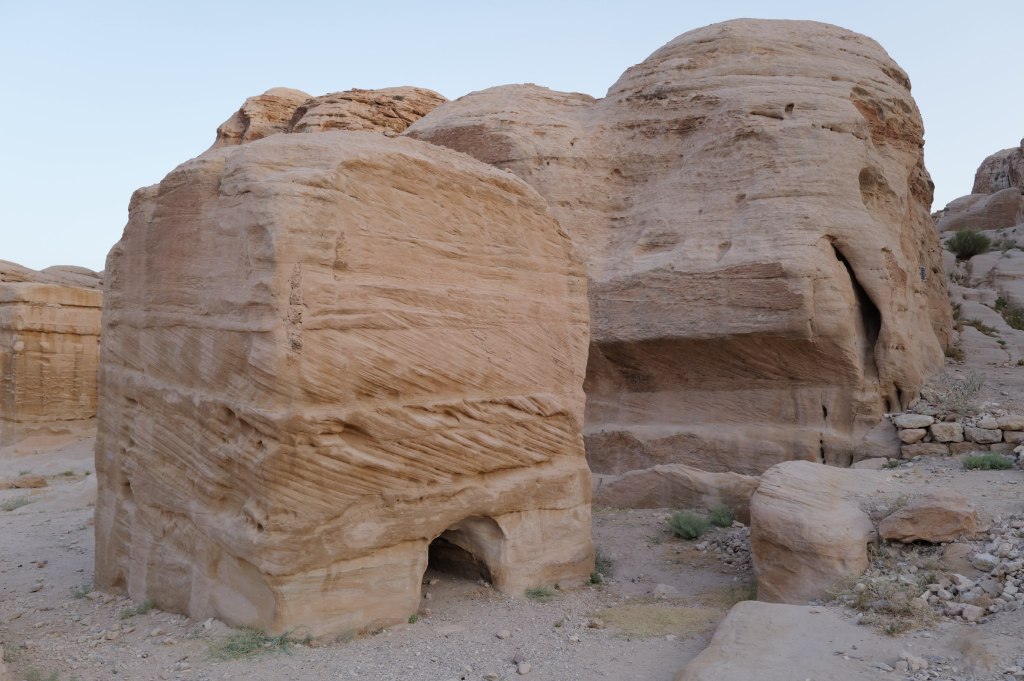
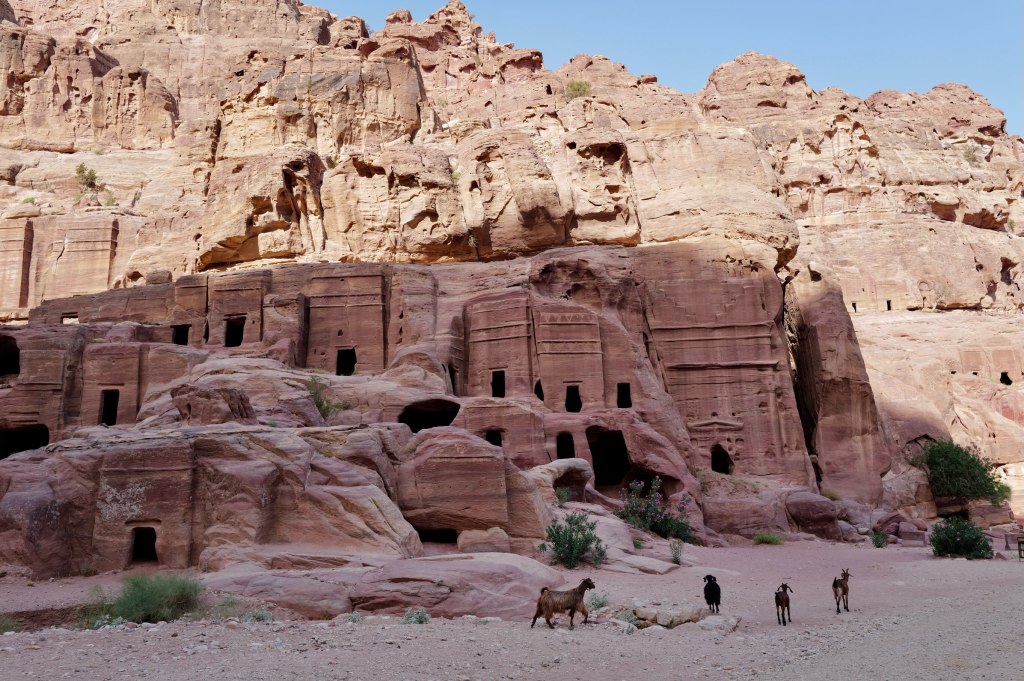
Djinn blocks
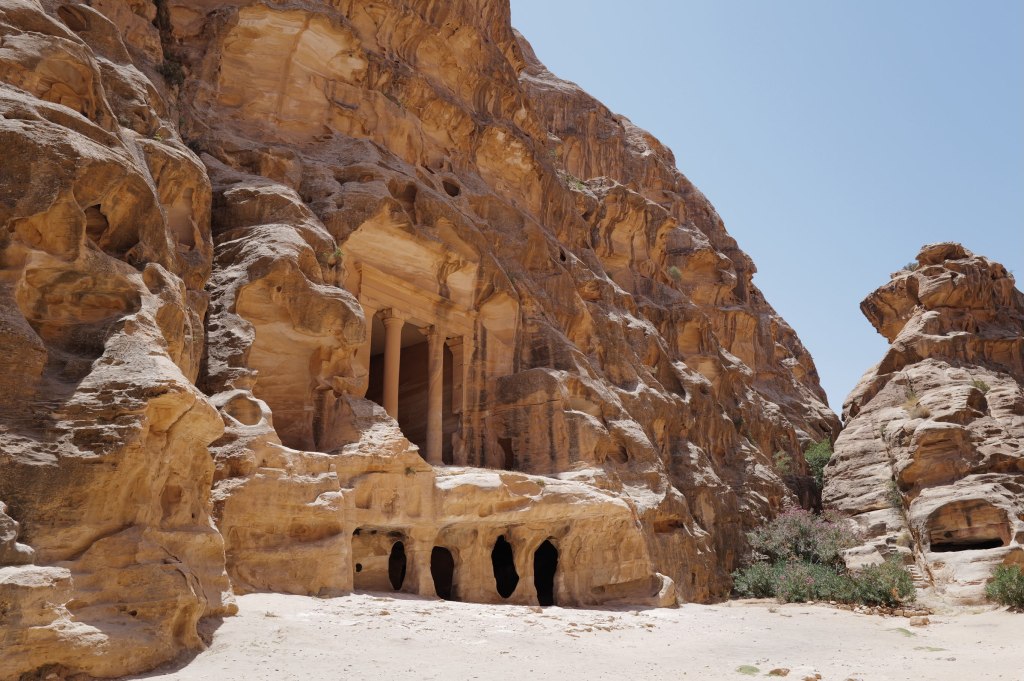
Carved by the Nabataeans, an Arab people who ran the incense trade out of southern Arabia. They started as nomads and became the richest middlemen in the region, taxing frankincense and myrrh moving north. By the 1st century BCE they had a kingdom, a king, and this. The camel is the reason it exists.
All of this comes before the Siq. Most people walk past it.
The freestanding cubes are djinn blocks. Solid stone, cut out of the bedrock and left standing. About 26 around Petra, most along this stretch. The name is Bedouin, houses of spirits, and it stuck because nobody knows what the Nabataeans called them. Some have burial chambers inside. Some sit near water channels. Function is still argued.
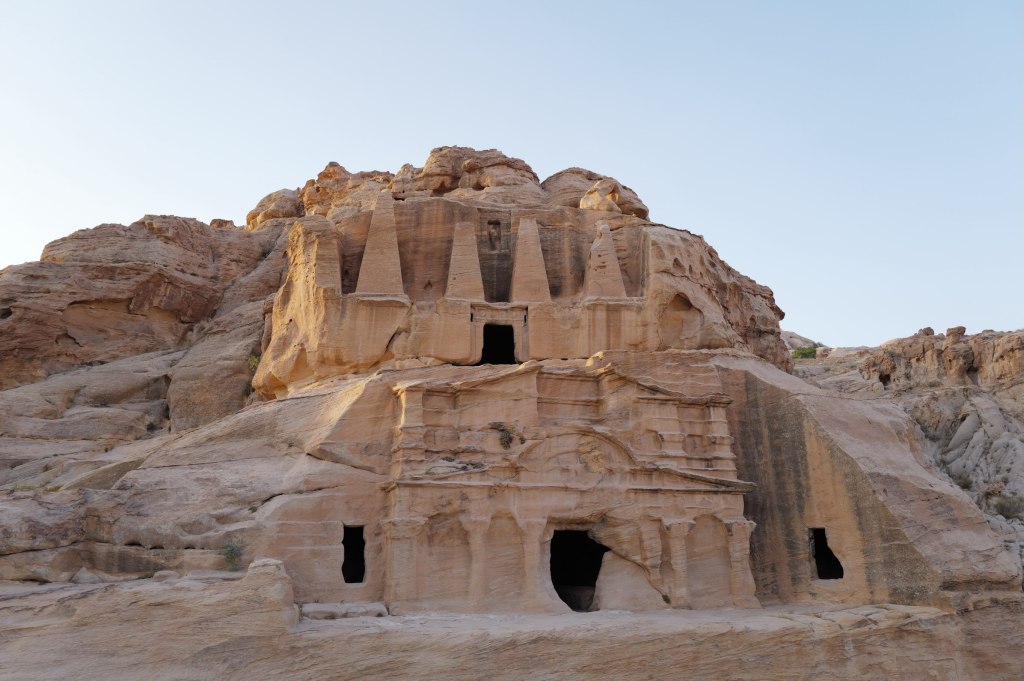
The Obelisk Tomb
The two-level facade is the Obelisk Tomb over the Bab al-Siq Triclinium, carved at different times. The four obelisks are nefesh, grave markers standing in for the soul of the dead. Five markers, five people. The form is Egyptian, which tells you how far this trade network reached. The lower level is a dining hall with benches on three sides. Families came back on set days to eat with their dead.
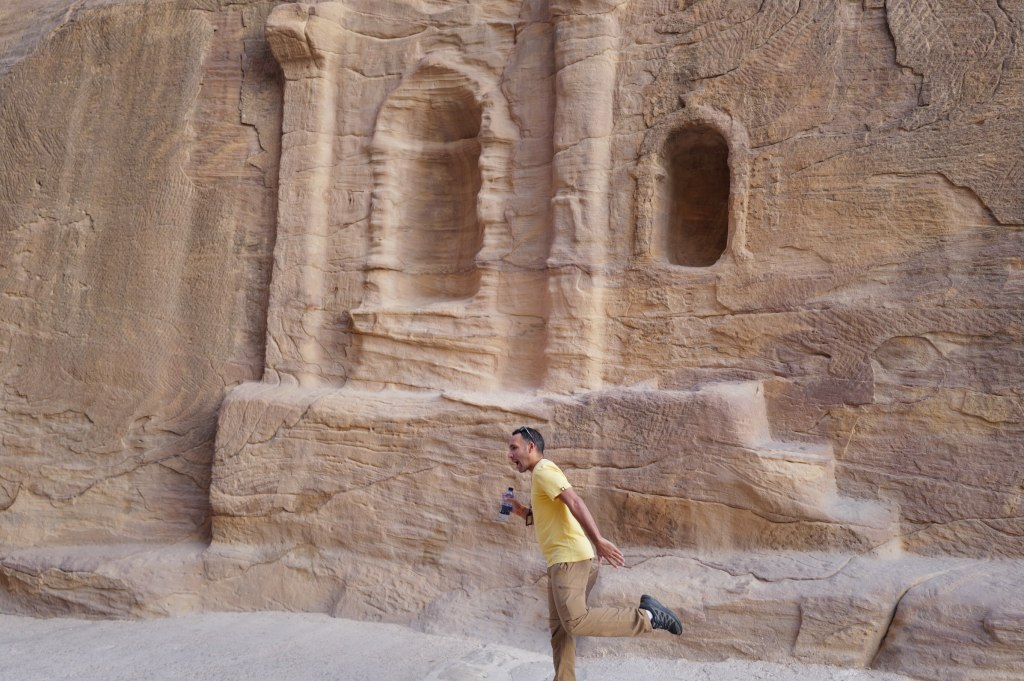
Niches of different sizes
The last wall has niches at different sizes and standards of carving, one with a full temple front, others rough. People paying for what they could afford. The Greek inscription is later, after Rome annexed the kingdom in 106 CE. The language changed. People kept leaving offerings in the same spots.
Dushara
Petra · 26 July
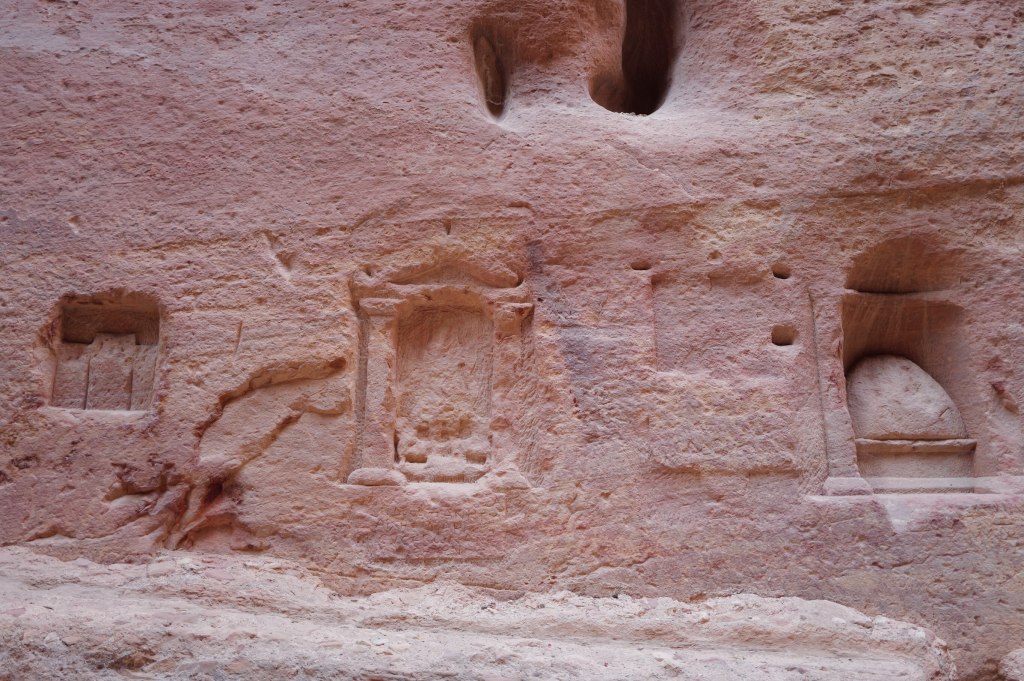
Betyls cut into the rock
The chief god of the Nabataeans. The name means “he of Shara,” the mountain range that surrounds Petra. Not an import. A god of this specific ground.
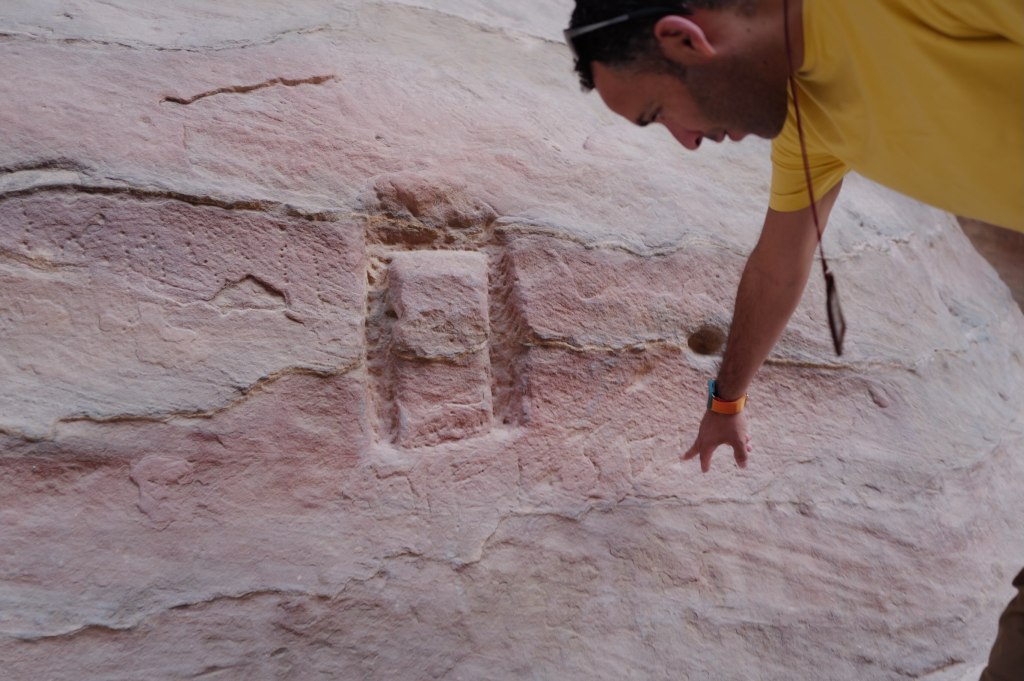
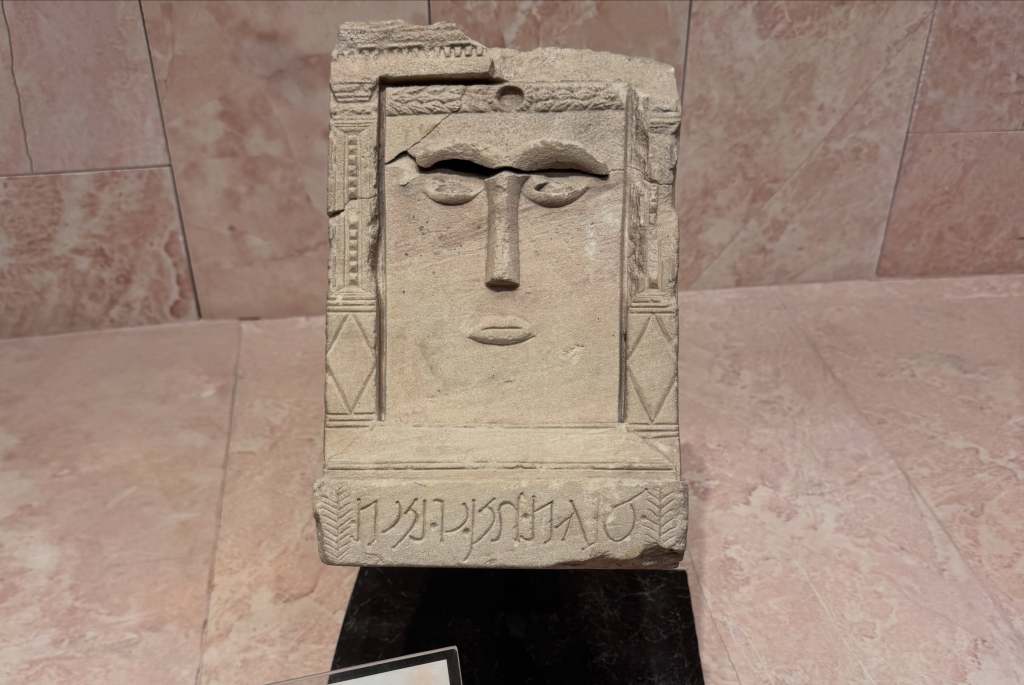
He has no face. The Nabataeans carved him as a plain rectangular block, and that wasn’t a shortcut or a primitive stage they hadn’t grown out of. It was the theology. The block is called a betyl, from beth el, house of god. The god isn’t depicted in it. He’s understood to be present in it. Nabataean carvers were capable of anything the Hellenistic world could do, and you can see it on the Treasury facade. They chose the block anyway.
A betyl at eye level
There are hundreds of these cut into the walls around Petra. In the Siq they sit at eye level and at the height of someone on a camel, so travelers made offerings walking in. The entrance to the city was also a mile of shrines. You were passing through a religious space before you got anywhere near the buildings.
Al-Uzza
Some betyls have two simple eyes and a nose. Those are usually read as al-Uzza, the goddess paired with him. The plain ones are Dushara.
Ancient writers said the original was an unworked black stone at Petra, taken as it was found. The move from raw stone to cut rectangle is the whole argument in one object: a god you can house but not picture.
He didn’t disappear. Dushara worship continued under Rome, showed up on Roman provincial coinage, and the black stone tradition was still alive in pre-Islamic Arabia when Islam arrived.
The Siq
Petra · 26 July
The Siq
The Siq is the way in. A natural fault in the sandstone, about 1.2 kilometers long, walls up to 180 meters, narrow enough in places to touch both sides.
Look down at the channels cut into the rock at knee height. That’s the water system. Petra sits in a desert that gets under 150mm of rain a year, and the Nabataeans built dams, cisterns, and ceramic pipe networks that supported tens of thousands of people. They controlled flash floods and stored what fell.
The city existed because they solved water.
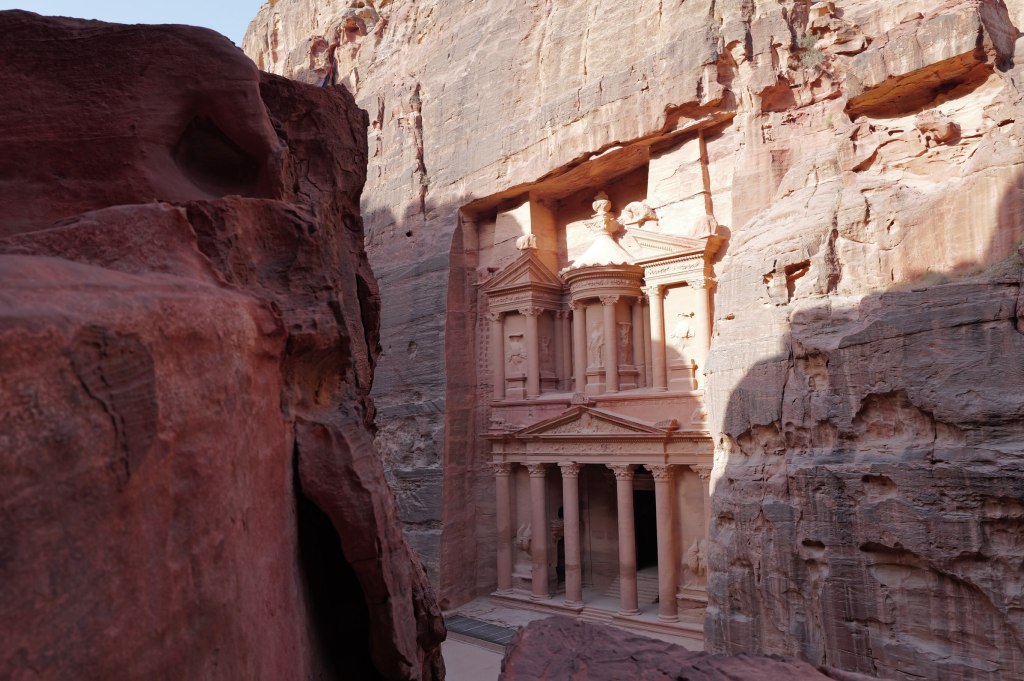
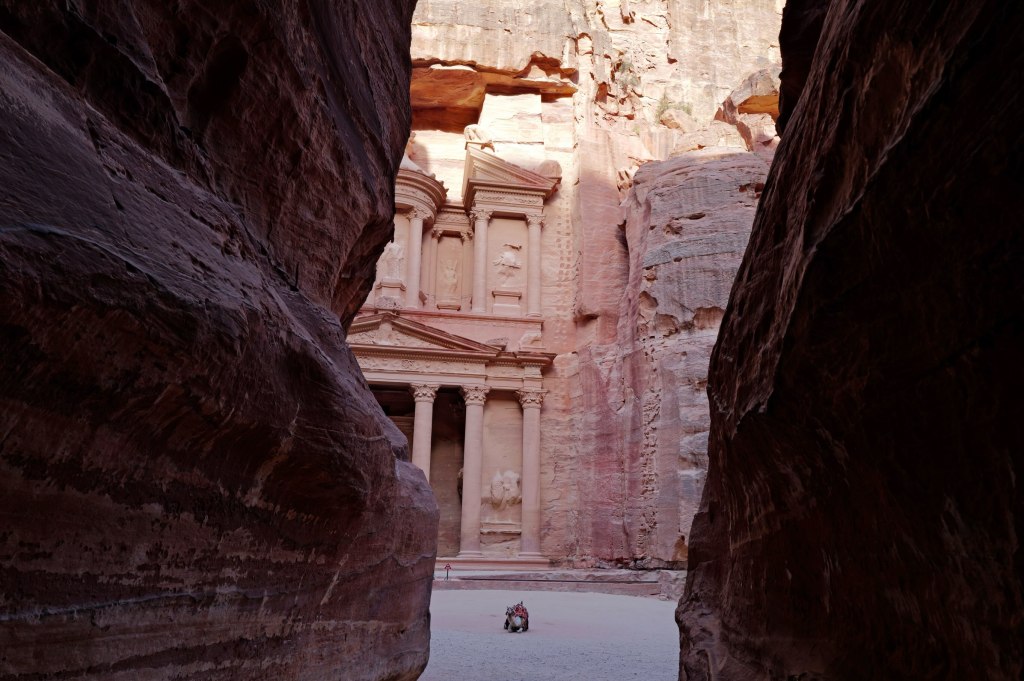
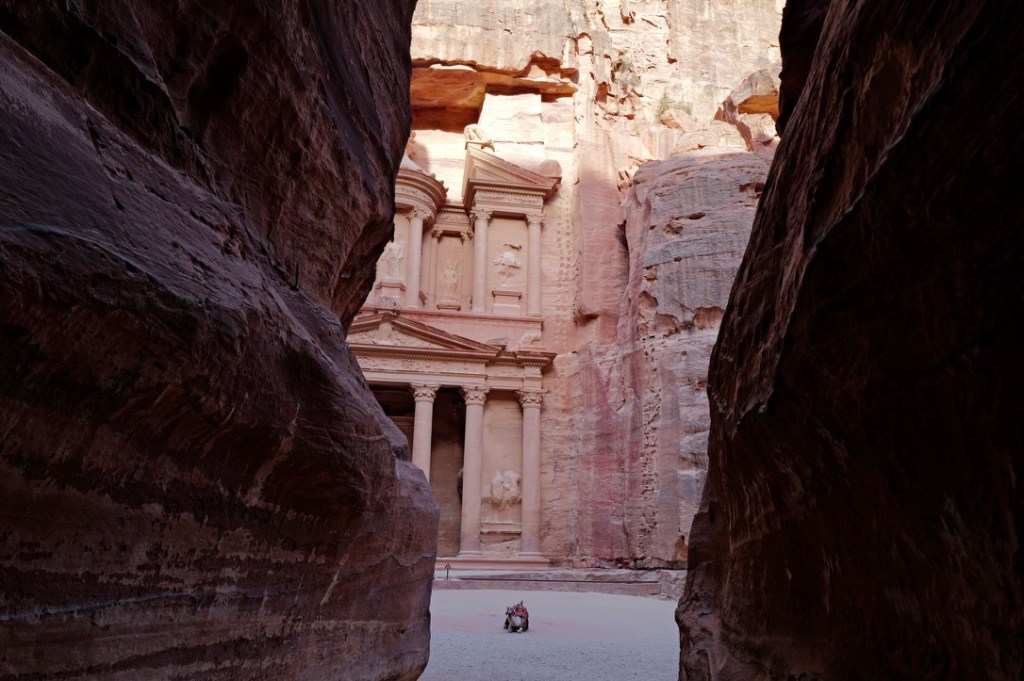
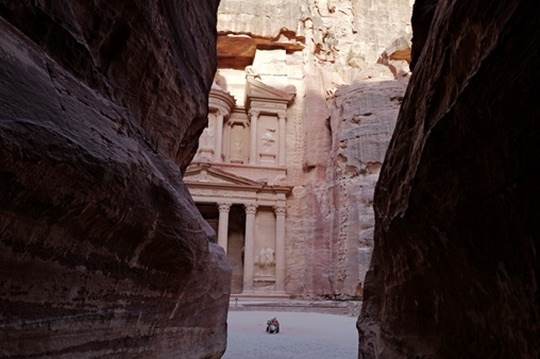
The Siq opening onto the Treasury
Most people stop at the Treasury. The site is 264 square kilometers. Past it there’s a theatre cut into rock seating around 4,000, a colonnaded street, temples, hundreds of tombs, and 800 steps up to the Monastery.
The royal tombs
Rome annexed the kingdom in 106 CE. Trade moved to sea routes, earthquakes hit in 363 and 551, and the city declined. After the Crusades it dropped out of European knowledge for six hundred years. Bedouin families lived among the tombs the whole time.
In 1812 a Swiss traveler named Johann Ludwig Burckhardt got in by speaking Arabic under a false name and telling a guide he’d vowed to sacrifice a goat at a shrine nearby. He walked through the Siq, memorized what he could without being seen taking notes, and published it.
Same man who found Amman in ruins that year.
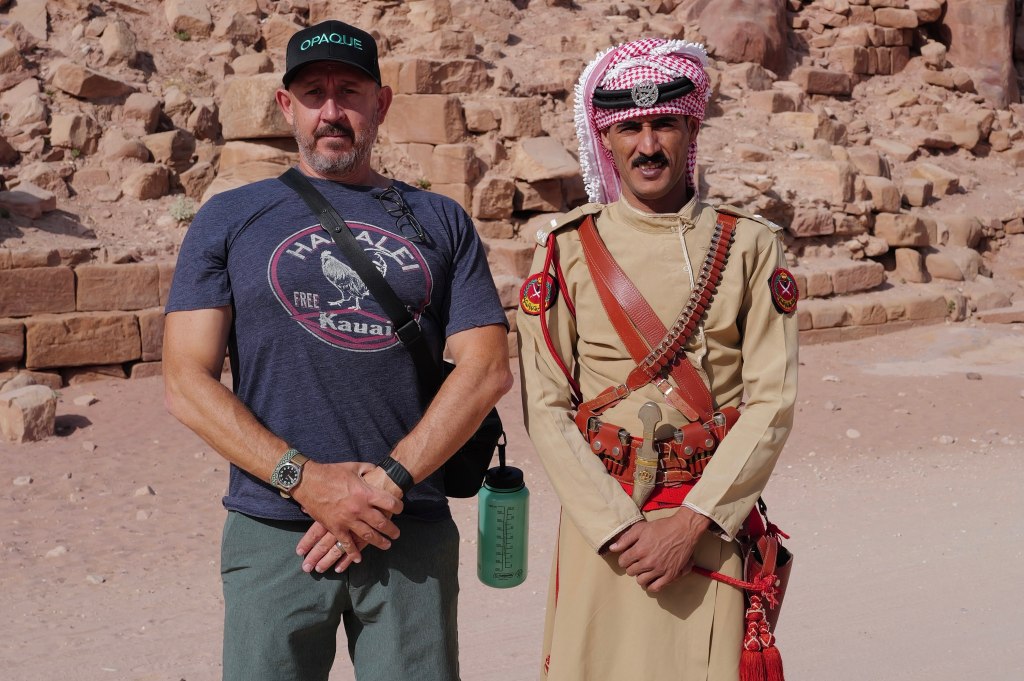
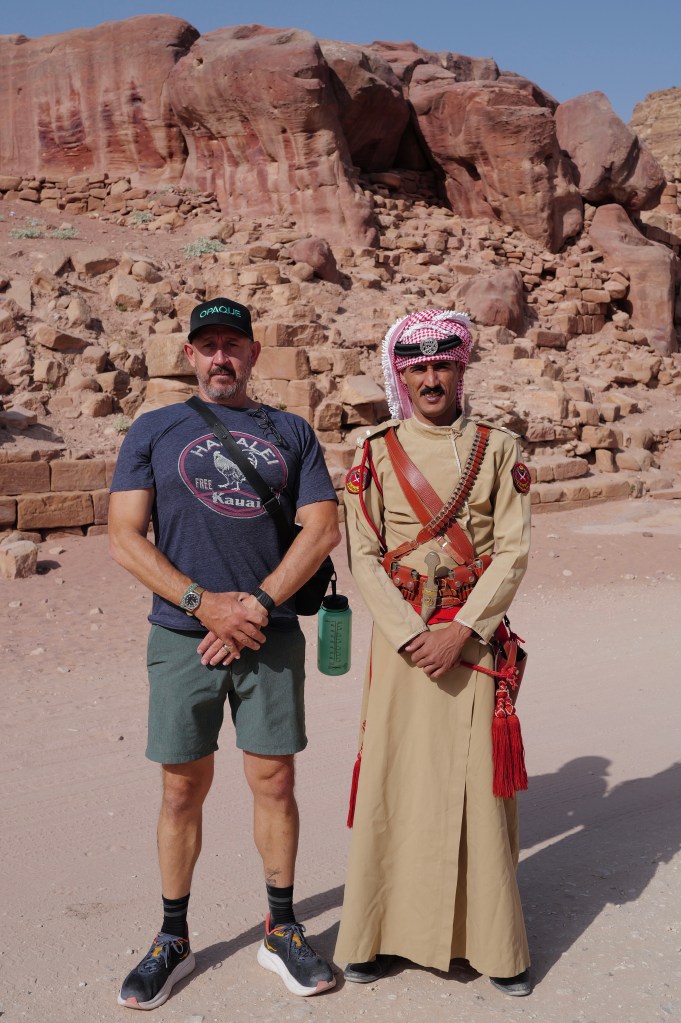
With one of the guards
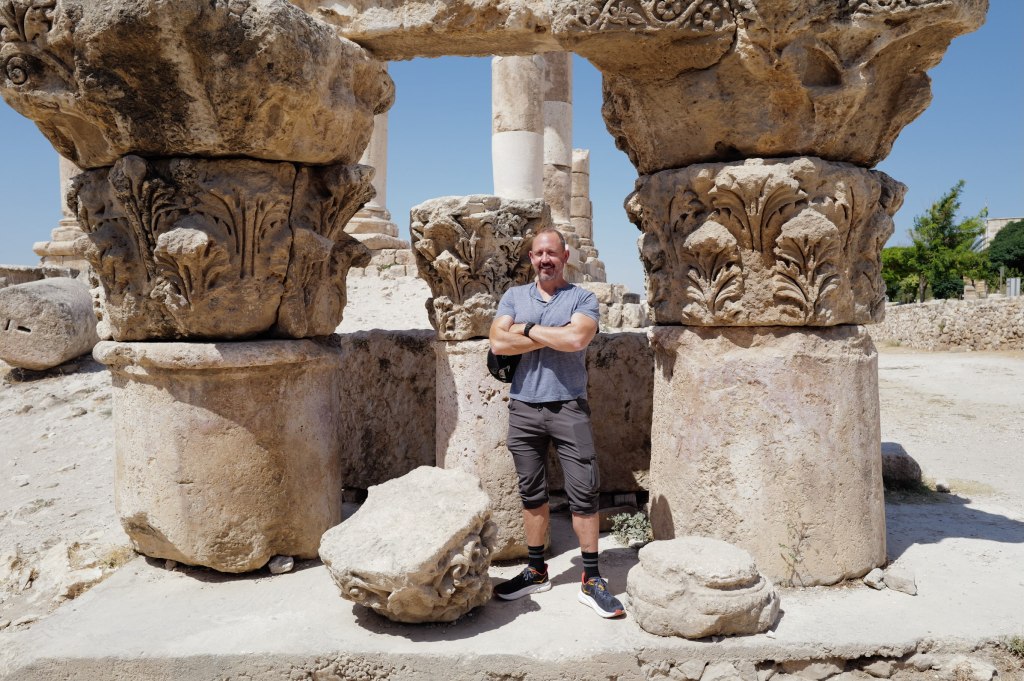
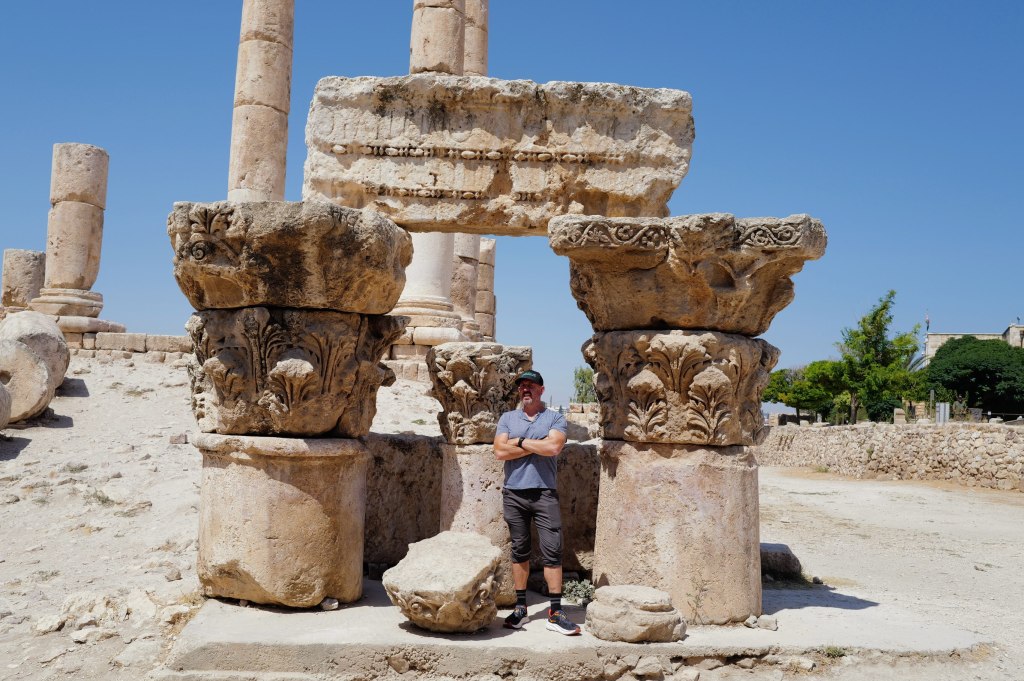
The Treasury
Petra · 26 July
The Treasury
Al-Khazneh. Around 39 meters tall, carved top down out of a single rock face, probably for King Aretas IV around the turn of the era.
It’s a tomb. The name comes from a Bedouin story that a pharaoh hid gold in the urn at the top, and people shot at it for generations trying to break it open. The bullet damage is still there. The urn is solid stone.
In 2003 archaeologists found tombs underneath it. In 2024 they excavated further and found twelve burials with grave goods. The building had been studied for two centuries and it was still holding people nobody knew about.
The Monastery
Ad-Deir · 26 July
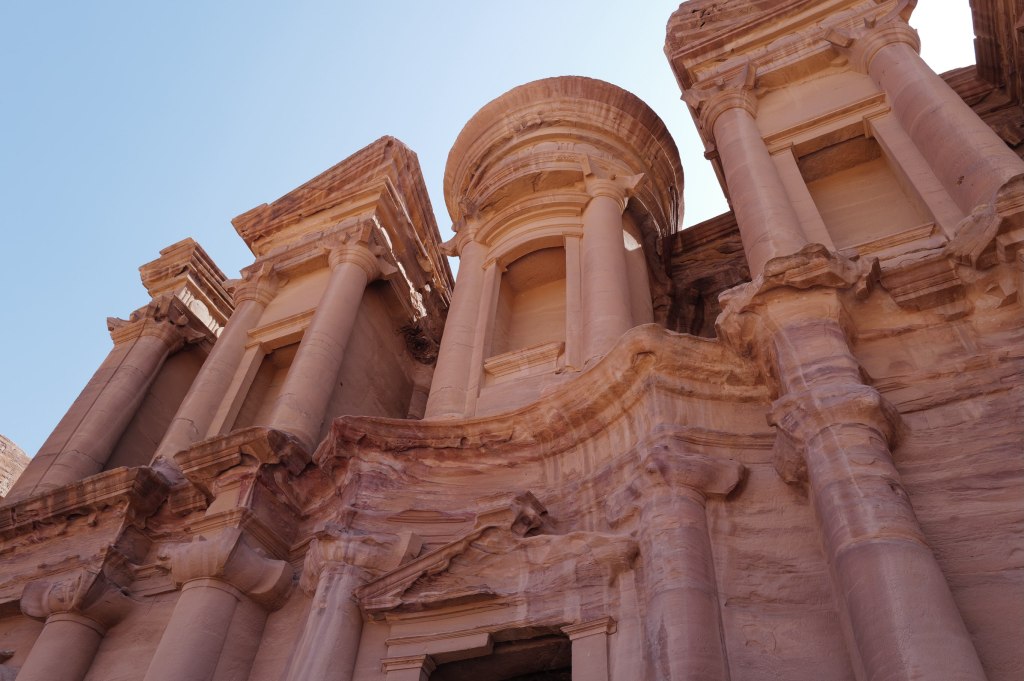
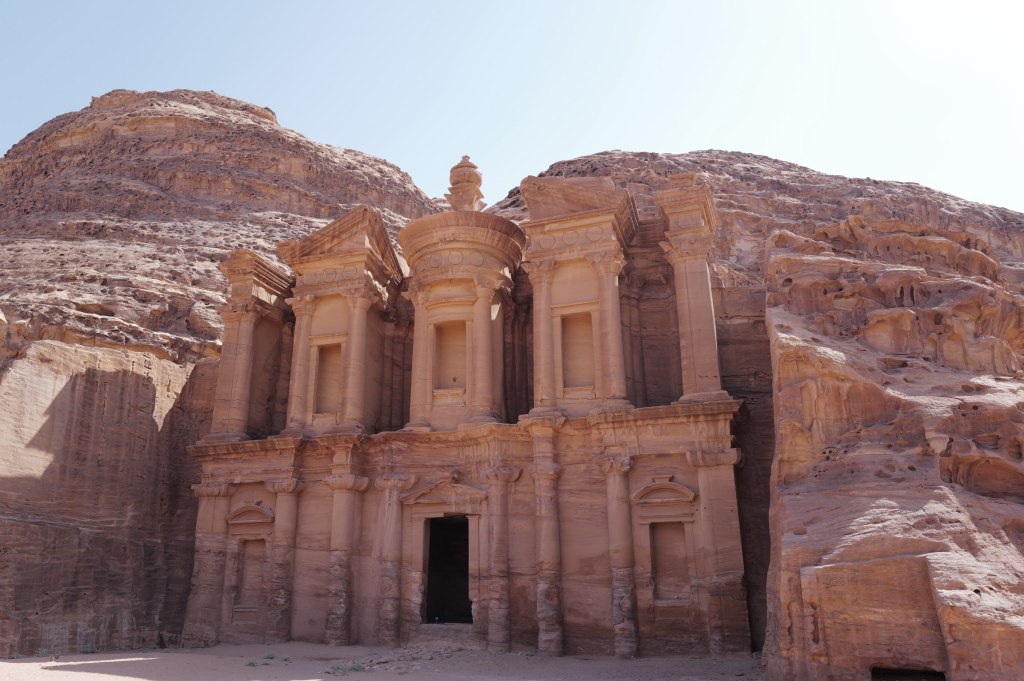
Ad-Deir
Ad-Deir. 800 steps cut into rock to get here, and most people never make the climb.
It’s bigger than the Treasury. About 47 meters wide and 48 tall, with an eight-meter urn on top. The doorway alone is eight meters. Stand in it and you’re not quite half its height.
The facade is the same design language as the Treasury but stripped down. No figures, no relief carving, just the shapes: broken pediment, central round tholos, columns, urn. It’s later, probably mid-1st century CE, likely tied to Obodas I, who was deified after his death. The interior is a single empty chamber with a bench running around it and an altar niche in the back wall. That’s a biclinium, a room for ritual meals. People came up here to eat in the presence of a god.
The Monastery from the trail
It was never a monastery. The name comes from Christian crosses carved into the interior walls, cut by Byzantine monks who used the chamber centuries later. The Bedouin called it ad-Deir and that stuck.
The climb takes about 45 minutes. Go early. There’s a tea stall at the top facing the facade.
The people who never left
Petra · 26 July
Bdoul men in the rocks
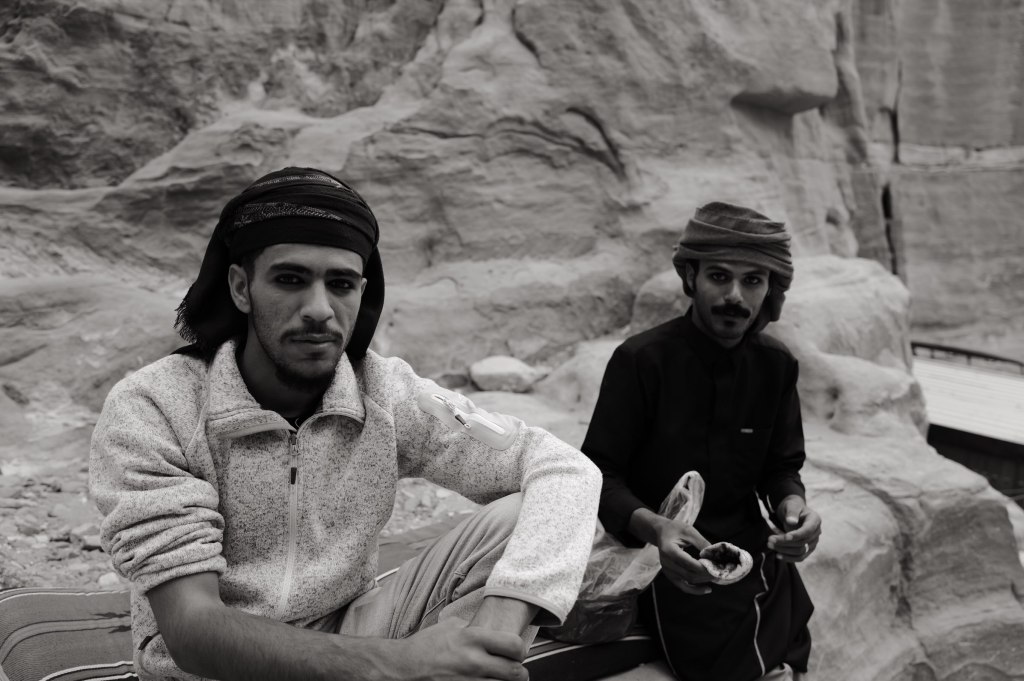
Petra was never abandoned. When Burckhardt walked in in 1812 and wrote it up for Europe, Bedouin families were living in the tombs and had been for generations. The Bdoul are the main tribe here. They say they descend from the Nabataeans. That’s contested and probably unprovable, but they were in the caves for centuries and nobody disputes that part.
They lived in the carved chambers. Kept goats. Ran water through the old Nabataean channels. Buried their dead in the same rock.
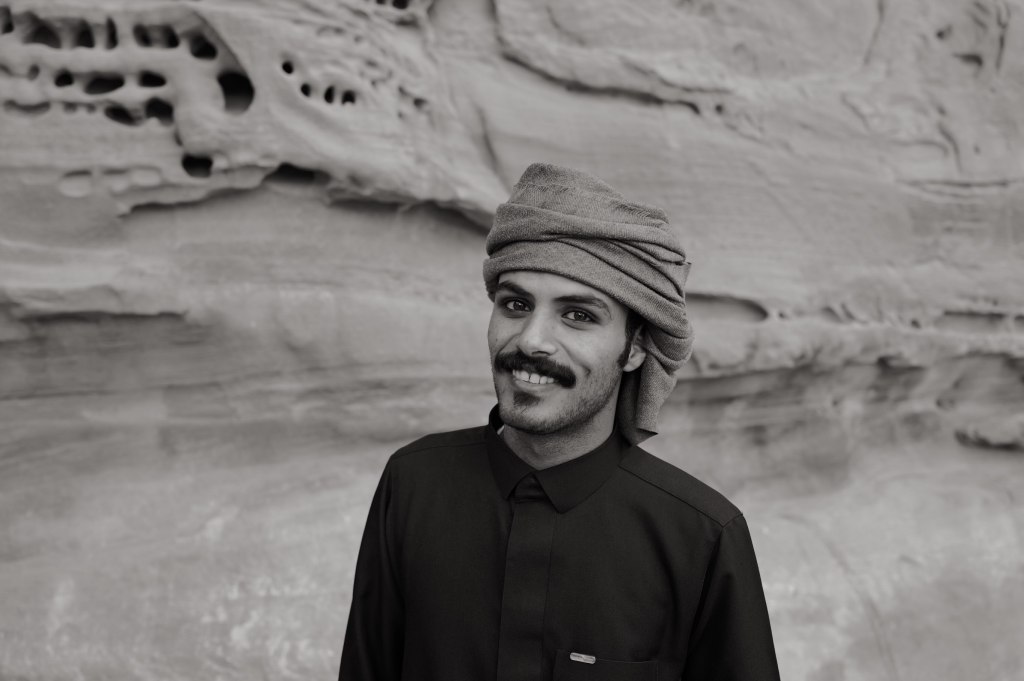
Portrait
In 1985 UNESCO listed Petra as a World Heritage Site, and living in it stopped being compatible with preserving it. The government built a village at Umm Sayhoun, above the site, and moved most of the Bdoul there in the 1980s. Concrete houses, electricity, a school. Some families went. Some resisted. A few stayed in the caves and are still there.
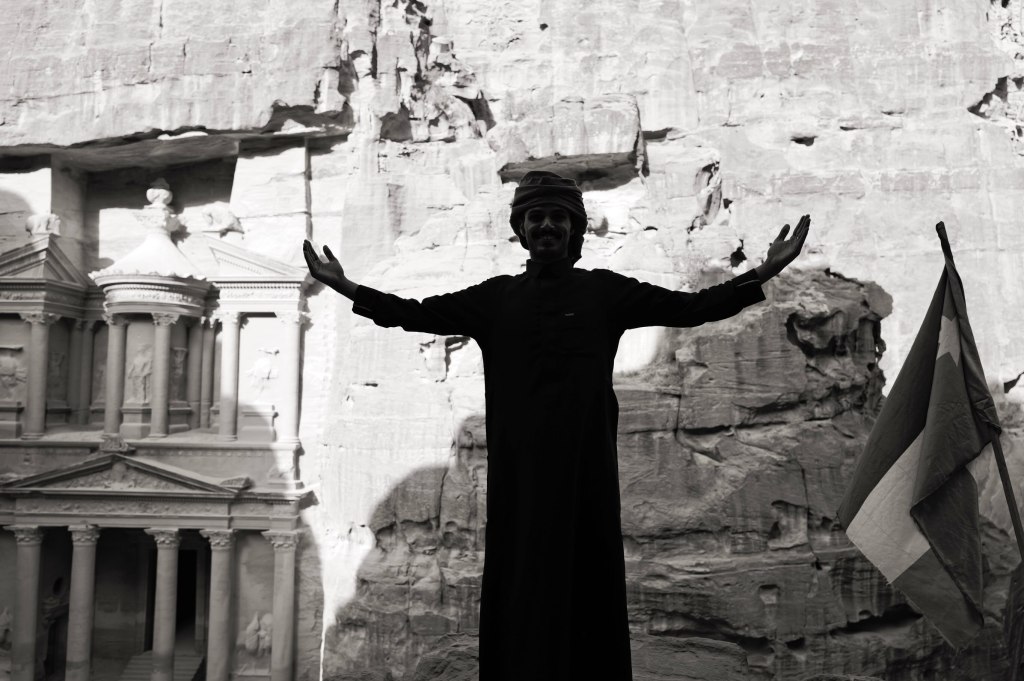
In front of the Treasury
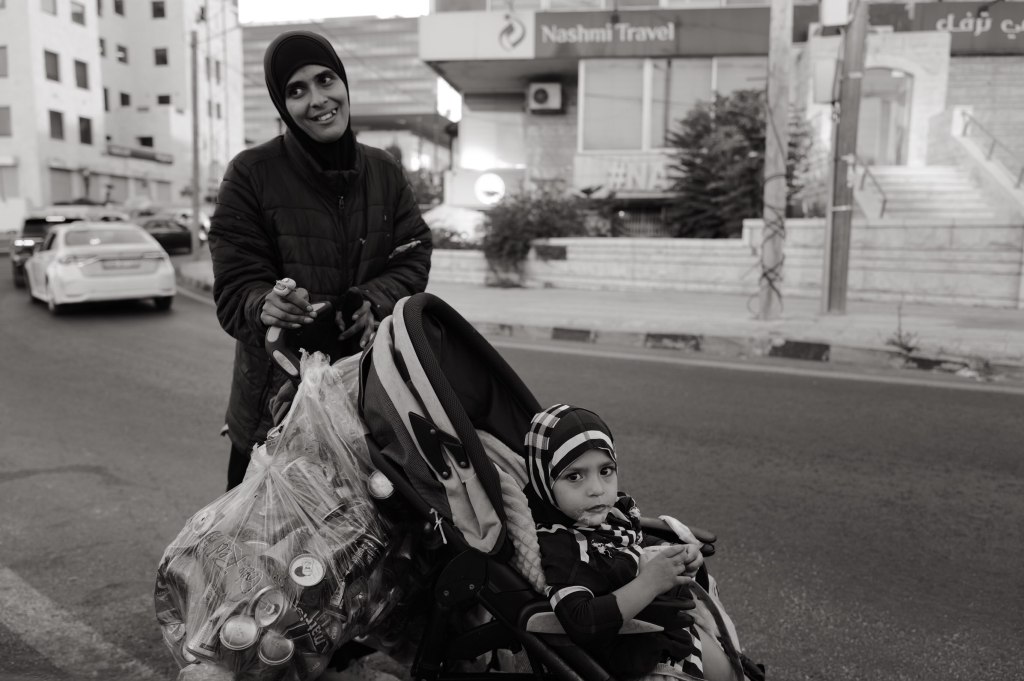
The work here is Bedouin work. The guides, the camel and donkey handlers, the tea stalls, the men who take you up the 800 steps to the Monastery. Most people you talk to inside Petra live at Umm Sayhoun and come down every morning to the place their grandparents lived in.
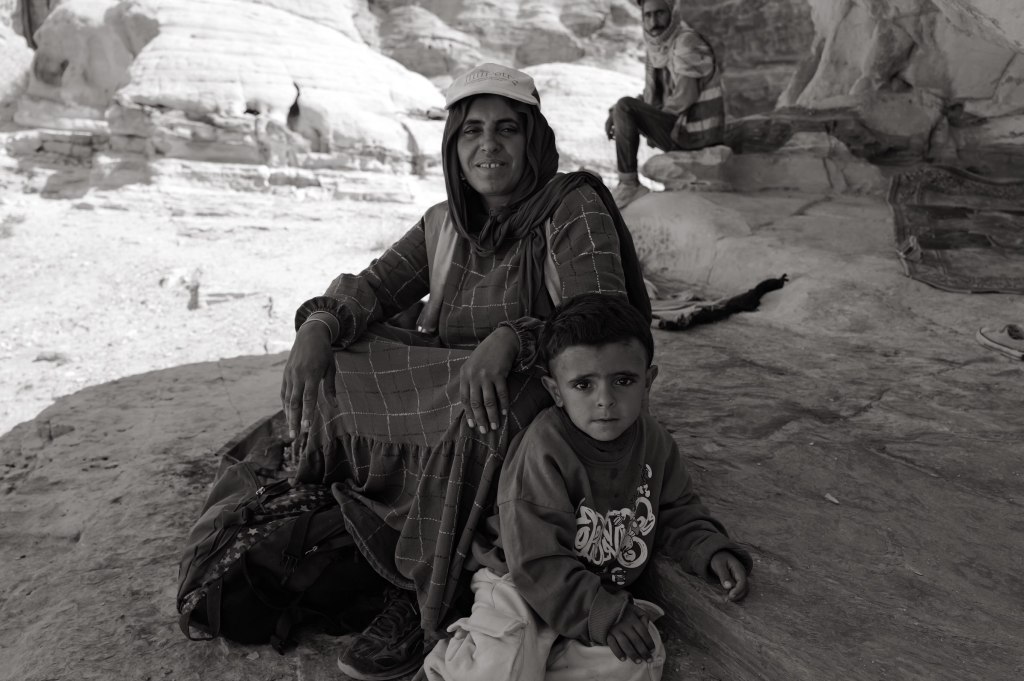
Woman and child
Two generations ago this was home. Now it’s a job at a monument.
That trade wasn’t optional and it wasn’t free.
Little Petra
Siq al-Barid · 26 July
Siq al-Barid
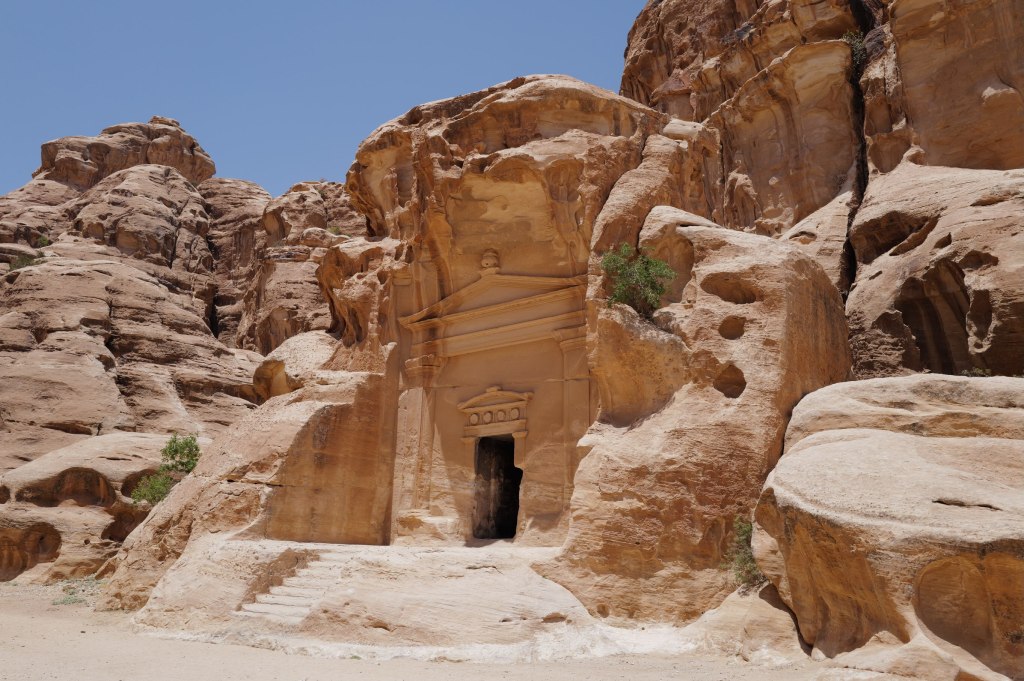
Siq al-Barid, which means the cold canyon. It sits about 8 kilometers north of Petra and takes maybe an hour to walk. Almost nobody goes.
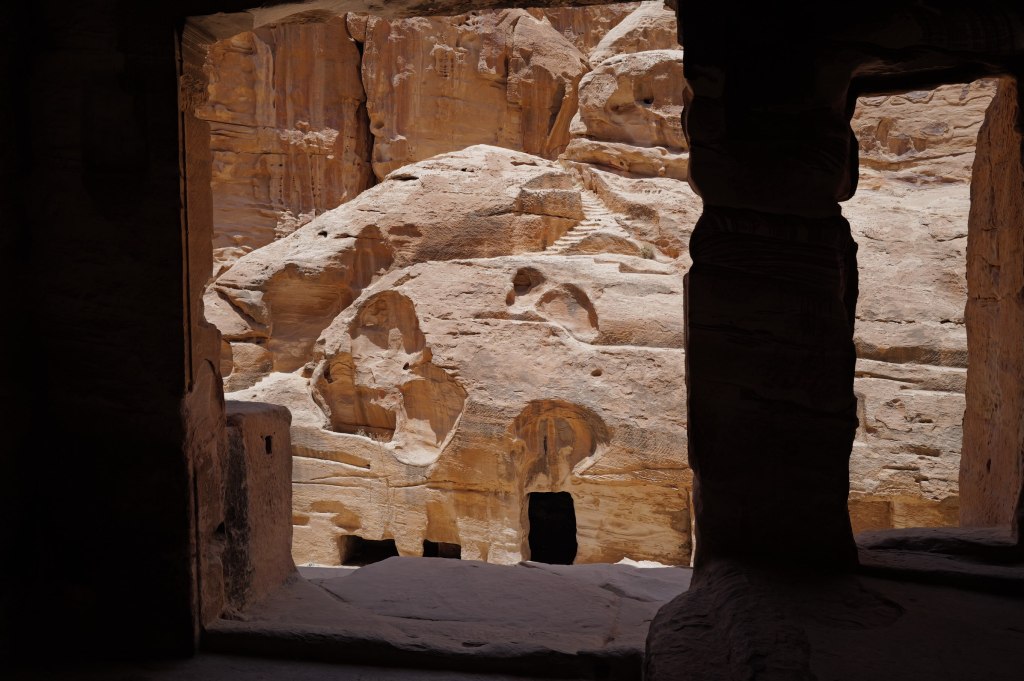
Same builders, same rock, different purpose. Petra was the capital. This was a caravan stop. Traders coming down from the north with incense stopped here before entering the main city, and everything cut into these walls is built around that: stables for camels, cisterns, and a series of triclinia, dining halls with benches on three sides. It’s a service town. The Nabataeans fed and housed the trade that made them rich, and this is where it happened.
Facades in the canyon
The canyon is only about 450 meters long and narrow enough in places that direct sun never reaches the floor, which is where the name comes from. Staircases run up both walls to chambers on higher levels.
Looking out
The thing to find is the Painted House. It’s up a set of stairs on the right side, a small biclinium with a painted plaster ceiling still on it. Grape vines, birds, winged cupids picking fruit. It’s one of the only surviving Nabataean interior paintings anywhere. Centuries of soot from cooking fires nearly buried it. A conservation team cleaned it in the 2010s and what came out is much brighter than anyone expected.
There’s also Neolithic material next door at Beidha, a settlement from around 7000 BCE. That’s about 7,000 years older than the Nabataeans and one of the earliest farming villages in the region.
Go in the afternoon after Petra. It’s free.
The Dead Sea
Dead Sea · 26 July
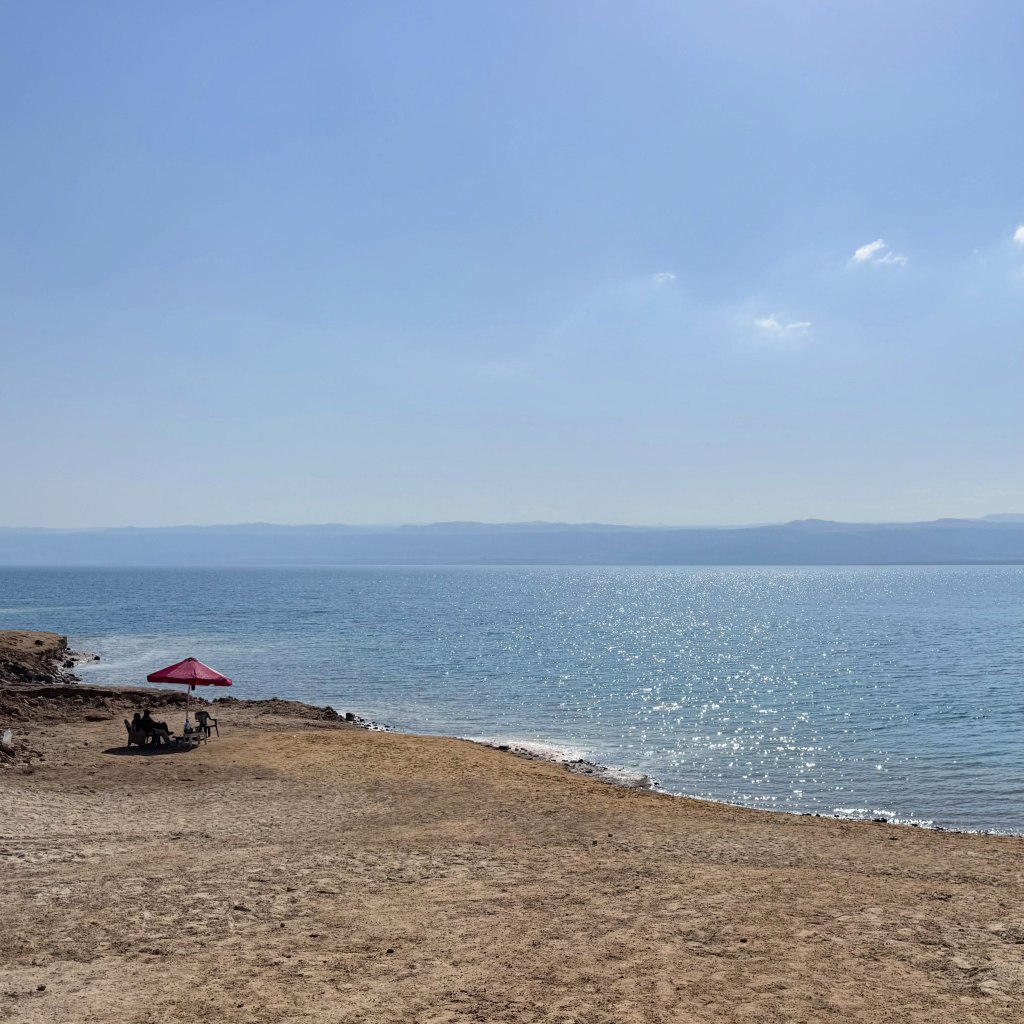
The Dead Sea
The lowest point on land. About 430 meters below sea level and dropping roughly a meter a year.
Around 34 percent salt, close to ten times the ocean. Nothing lives in it. You don’t swim, you float, and the water is dense with magnesium and bromide, so it comes out slick and oily. Closest thing I can compare it to is baby oil. Don’t shave first. Don’t put your face in.
It’s shrinking because almost nothing flows in anymore. The Jordan River was the main source. Israel, Jordan, and Syria now divert something like 90 percent of that water for farming and drinking, so the river arrives at a trickle. At the southern end, Israeli and Jordanian mineral companies pump the water into evaporation ponds to pull out potash and bromine, which speeds up the loss. Meanwhile the desert evaporates about 1.5 meters a year off the surface. More goes out than comes in. The surface has dropped about 35 meters since 1960.
The collapse is the visible part. As the sea retreats, fresh groundwater moves into the exposed ground and dissolves buried salt layers, leaving cavities. The surface caves in. There are more than 6,000 sinkholes along the shoreline now. They’ve taken roads, date farms, and resorts.
The bigger version of this lake was Lake Lisan, which filled this valley during the last ice age from roughly 70,000 to 15,000 years ago. It ran about 200 kilometers, from the Sea of Galilee in the north down past the current southern shore. As the climate warmed it evaporated and split into what we have now, the Galilee and the Dead Sea, connected by the Jordan River. The white marl terraces you see stepping up the hillsides are old shorelines. Every line is a level this water used to hold.
Best guess is it stabilizes at a smaller size rather than disappearing. Another century or so to get there.
Lot’s Cave
Safi · 26 July
The cave and monastery ruins
Above the southeastern shore of the Dead Sea, near Safi. A cave in the hillside with the ruins of a Byzantine monastery built around it and a mosaic floor still on the ground.
The story is Genesis 19. Two angels come to Sodom and Lot takes them in. The men of the city surround the house and demand them. Lot offers his two virgin daughters instead, which the text reports without comment. The angels blind the crowd and tell Lot to run. Fire falls on Sodom and Gomorrah. His wife looks back and becomes a pillar of salt. Lot and the two daughters end up in a cave in the hills above the plain.
Mosaic floor
Then the part people skip. The daughters believe every man on earth is dead and there’s no one left to father children. So they get their father drunk on consecutive nights and each sleeps with him. Both become pregnant. Their sons are Moab and Ben-Ammi, named in the text as the ancestors of the Moabites and the Ammonites, the two kingdoms that ran this side of the Jordan. Amman is named for the second one.
That’s the function of the story. It’s an origin account for the neighbors, written by people who weren’t the neighbors, and it explains them as the product of incest. Ancient polemic doing genealogical work.
The site
The facts. The site was excavated by Konstantinos Politis starting in 1988. There’s a real cave with occupation material going back to the Early Bronze Age, roughly 3000 BCE. A Byzantine monastery was built over it in the 5th century and used into the 8th. The mosaic floor carries Greek inscriptions naming the place as Lot’s sanctuary, and the earliest dates to 606 CE. So people were venerating this specific cave as Lot’s cave at least 1,400 years ago.
That confirms the tradition is old. It doesn’t confirm the events. And it lines up with the Madaba Map, which marks a shrine to Lot in roughly this position.
Jerash
Jerash · 27 July
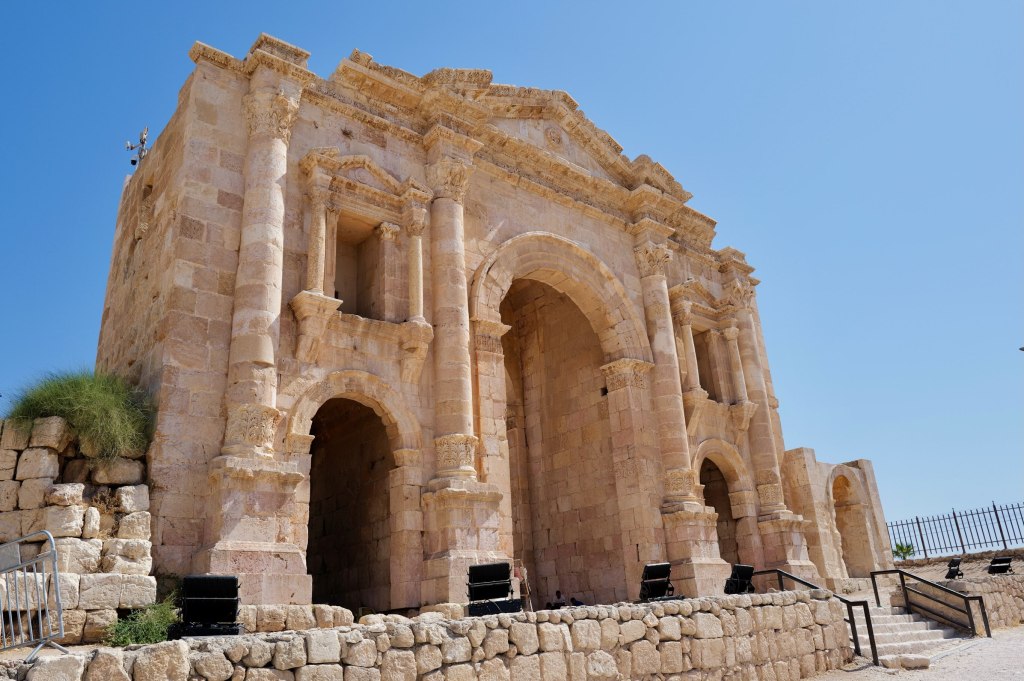
Hadrian’s Arch
An hour north of Amman, and the best-preserved Roman provincial city outside Italy.
It was Gerasa, one of the Decapolis, the same league Amman belonged to. Settlement goes back much further, but the city you walk through is the Roman one, built through the 1st and 2nd centuries CE after Trajan annexed the region in 106 and money started flowing into the frontier.
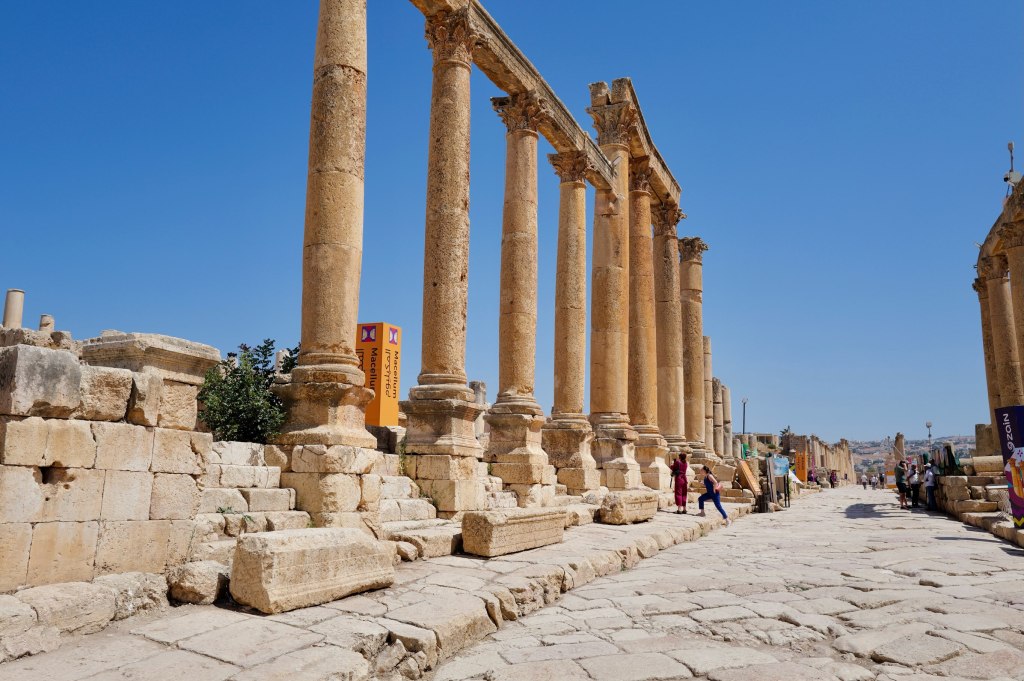
You enter through Hadrian’s Arch, built in 129 CE for the emperor’s visit. Then the Oval Plaza, which is genuinely oval and ringed with columns, an unusual shape that solved the problem of connecting the main street to the older temple hill at an awkward angle.
The Oval Plaza
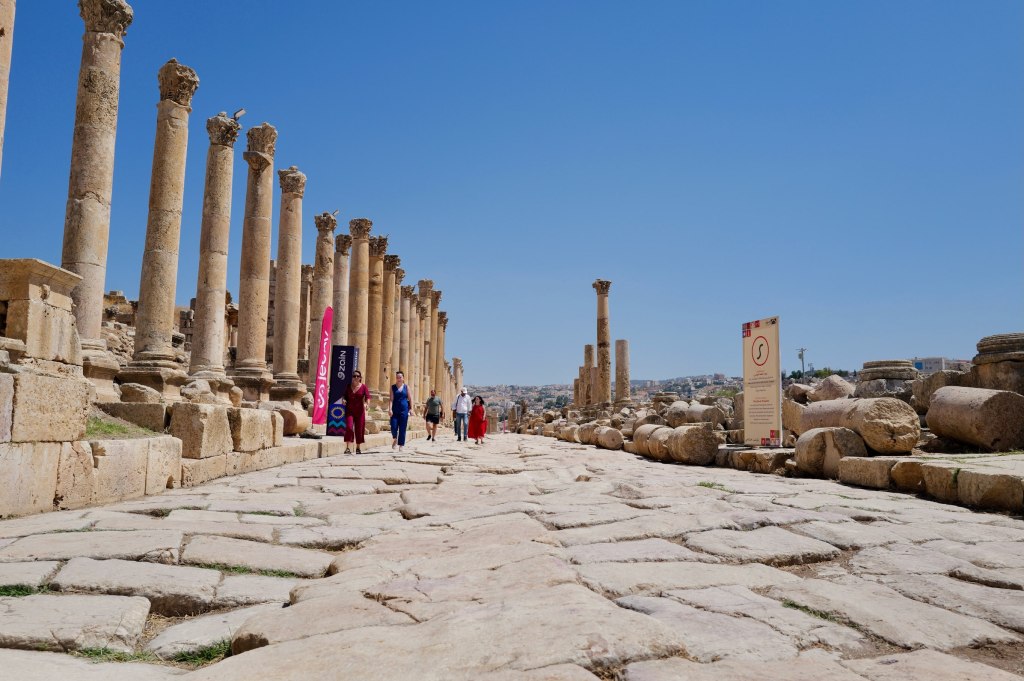
From there the Cardo Maximus runs 800 meters through the city, still paved with its original stone. Look for the ruts cut by cartwheels and the manhole covers over the drainage system underneath.
The Cardo MaximusDown the colonnade
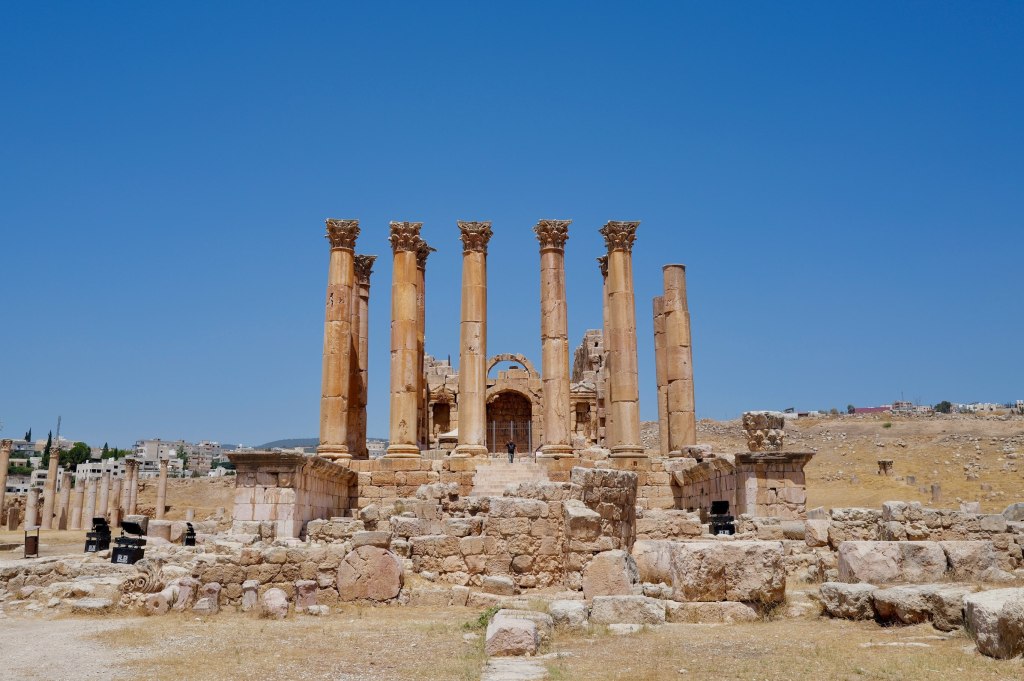
The Temple of Artemis is the high point, literally and otherwise. She was the city’s patron goddess. Eleven of the original twelve columns still stand. They’re built on lead-lined joints designed to flex, and if you wedge a knife or a coin into the seam you can watch the column move in the wind.
Thirty meters of stone, rocking.
The Temple of Artemis
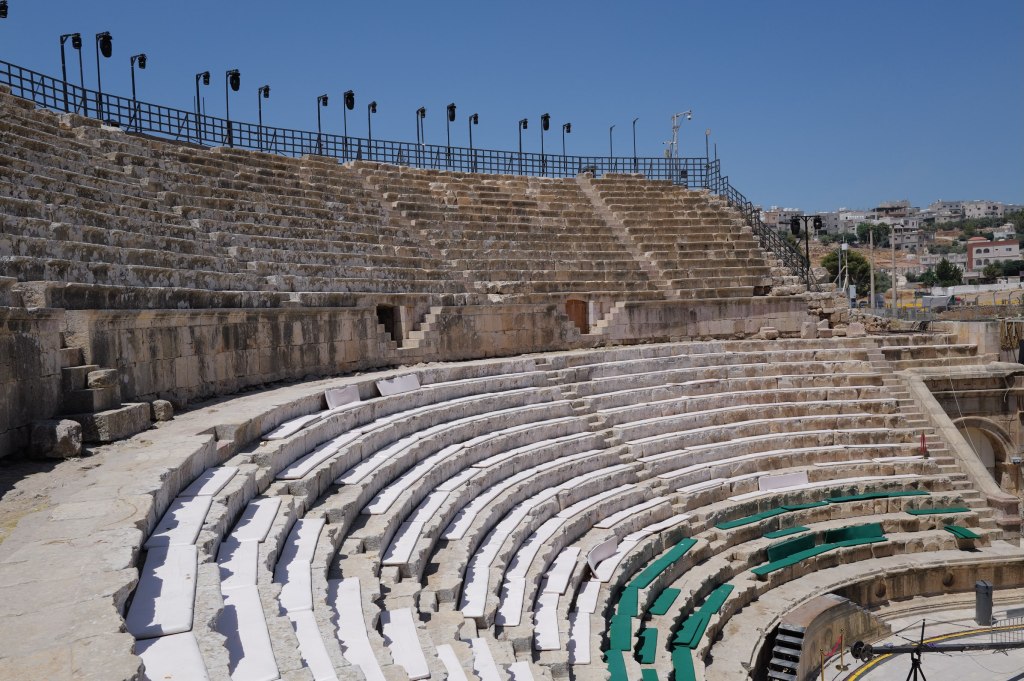
Two theatres, a hippodrome, temples, baths, churches. Byzantine builders put up at least 15 churches here, mostly out of recycled Roman stone.
The south theatre
The 749 earthquake ended it. The city was buried in sand and forgotten until 1806. Excavation has been running since the 1920s and most of the site is still underground.
In the theatre
Bagpipes in Jordan
Jerash · 27 July
Pipers
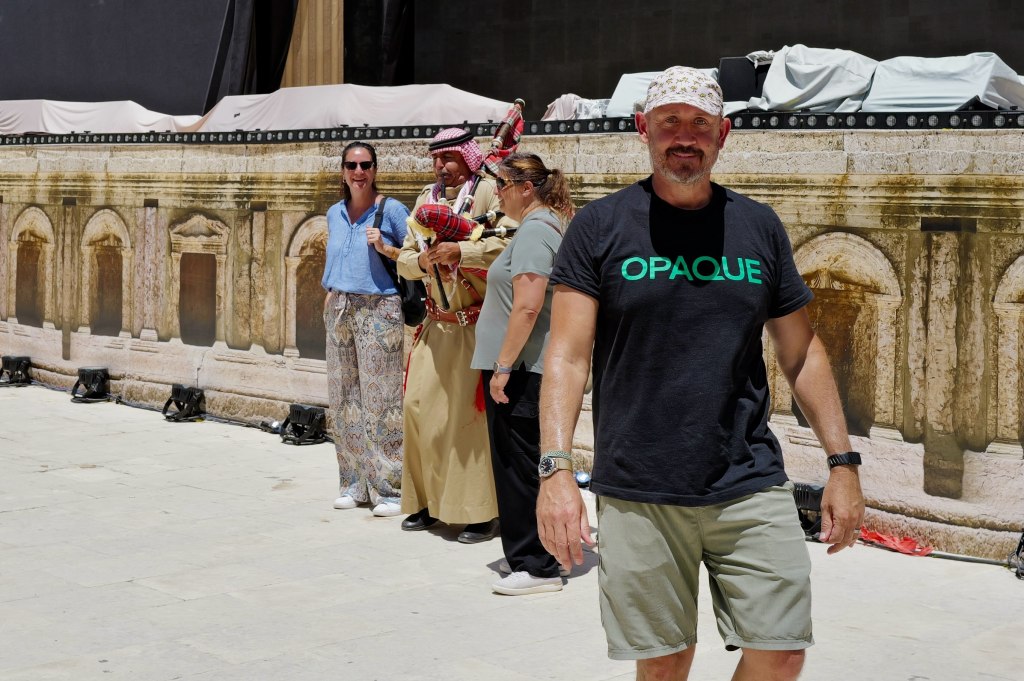
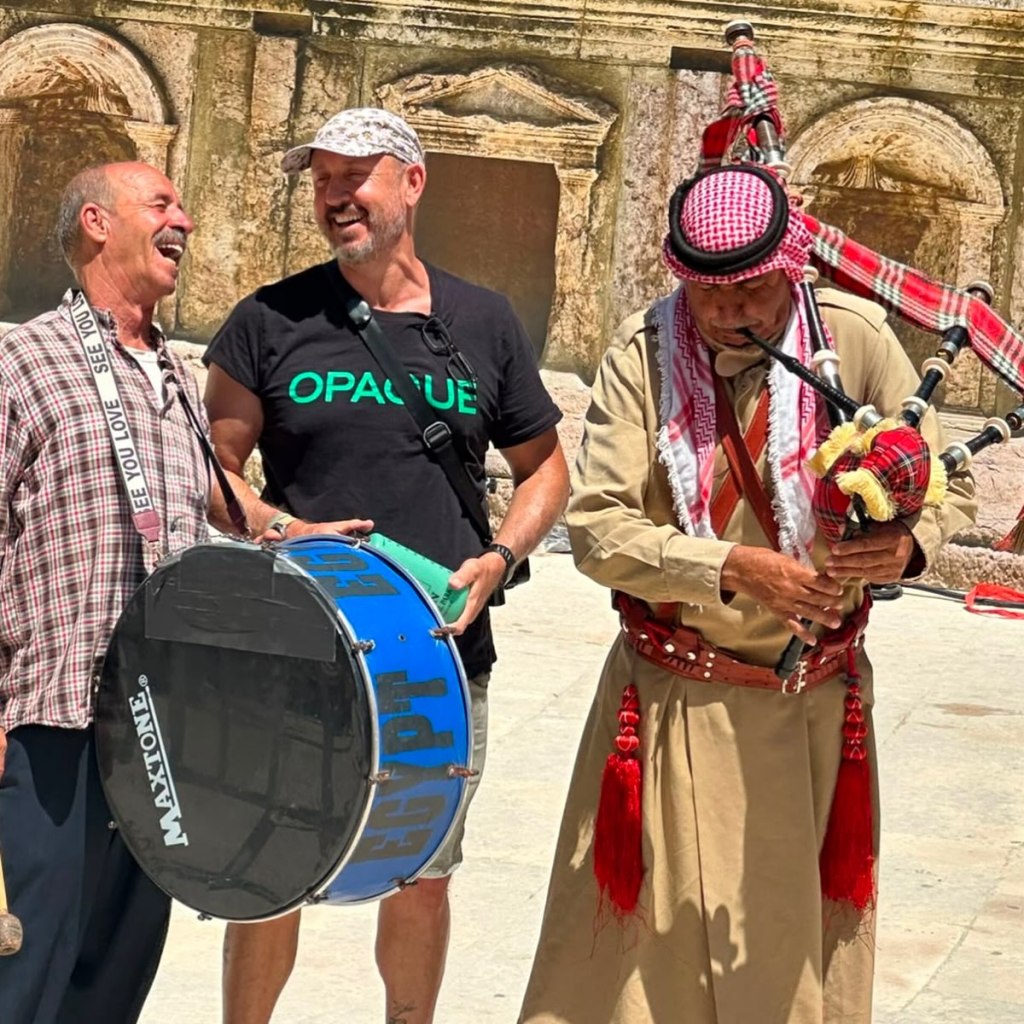
You’ll hear them at weddings, funerals, military parades, and the changing of the guard. Nobody here treats it as foreign.
They arrived with the British. After the First World War, Britain administered Transjordan, and the Arab Legion was built and led by British officers — Frederick Peake, then John Bagot Glubb, who ran it until 1956 and was called Glubb Pasha. British regiments brought their pipe bands. The Legion adopted them and made it standard.
But the instrument is much older than Britain, and the Highlands didn’t invent it either.
Every bagpipe is a reed pipe with a bag attached. The reed pipes are ancient and they’re from here — double-reed and double-chantered pipes go back thousands of years across Mesopotamia and Egypt. The Levant has its own versions still in use, the mijwiz, and bagged relatives like the habban and the jirbah that run across the Gulf.
The part people get wrong is the bag. You’ll see it stated flatly that bagpipes were invented in Mesopotamia. The evidence for that is thin. It rests on a disputed Hittite carving, one ambiguous Greek loanword in the Book of Daniel, and a century of reference books copying each other. The first solid attestation of a bag is Greco-Roman. Suetonius and Dio both describe Nero playing one, and the Romans had a word for the player.
So the honest version: the pipes came here with an empire, but they were coming home. The ancestors are from this region. Scotland is a late adopter that got very good at marketing.
The empire left in 1946. Glubb was dismissed in 1956. The pipes stayed.
Ajloun Castle
Ajloun · 27 July
The Jordan Valley from Ajloun
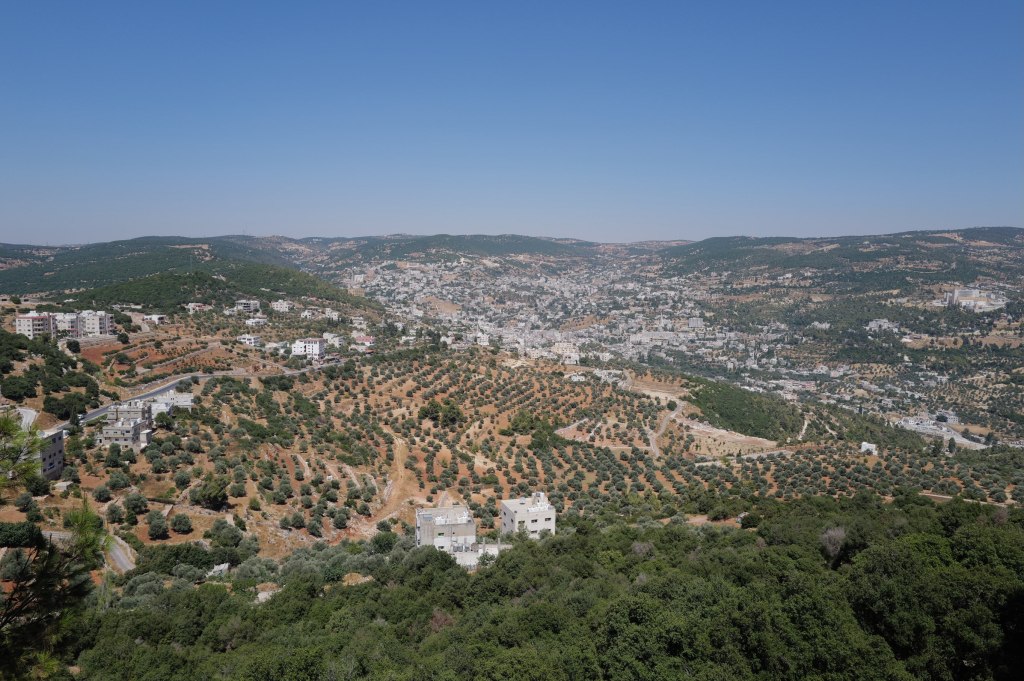
Qal’at Ar-Rabad. Ninety minutes north of Amman, sitting on a hill with sight lines across the Jordan Valley.
Built in 1184 by Izz al-Din Usama, a commander and nephew of Saladin. That date matters. This is Crusader-era, but it’s not a Crusader castle. It was built by Muslims, against Crusaders, three years before Saladin took Jerusalem at Hattin.
Two jobs. It controlled the iron mines of Ajloun and the routes between Damascus and Egypt. And it watched the Crusader fortress at Belvoir across the valley, checking their expansion east.
It also worked as a relay. Ajloun was part of a network of pigeon posts and signal fires that could move a message from the Euphrates to Cairo in a day. The castle isn’t just a strong point. It’s a node.
The castle
The Mongols wrecked it in 1260. The Mamluks rebuilt it under Baybars almost immediately, added towers, and kept it in service. Earthquakes in 1837 and 1927 did the rest of the damage.
Go up to the top level. On a clear day you can see the Jordan Valley, the hills of the West Bank, and the Sea of Galilee. That view is why it’s here.
What people wear, and where to put your feet
Ajloun · 27 July
Inside Ajloun Castle
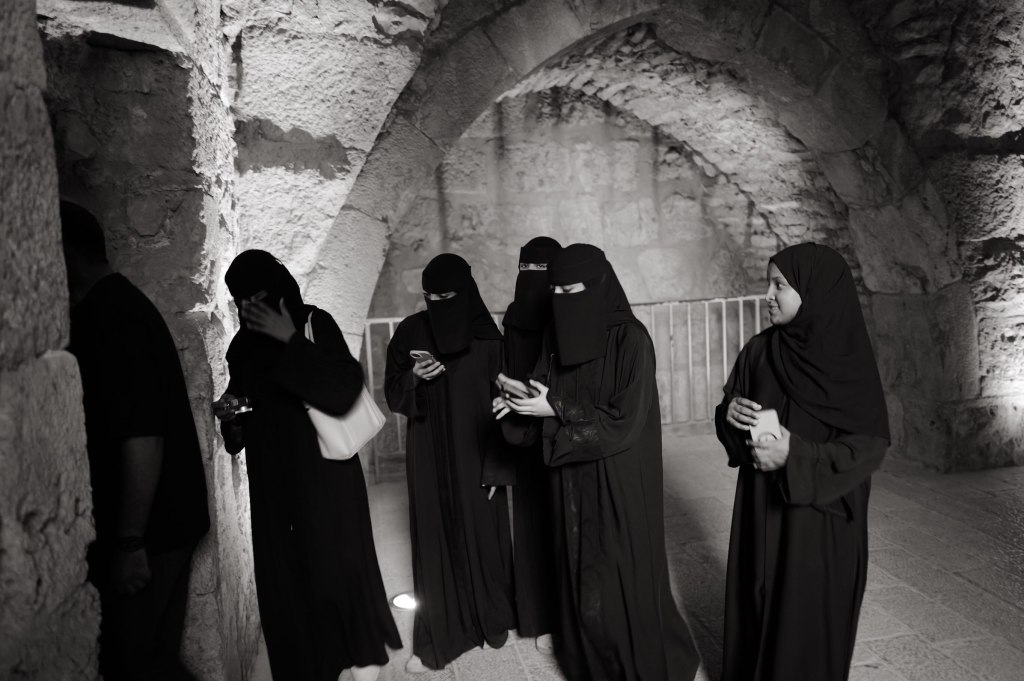
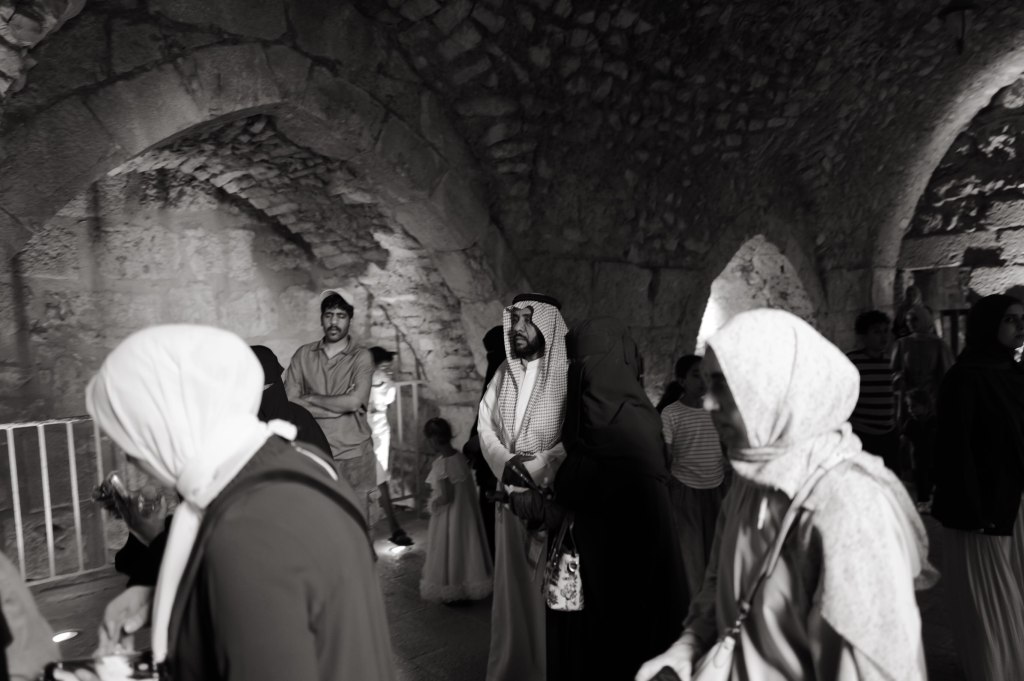
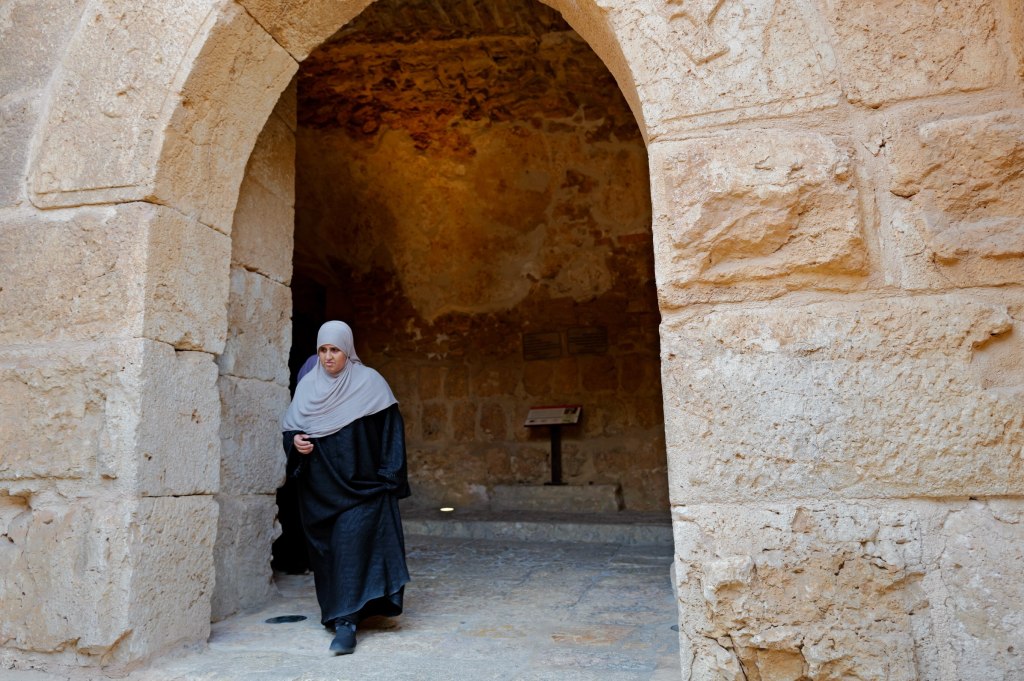
Terminology first, since most Westerners get it wrong. Hijab is a headscarf covering the hair, face fully visible. Shayla is the long draped scarf worn in the Gulf. Abaya is the loose black overgarment, not a head or face covering. Niqab covers the face but leaves the eyes. Burqa is the word that causes trouble — in Afghanistan it means the full covering with a mesh eye screen, which you won’t see here. In the Gulf it usually means the battoulah, a stiff gold-colored mask over the brow and nose, traditional, mostly worn by older women now, and disappearing.
Visitors
Jordan has no requirement. Many Muslim women wear hijab, plenty don’t, and west Amman is visibly mixed. Saudi dropped the abaya requirement around 2019 and it was never enforced on foreign women. The UAE never had one, and Emiratis are only about a tenth of the population there anyway. People dress as they would in Paris or New York.
A covered woman might be devout, or following her mother, or making a political point, or just having a bad hair day. Same as anywhere.
In the arch
Now the feet.
Feet are the lowest and dirtiest part of the body here. Showing someone your sole says they’re beneath you. That’s why throwing a shoe is the regional gesture of contempt.
The practical version: stop crossing your legs ankle-on-knee. That figure-four position aims your sole straight at whoever’s across from you, and it’s how most American men sit by default. Cross ankle over ankle instead.
In a mosque, shoes off, and don’t stretch your legs toward the qibla or another person. In a church here, same idea. Don’t point your feet at the altar. Eastern Christian practice runs on the same regional norms.
In front of a royal or a minister, don’t cross your legs at all. Both feet flat. Stand when they enter, sit after they sit, right hand for everything, don’t leave first.
A thirty-year-old in Amman won’t care. Older people, rural settings, religious spaces, and government rooms will. Costs you nothing to get it right.
Light through the wall
GPS doesn’t work well here
Amman · 27 July
Amman at night
Your phone thinks you’re in Cairo. Or Beirut. Or three streets over from where you’re standing.
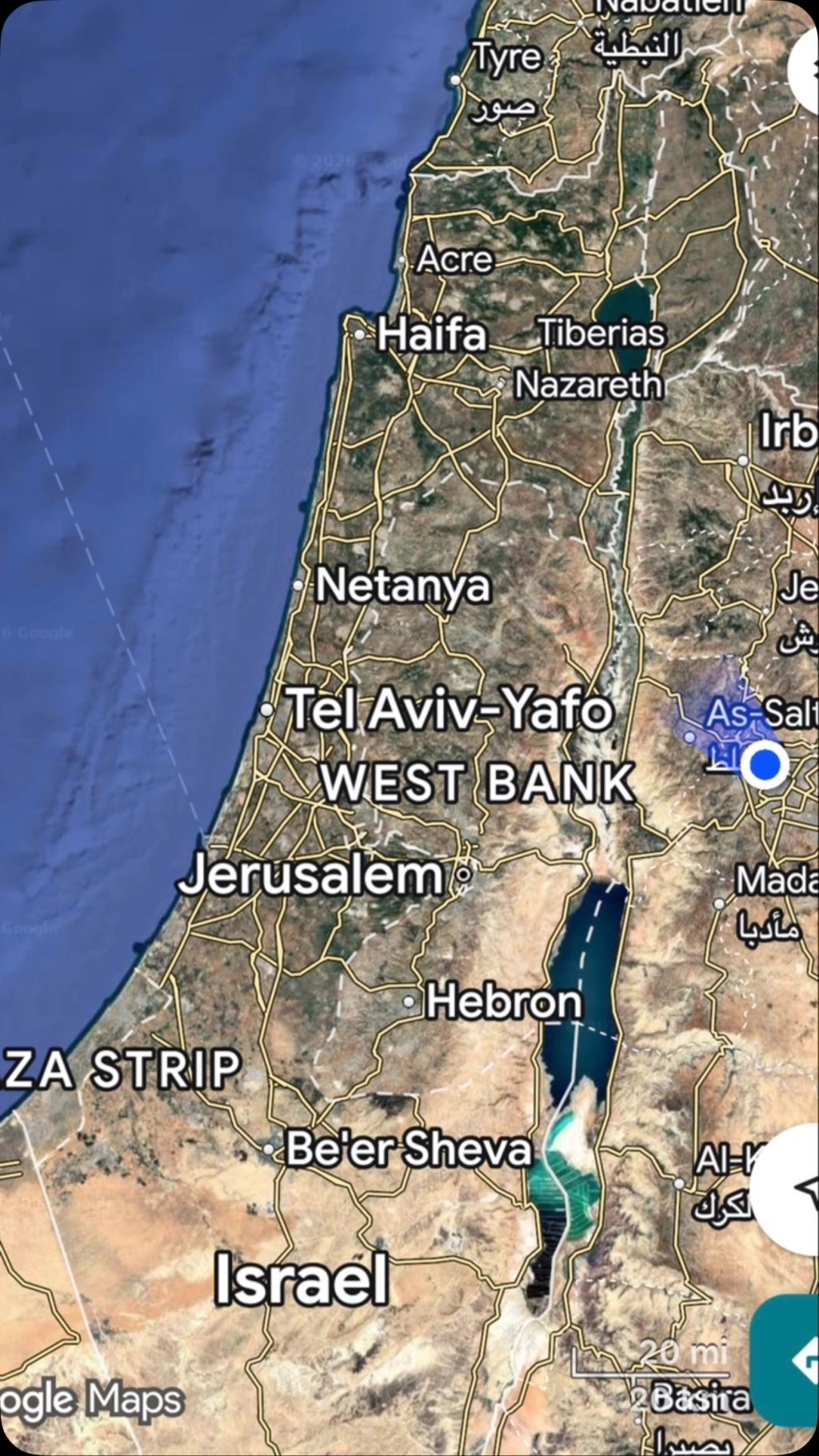
Since the war started, GPS jamming and spoofing across this region has become routine. Jamming drowns out the satellite signal so you get nothing. Spoofing is worse — it feeds your phone a false position and the map looks confident while it lies to you. People in Amman have had Google Maps relocate them to Lebanon. People in Beirut have had their phones put them in Jordan.
That last one isn’t random. Nobody wants their munitions landing in Jordan, so spoofing GPS-guided weapons into thinking they’re near Amman degrades them. Amman is being used as a decoy coordinate. Your phone gets caught in the same field.
It’s not one country doing it. Israel has been running interference since 2023. Iran has done it on its own borders for years. Gulf states run their own counter-drone systems. All of it leaks. Jamming can’t be contained inside a border and doesn’t distinguish between a drone and a guy trying to find a restaurant.
The scale is real. Lloyd’s List logged 1,735 GNSS interference events affecting 655 vessels in the region between the start of the war and early March, with roughly 600 of those off UAE ports. Ships have been shown sitting at airports, at a nuclear plant, and on dry land. Pilots have reported complete GPS loss on approach.
If you’re coming, download offline maps before you land. Ask people for directions. It’s more fun and adventurous anyway.
What I read
Amman · 27 July
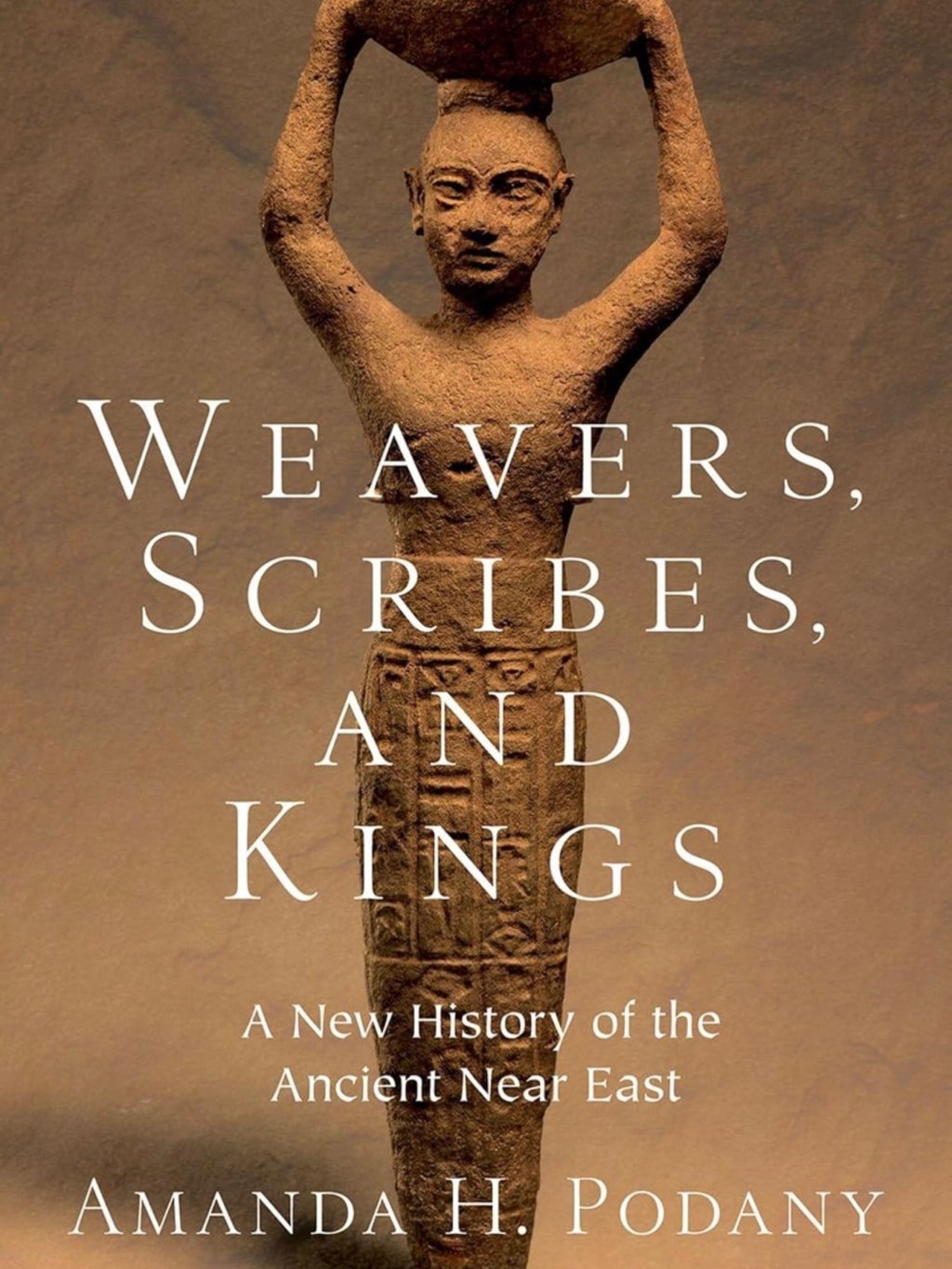
Weavers, Scribes, and Kings
Weavers, Scribes, and Kings, Amanda Podany. I wanted a book on the history of where I was. This was the closest I could find at short notice. It’s very good.
Podany’s argument is that the ancient Near East has been written as a list of kings and empires when the evidence doesn’t require that. Mesopotamia produced hundreds of thousands of clay tablets, and most of them aren’t royal propaganda. They’re receipts, contracts, lawsuits, school exercises, letters between brothers about money. So she writes three thousand years of history through the people in those documents.
You get a woman running a long-distance textile business in the 19th century BCE, writing to her son in Anatolia about shipments and complaining he doesn’t send enough back. A weaver whose rations are recorded. A barber. A snake charmer. A man suing over a field. The rulers are still there, but they share the page with the people who paid for them.
The other thing that lands is how connected it all was, and how early. Diplomatic letters moving between Egypt, Babylon, and the Hittites. Standardized weights so merchants in different kingdoms could trade. Treaties, extradition clauses, royal marriages negotiated over years. This was an international system fifteen hundred years before Rome.
It’s dense but not academic. She quotes the documents directly and lets people speak.
Book recommendations welcome. Especially on Jordan, the Nabataeans, or the region.
The people, and the food
Jordan
This is the part I most want to pass on.
Jordanians are kind. Friendly, warm, and generous well past the point of obligation. Osama. The guards at Petra who stopped what they were doing to talk. The Bdoul men up in the rocks who let me sit with them and make their portraits. A teenager downtown named Sanad who walked straight up and asked me to shoot photos for his Instagram, which I did, and which was the best twenty minutes of my first evening in the country.
I was a stranger with a camera and no ability to speak Arabic. Nobody made me feel like one.
Amman street lifeEvening in Amman
And the food is outstanding.
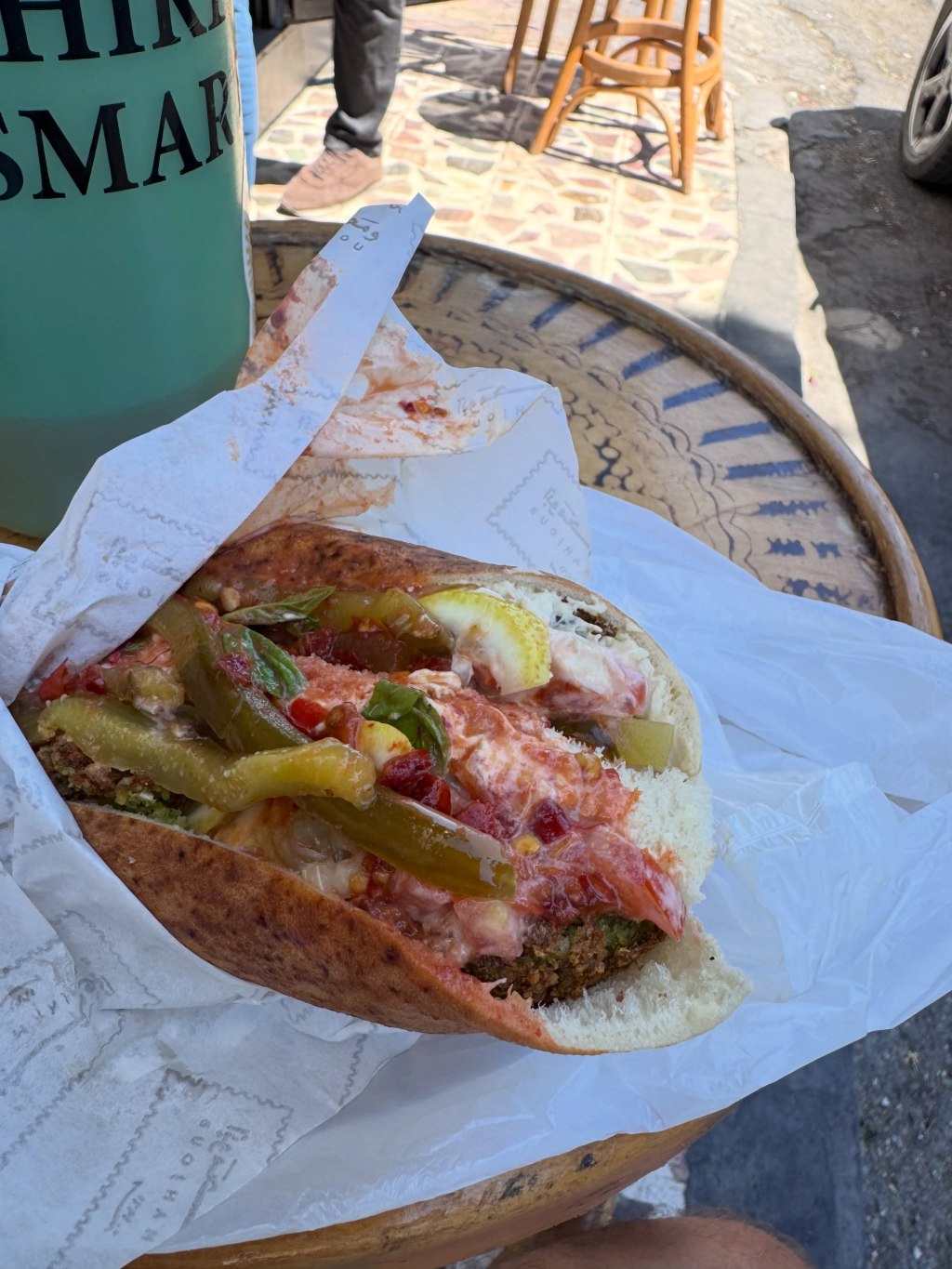
Falafel at Abu Mahjoub
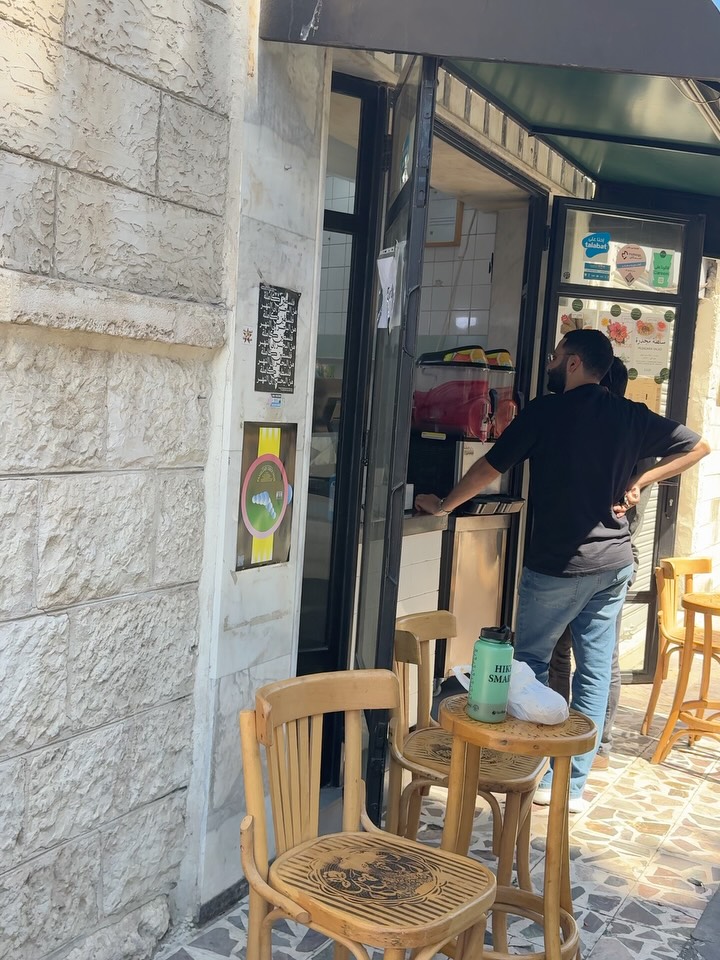
The best thing I ate in Jordan came wrapped in paper from a hole in the wall. Abu Mahjoub, in Amman. Wooden stools out on the pavement, falafel and tomato and pickles in fresh bread, eaten standing up in the street.
I will chase that high for the rest of my life. Eleven out of five.
The stand
Eat where the stools are on the sidewalk. Skip the hotel restaurant — that was the first thing Osama cut from the itinerary, and I never once regretted it.
The country
Jordan
One thing worth saying plainly, because the headlines won’t.
Jordan has almost no oil, and it’s one of the most water-scarce countries on earth. It borders Syria, Iraq, Saudi Arabia, Israel, and the West Bank. It has stayed stable through fifty years of the region coming apart.
And it takes people in. Jordan hosts one of the highest shares of refugees per capita of any country in the world. UNRWA has 2.4 million registered Palestine refugees here, about forty percent of every Palestine refugee on its books anywhere. More than half a million registered Syrians on top of that, plus Iraqis and others. The country’s total population is around 11.5 million.
That isn’t a statistic. It’s schools, clinics, water, and jobs, absorbed by a country that didn’t have them to spare.
Amman
The archaeology gets the same seriousness. Petra, Jerash, Mount Nebo, Madaba, Lot’s Cave — protected, excavated, staffed, and open, in a region where comparable sites have been shelled, looted, and bulldozed. Jordan decided to be the country that keeps them. Then it let me walk through them with a camera and nobody hurried me.
Tourism is close to a fifth of GDP once you count indirect effects, and roughly 60,000 people work in it directly. When visitors stop coming, that doesn’t land on a ministry. It lands on guides, drivers, cooks, and the families at Umm Sayhoun who come down the hill every morning.
Jordan has every excuse to be a harder place than it is.
It isn’t.
Going home
Amman · 28 July
Heading home
It was a terrific trip. A productive work week in the UAE, and then four days filled with adventure and new friends in Jordan. I learned a lot about the history and culture of this country, mostly thanks to Osama. He has a degree in archaeology, a fun and engaging personality, and a great attitude. Several people asked me for his contact information — he’s @osszyoud on Instagram, and I’m happy to pass along his WhatsApp.
Go now. You’ll have it to yourself, and the country could use the visit.
Plan the trip
Practical
Here’s the route, if you want to copy it. Four days on the ground, Amman as the base, one long push south.
Before you fly
Buy the Jordan Pass online before you land. It waives the tourist visa fee as long as you stay three nights or more, and it covers entry to Petra, Jerash, the Amman Citadel, and about forty other sites. Three tiers, priced by how many consecutive days you want inside Petra: 70 JOD for one day, 75 for two, 80 for three. It does not cover Petra by Night — that’s a separate ticket.
Download offline maps before you land. Read the GPS section above. Your phone will lie to you about where you are, confidently.
I went in late July and it was brutal. Go in spring or autumn if you have the choice.
The route
Day 1 — Amman. Land, get downtown, walk. Don’t schedule anything. The city is worth an evening of just looking at it.
Day 2 — Amman, then south. King Abdullah I Mosque in the morning. Then the Citadel, which gives you six thousand years in about an hour and orients everything else you’re going to see. West to Mount Nebo, then Madaba for the map at St. George. Drive south to Wadi Musa in the evening and sleep there, so you’re at the Petra gate early.
Day 3 — Petra. Be at the gate when it opens. Walk the Bab al-Siq slowly — the djinn blocks, the Obelisk Tomb, and the first betyls are all before the Siq, and almost everyone walks straight past them. Then the Siq, the Treasury, and the 800 steps up to the Monastery before the heat lands. Afternoon: Little Petra, which is free and empty. If you still have legs, drop to the Dead Sea and Lot’s Cave near Safi on the way back north.
That day is a lot. It’s doable and I’d do it again, but I won’t pretend it’s relaxed. If you have a fifth day, split it in two.
Day 4 — North. Jerash in the morning, Ajloun Castle in the afternoon. Both are within ninety minutes of Amman, and neither is crowded.
Day 5 — Amman. Falafel at Abu Mahjoub. Fly home.
What I’d add with more time
Wadi Rum. Aqaba and the Red Sea. Umm Qais. The desert castles east of Amman. Dana. I got to none of them, which is a good reason to go back.
Hire a guide
Do this. It’s the highest-leverage decision of the whole trip.
Osama has a degree in archaeology. On day one he took my itinerary apart and rebuilt it — out with the luxury hotels, in with the sites and the locally owned places. Nearly everything worth reading above came from walking around with him and asking questions.
Researchers pulled 64 of them out of public agent logs, and nobody had typed a single one. The category is agent intermediate state, and nothing in your stack was built to see it.
The Treasury at Petra, seen through the Siq. The gap shows a few feet of a forty-meter facade. Photo by Aaron Fulkerson, Leica Q3, July 2026.
There are 64 secrets sitting in public AI agent logs on GitHub and Hugging Face that nobody ever wrote down.
Nobody typed them. They appear in no transcript and on no screen. A team of researchers recovered them anyway, out of blocks of encrypted text that the developers who published those logs had no way to open and no reason to suspect.
The paper is “Stealing Reasoning Traces from Proprietary LLM APIs,” published August 10 by Alexander Panfilov, David Schmotz, Ilia Shumailov, Luca Beurer-Kellner, Joachim Schaeffer, Ameya Prabhu, Jonas Geiping and Maksym Andriushchenko. Across 6,708 public agent trajectories they decoded 315,320 reasoning blocks and pulled out 62 API keys, 33 passwords, 24 access tokens and seven private keys belonging to real people. Roughly one session in twenty leaked something real. And of the artifacts recovered from genuine user sessions, 64 of 704 were entirely absent from the visible chat history.
They never broke an encryption key.
The mechanism isn’t exotic. OpenAI, Anthropic and Google all hide the model’s step by step reasoning to protect their own IP, handing it back to the client as an encrypted block that the client returns on the next call. Sensible design. Stateless APIs need somewhere to put the state. What the team found is that those blocks are interchangeable across sessions, users and models inside a single provider. So you hand a block from a strong model to a weaker sibling, ask it to read the contents out loud, and it does. Encryption held. Access control held. The secret still walked out.
A developer at a mid size fintech reads every line of a trace, redacts the keys, pushes it clean, and ships the credential anyway.
You can’t sanitize what you can’t read.
Data exhaust used to be inert
Every system throws off byproduct. Logs, metadata, telemetry, build artifacts, the timing and shape of requests. We’ve called it data exhaust for years, and for most of those years it was safe for a boring reason: reading it at volume cost more than the information was worth. A human analyst staring at six months of API logs is an expensive way to learn very little.
Large language models collapsed that cost to roughly zero. What used to be noise is a corpus now, and a corpus can be reconstructed into the thing that produced it. Most security teams have at least heard about that shift.
The second shift is the one this paper makes concrete, and it runs the other direction. We are now building systems whose exhaust only a machine can read. The reasoning block isn’t a log you’re neglecting. It’s a sealed object you are holding, forwarding, and occasionally publishing, with no ability to inspect what’s inside it. Something old moved up stack. The exhaust got a lock on it, and you don’t have the key.
Reasoning traces matter because researchers just proved the failure end to end, with numbers. They’re one instance of a larger category, and the category is what should worry you. Call it agent intermediate state: everything a system generates between the request and the answer. Model reasoning, planner state, tool calls and their responses, retrieved context, memory that persists across turns, environment variables and the credentials inside them.
Or more simply: dark exhaust. Data exhaust you cannot read or track.
Almost none of it reaches the transcript, and most of it is more revealing than the transcript. If providers reimplement reasoning tomorrow in a way that closes this specific paper, the category doesn’t shrink by one line.
Apple built a confidential supercomputer for a chatbot
Apple looked at Siri, a consumer chatbot answering questions on a phone, decided the data exhaust around it was too risky for ordinary cloud infrastructure, and built a confidential supercomputer instead. They call it Private Cloud Compute. It’s a Confidential AI system, and the largest one anyone has ever deployed.
The iPhone measures the server against a published build and refuses to send when the measurement is wrong, so the client gets cryptographic evidence about the environment before any data reaches it. That check has a name. Verifiable privacy: you confirm the guarantee yourself. Verifiable governance: the policy runs where nobody can edit it, and enforcement leaves a record you can hand to a regulator. Compliance becomes evidence you produce. And all of this is to prevent the user data, or data exhaust, from being accidentally leaked, which happens by default in GenAI systems.
In June, Apple extended the whole thing onto Google Cloud rather than relax any of it to get more capacity. Ivan Krstić, who runs security engineering at Apple, walked through the architecture on stage at the Confidential Computing Summit we host. I was thrilled they agreed to keynote. I strongly recommend listening to his presentation because he breaks down all the adversarial and non-adversarial threat models.
Anyway, Apple built this for a simple consumer question/answer chatbot. Enterprise agents are far more capable and dangerous.
An agent’s intermediate state is not a transcript; it’s enterprise data from across a variety of systems
An agent doesn’t just answer questions. It acts. To act, it retrieves, plans, tries, discards, and decides. The visible output is the smallest artifact it produces, and often the least interesting one.
Take a health system running an agent on prior authorization appeals. The output is one word: appeal. Getting there took the patient identifiers it pulled to check eligibility, the three denial codes it weighed, the contract clause it considered citing and dropped, and the dollar threshold that tells it not to bother below a certain claim. One of those five things reaches the transcript. The other four are what a competitor, a payer or a plaintiff’s attorney would actually want.
What I’ve observed is that teams inventory their prompts and they inventory their outputs. Almost nobody inventories the deliberation in between. Your agents keep a diary, and you have never read a page of it.
And it’s reachable by people outside your company. A federal court has already ordered OpenAI to preserve output logs its own deletion policy would have destroyed, and Rule 34 carries no exception for data a machine generated. Preserving and producing a record nobody at your company can read is its own article, and there’s a starting point for it in the reading list.
Now scale it. The paper’s core finding is that reasoning blocks are interchangeable across sessions, users, and models inside a provider. Read that as an architecture statement rather than a vulnerability report, and it describes something you are probably building on purpose. It’s what an agent assembles internally to get the job done, and it’s what an agent-to-agent handoff hands over. Every handoff moves intermediate state across a boundary.
Roughly one session in twenty leaked something real, and those were single sessions with a human somewhere in the loop. That rate was tolerable when a person reviewed the output and the work stopped for the night. It isn’t tolerable for systems that run continuously, hand off to each other, and multiply. Hierarchical access controls were designed for a world where the number of actors grew slowly. Agents don’t grow that way.
A patch is not the fix
Credit where it belongs. The researchers disclosed before publishing, and by the time the paper went public all three providers had shipped fixes. The frontier labs are fast and serious about this.
This instance is closed. The pattern isn’t.
And notice whose stack it was in. Three companies with dedicated world-class security research teams, full control of their entire stack, and a private disclosure before publication. They shipped in days.
This pattern is actually more damning with your enterprise agents, and nobody is going to disclose it to you privately first. Is your enterprise as fast as a frontier lab?
A patch closes a demonstrated attack, not the design decision that produced it, and that decision is an anti-pattern running through GenAI broadly: an intermediate state moving across a trust boundary with nothing binding it to who produced it, who may replay it, or what’s inside. Same shape, different surface, shipping inside enterprise agents right now.
In a chatbot, an instance of this might cost you some personal data or maybe a credential. In a fleet of enterprise agents, it costs you the deliberation behind every decision the fleet makes across every system it touches. Even if this pattern were resolved by the frontier model labs, the much bigger and more frightening issue is that, across all the enterprise agents, a secret, invisible scratchpad is being created and handed off that contains a wealth of sensitive data.
But Sandboxes…
Two objections come up here. The first is isolation: we already have an answer for untrusted code, so run the agent in a sandbox. Constrain its filesystem, its network, its tools.
Do that. It’s table stakes. It solves a different problem.
A sandbox governs what an agent can reach. It says nothing about who can read what happens inside it. The hypervisor can. The host operating system can. The cloud operator can, and so can anyone holding root on a platform your team doesn’t run. Memory sits there in the clear, because the boundary was drawn to keep the workload in, not the infrastructure out.
And look at how the leak in the paper actually happened. Nothing escaped anything. The reasoning block walked out the front door as ordinary API traffic, because that is the protocol. A sandbox is built to permit precisely that call, and it would have watched the whole thing and correctly done nothing. Sandboxing answers what this agent can touch. It was never built to answer who can see what it touched.
The second objection is the one that ends most of these conversations. The scratchpad never leaves our network. Our infrastructure, our employees. Fine.
Except “our employees” is no longer something you can verify by looking. Models are good enough now that an agent impersonating a person inside your network isn’t a hypothetical, it’s the cheapest way in, and the perimeter’s entire premise is that whatever is already inside was let in on purpose. It’s not just possible…it’s probable.
So run the threat model. An impersonating agent gets read access to what your agents generate. Not your document store, which you already monitor. Your intermediate state. That means the service-account credentials your agents hold to reach the data warehouse, the retrieved rows they pulled and discarded, the customer records they compared, the pricing floor a quoting agent decided not to go below, the acquisition target a diligence agent researched under a codename, the vulnerability a coding agent found and filed. None of it is in a document. All of it is in the deliberation.
Then speed. Dark exhaust is the richest and least watched material on your network, and it gets read at machine pace. What a skilled human team would need months to work through, an agent works through in an afternoon. There is no dwell time to detect, because there is barely any dwell.
And the bill changed. The EU AI Act entered its enforcement era this month, and Article 99 tops out at 35 million euros or 7 percent of global annual turnover, a ceiling set deliberately above GDPR’s 4 percent. California’s SB 53 has been in force since January at a million dollars per violation for companies above 500 million in revenue. “It stayed inside our network” was never much of a technical defense. It isn’t a legal one at all.
What the architecture has to satisfy
Skip the product category for a minute and write down what any answer has to do. Three requirements fall out of everything above.
Intermediate state has to be unreadable to the infrastructure that runs it, including your own operators and your cloud provider, because “inside our network” stopped being a boundary. The policy governing that state has to be enforced somewhere the party running the workload can’t quietly edit, because a policy enforced by the party you’re worried about isn’t a control. And the whole thing has to produce evidence a third party can check without trusting you, because a regulator, a customer or a court will eventually ask and your word won’t settle it.
Those are requirements, not a vendor list, and candidates land differently against them. Application-layer encryption covers data at rest and in flight, then leaves it in the clear during inference, which is exactly when intermediate state exists. Sandboxes bound reach, as above. Audit logs are generated by the operator and can be altered by the operator.
Hardware-backed Trusted Execution Environments plus remote attestation satisfy all three today, which is the case for Confidential AI. Before the workload runs, attestation proves what code is loaded and what it’s permitted to touch. During execution, policy binds to the data inside the TEE, so intermediate state is unreadable to the operator, the cloud provider and the model host alike. After it finishes, you hold an attested, tamper evident record of what ran on what. Before, during, and after.
Be clear about what that doesn’t buy. It doesn’t make the agent correct, and a confidential agent executes a bad plan as faithfully as a plain one. It doesn’t write your policy, and it enforces a careless one precisely. It does nothing at all if nobody ever decided what the agent was allowed to touch. Confidential AI makes a guarantee checkable. It doesn’t make the guarantee good.
That’s the same list Apple built for a consumer chatbot, and enterprises are in that position with less room to maneuver: agents on clouds you don’t own, models you didn’t train, vendors you can’t audit. That’s the problem we work on at OPAQUE, and we’re one of several teams working it. The category matters considerably more than the vendor.
Which is exactly why the evidence has to be a standard and not a product. TRACE, for Trust, Runtime Attestation, and Compliance Evidence, specifies the format and the verification rules for provable evidence that an agent ran under a stated policy, in a verified hardware environment, on data of a given classification, invoking identified tools. Open specification, Apache 2.0, moving through the Linux Foundation, at trace.agentrust-io.com. Every supercycle we’ve had ran on open standards, and not one was won by whoever held the best proprietary format.
Before you deploy the next one
None of this requires you to buy anything this quarter. It requires you to be able to answer five questions about an agent you already run.
What sensitive information enters it. What sensitive information it retrieves on its own. What intermediate state it generates along the way. Who can technically read that state, including your cloud provider, your model host and your own platform team. And what evidence you could produce, to someone who doesn’t trust you, that nobody did.
Most teams can answer the first two today. The third is usually a shrug. The fourth is longer than people expect once they write it out. The fifth is where the architecture argument stops being theoretical, because for almost everyone the honest answer right now is none.
If you want to see what that evidence looks like in practice, the cMCP quickstart walks through blocking a tool call and verifying the receipt. It takes a few minutes and it makes question five concrete.
Panfilov and his coauthors didn’t find a bug. They found the shape of the next fifty.
Apple Security Research, “Private Cloud Compute: A new frontier for AI privacy in the cloud” (June 2024) and “Expanding Private Cloud Compute” (June 2026). The clearest published description of verifiable AI infrastructure, written by a company that decided its own promise wasn’t sufficient evidence. Read Matthew Green and Trail of Bits next to it, because knowing where a strong design still requires trust is the whole skill.
On the legal side, which deserves more room than it gets here: In re: OpenAI, Inc., No. 25-md-3143 (S.D.N.Y.), the May 2025 preservation order and what followed, read alongside Rule 34 and Rule 37(e). Courts treat AI-generated content as ESI subject to legal hold, Rule 34 has no carve-out for machine-generated data, and no US court has recognized an AI privilege. Which leaves a strange place to stand: obligated to preserve intermediate state, possibly compelled to produce it, unable to review it for privilege. Hand this to your general counsel before your agent program outgrows your legal hold process.
The TRACE specification and conformance test suite at trace.agentrust-io.com. If you’re building agents that will eventually have to prove what they did, start from the format rather than inventing your own.
In a previous post, I introduced LANTERN, a framework for processing meta-insights, or truths, and converting them into wisdom. I developed this while attempting to think through the wisdom of Rumi, which I began exploring while reading the book: The Forty Rules of Love, Elif Shafak’s novel about Rumi, the 13th-century Persian poet, and Shams of Tabriz, the wandering teacher who transformed him. A new friend in Jordan, an archaeologist named Osama, recommended this as his favorite book. I loved the book. Then I did what I apparently can’t help doing: I went looking for the sources. I have a compulsion for context, which is literally my number one strength in StrengthsFinder: Context.
Here’s what I found. The forty rules are the novelist’s invention. There is no historical list she drew from. It was her homage to the subjects and the Islamic fondness for the number forty. But the ideas underneath them are real, and they trace to actual texts: Rumi’s Masnavi, the recorded talks of the historical Shams, the Quran, the hadith collections. Exo, my AI agent, and I checked every citation against the primary sources, and where a claim couldn’t be verified, I’ll say so plainly. The forty rules distill to nine ideas. This post is all nine, with enough context to understand each one and a trail of citations if you want to explore this deep and beautiful forest yourself.
A note on the two main sources, so the citations mean something. The Masnavi is Rumi’s six-volume poem of teaching stories, roughly 25,000 verses; the standard English translation is R. A. Nicholson’s, and citations like “Masnavi I:110” mean Book I, verse 110 in his numbering. The Maqalat is different: the historical Shams left no book, but his students recorded his talks, and William Chittick translated the best of them as Me and Rumi: The Autobiography of Shams-i Tabrizi. The novel’s gentle sage is fiction. The Maqalat is the closest thing we have to the wandering Dervish’s actual voice.
1. Love is the instrument of knowing
Not the reward for the journey. The measuring device you take on it. Rumi’s image is exact: “The lover’s ailment is separate from all other ailments: love is the astrolabe of the mysteries of God” (Masnavi I:110). An astrolabe was the era’s precision instrument for reading the heavens. Rumi’s claim is that some truths are only visible through love, the way stars are only readable through the instrument. The surface of it, in plain terms: some understanding is only available from inside commitment. You can’t evaluate your way into knowing a person, a craft, or a faith; the knowing arrives after the love, not before it. Analysis reads the brochure. Love takes the trip. The novel’s framing device, a “religion of love” whose rules can be “attained through love and love only,” is a faithful compression of this single verse. You can’t truly understand unless you’re lovingly curious and open to understanding.
The one I already gave the full LANTERN treatment: expertise hardens into a filter until the filter does your seeing for you, and the cure is re-entering not-knowing on purpose (“Sell intelligence and buy bewilderment: intelligence is opinion, while bewilderment is immediate vision,” Masnavi IV:1407). Zen Buddhists arrived at the same summit from another face of the mountain: Shoshin, beginner’s mind.
Rumi’s Persian: زیرکی بفروش و حیرانی بخر (zirakī befrush o ḥayrānī bekhar).
Go deeper: the previous post; parallel verse at Masnavi III:1146.
3. Knowing yourself is knowing God
The novel’s Rule 1 says how we see God is a reflection of how we see ourselves. The idea’s real anchor is older, and the historical Shams handles it with a subtlety the novel doesn’t attempt. Glossing the famous saying “He who knows his soul knows his Lord,” Shams says the Prophet was too modest to say what he actually meant: “He was ashamed to say, He who knows my soul knows my Lord, so he said, He who knows his soul knows his Lord” (Maqalat 2.58–59, Chittick’s translation). Honesty requires a footnote here: that saying, beloved by Sufis for a thousand years, is not in any canonical hadith collection. Muslim scholars who grade these things called it unestablished or outright fabricated as a saying of the Prophet. It survives because it is true in experience, not because its paperwork is in order. I find that fitting for this particular idea.
Go deeper: Chittick, Me and Rumi (Fons Vitae, 2004), the essential book in this whole list.
4. The only time you can practice is now
Everything you can actually influence sits in the present moment, and every “later” you issue converts action you control into anxiety you don’t. The past is a record you can read but not edit; the future is a forecast you can only influence from here. The Sufis had a title for the discipline: ibn al-waqt, son of the present moment. “The Sufi is the son of the (present) time… it is not the rule of the Way to say To-morrow” (Masnavi I:133). Before mindfulness was an app category, this was about obedience to the hour: answer what the moment actually asks, and saying “tomorrow” to it is a spiritual failure, not a scheduling choice. Rumi has a deeper cut two books later: beyond the son of the moment is the purified one who is “unconcerned with time and state” altogether (III:1426). First you stop living in tomorrow. Then you stop keeping score by the clock at all.
Rumi’s Persian: صوفی ابن الوقت باشد ای رفیق (sufi ebn al-vaqt bāshad, ey rafiq — Nicholson’s “O comrade” is the ey rafiq).
Go deeper: Nicholson, Book I and Book III.
5. Die before you die
The most famous phrase in Sufism, and here’s the surprise: it isn’t a verified saying of the Prophet. The hadith scholars who audited it ruled it unproven as prophetic speech; it’s a Sufi maxim. The idea’s verified anchor is better anyway. In the Masnavi, Rumi walks the whole ladder of existence as a series of deaths: “I died to the inorganic state and became endowed with growth… I died from animality and became Adam (man): why, then, should I fear? When have I become less by dying?” (Masnavi III:3901–3906). Every transformation you’ve ever survived required the death of who you were before it. The passage ends by quoting the Quran: “Verily, unto Him shall we return” (2:156). This is not reincarnation; it’s the observation that becoming has always cost you a self, and it has never once been a loss.
The Arabic maxim: مُوتُوا قَبْلَ أَنْ تَمُوتُوا (mutu qabla an tamutu). Rumi’s Persian, first rung of the ladder: از جمادی مردم و نامی شدم (az jamādi mordam o nāmi shodam).
Go deeper: Ibrahim Gamard’s verse-by-verse commentary at dar-al-masnavi.org.
6. The prayer is graded on the ache, not the grammar
Rumi’s most subversive story. A shepherd prays in crude endearments: he offers to comb God’s hair, wash His clothes, bring Him milk. Moses, the prophet and trained theologian, overhears and scolds the blasphemy. Then God scolds Moses: “Thou hast parted My servant from Me… I look not at the tongue and the speech; I look at the inward (spirit) and the state (of feeling)” (Masnavi II:1720–1796; the crux at II:1759). Read that again: the expert failed the exam he was administering. Every institution that grades on polish, every leader who corrects sincerity for its formatting, is Moses in this story. And there’s a second blade in it: judgment. Moses isn’t corrected for bad theology; his theology was fine. He’s corrected for appointing himself the grader of another man’s devotion. The story convicts the judge, not the worshipper, which makes it a twin of idea eight below: the moment you’re scoring someone else’s sincerity, you’re the one failing the exam. Form is teachable. Contempt is the blasphemy.
Rumi’s Persian: ما زبان را ننگریم و قال را / ما روان را بنگریم و حال را (mā zabān rā nangarim o qāl rā / mā ravān rā bengarim o ḥāl rā).
Go deeper: Gamard’s translation of the full story at dar-al-masnavi.org.
7. Suffering is ripening
A chickpea in a boiling pot keeps leaping to the rim, crying: why are you doing this to me? You bought me, why are you burning me? The cook knocks it back down and explains: this is not cruelty, this is cooking. You are becoming fit for the feast (Masnavi III:4159 and following). It’s the era’s version of an idea every tradition converges on: unearned comfort matures nothing. Rumi makes the vegetable argue, which is exactly what we do in the pot. The surface claim, so it isn’t mistaken for a greeting card: not that suffering is good, but that transformation has a temperature, and comfort never reaches it. The cook is transforming the chickpea, not punishing it. The difference between a trial and a tragedy is whether anything is being cooked.
Rumi’s Persian: هر زمان نخود بر آید وقت جوش / بر سر دیگ و برآرد صد خروش (har zamān nokhod bar āyad vaqt-e jush / bar sar-e dig o bar ārad sad khorush).
Go deeper: Nicholson, Book III; Gamard hosts the story here.
8. Do not judge the sinner
The novel’s Shams keeps company with drunks and prostitutes, and readers assume this is Sufi rebellion against orthodoxy. Here’s what the research actually turned up: the idea’s strongest anchor is the most orthodox text in Islam. Sahih al-Bukhari, the canonical hadith collection, records a man nicknamed Himar who was repeatedly flogged for drinking. When someone cursed him, the Prophet said: “Do not curse him, for by Allah, I know he loves Allah and His Apostle” (Bukhari 6780). And the chapter heading, written by Bukhari himself, states the doctrine: cursing the drunkard is disliked, and he is not outside the faith. Now the surface of it, plainly. The tradition separates the sin from the sinner. The act had consequences; the man was punished, repeatedly. And still no one was permitted to curse him or write him out of the community, because his love of God was judged real despite his relapses. Belonging survives failure. That is the doctrine, stated in the strictest book Islam has. The harshness we associate with religion toward sinners is largely a human addition, layered on later. Which is what makes this idea sting: if the most rigorous source in the tradition protects a relapsing drunk from contempt, my contempt has no scripture to hide behind. Neither does yours.
The idea that will most surprise anyone who knows Rumi only from greeting cards. The historical Shams, the supposed patron saint of ecstatic mysticism, ranked plain obedience above spiritual fireworks. Of Bayazid, a famous mystic who cried “Glory be to me!” in rapture, Shams said: “Since he was drunk, he said, Glory be to me! If someone is drunk, he cannot follow Muhammad… One cannot follow the sober in drunkenness” (Maqalat, section 85; the same ranking in sections 80 and 82). This is reportedly the question Shams used to ambush Rumi at their first meeting in Konya, the scene the novel dramatizes. Here’s the teaching in plain terms. Ecstasy is a state: it visits, it leaves, and you can’t build on it. Discipline is a practice: it compounds. Bayazid’s rapture was real, but a drunk man can’t follow anyone anywhere, and a path only counts if it can be walked. In Shams’s ranking, Muhammad’s way is higher precisely because it’s sober: repeatable, teachable, walkable on an ordinary Tuesday. You already know the modern version. The retreat high that evaporates by Thursday. The conference buzz that never becomes a shipped product. Peaks inspire. Practices transform. The masters treated the fireworks as scenery, not the road.
Bayazid’s Arabic cry: سُبْحَانِي مَا أَعْظَمَ شَأْنِي (subḥāni mā aʿẓama shaʾni, “Glory be to me, how great is my majesty”). Shams’s own talks are Persian.
Go deeper: Chittick, Me and Rumi, sections 80–85.
LANTERN: “Die before you die”
As mentioned, I introduced LANTERN as a framework for processing difficult truths and converting them into wisdom, and ran it on idea two. Here it is again, on idea five. Die before you die is about reinvention. There are many personal stories I can filter this through, but I’ll keep it to the professional.
Line. Die before you die. Four words of old Sufi instruction, and as noted above, a maxim rather than a verified saying of the Prophet, which doesn’t dull it a bit. Rumi’s coin from the ascent passage turns the maxim into an audit: “When have I become less by dying?” (Masnavi III:3901–3906). Name one death of a former self that actually diminished you. You can’t. Every one of them built you.
There’s a modern echo of this maxim that I’ve loved since my twenties: find what you love and let it kill you. For years I believed it was Charles Bukowski, the hard-living American poet, and for years I credited him. Fact-checking this post, I learned it isn’t his. Quote hunters traced it to Kinky Friedman, the Texas singer and humorist, in a 1986 newspaper profile. Nonetheless: wrong poet, right instruction. What you love should cost you your current self. Rumi just adds the part Friedman leaves out: the resurrection.
Anchor. A badge on a lanyard. For years I was a startup CEO. My name was effectively on the door, my calls got returned, my title did half my talking. Then I went to a publicly traded company, and on day one they handed me what everyone gets: a badge on a lanyard. I went from well known to invisible overnight. And here’s the part I didn’t expect: I loved it. Nobody defers to a lanyard, so every idea had to win on its own merits. Stripped of the old self’s applause, I learned faster in those years than in the decade my title did the talking. I had died on purpose, and I came back better.
Narrative. Before Shams of Tabriz arrived, Rumi was the credential. He held his father’s chair in Konya, taught religious law, drew crowds, was addressed by honorifics. Then the wandering teacher asked his question, and the professor came apart. He abandoned his lectures. He scandalized his students. Respectable Konya watched its most credentialed scholar fall under the spell of an unwashed stranger and called it ruin. It was ruin. It was also the only reason anyone reading this knows his name. The professor had to die for the poet to be born. The world lost a lecturer it would have forgotten in a generation and got the Masnavi. The reversal: what looked like a brilliant man’s destruction was the beginning of everything history kept.
I’ve watched the corporate version of this refusal for decades. The brilliant engineer gets promoted to manager and keeps writing code, reviewing every pull request, unable to let the engineer die, and so fails at both jobs. The founder who was the product refuses to stop being the product, and the company stays exactly the size of one person’s calendar. Every promotion is a funeral, and almost nobody holds the service. The people who stall aren’t the ones who lack ability for the next self. They’re the ones still performing the last one, because it applauded.
Turn. What are you still the best in the room at that is no longer your job? That’s the corpse you’re carrying. When did you last let a version of yourself die on schedule, instead of waiting for the market, the org chart, or your body to schedule it for you?
Enact. Open your calendar. Find one recurring task that belongs to the person you were two roles ago. Hand it off this week, or kill it outright. Then watch two things: who grows into the space, and how loud the flinch is in you when you let go. The flinch is the measurement. It’s the grip strength of the self that’s overdue for a funeral.
Ripples. Second order, in weeks: your calendar starts matching your actual job. The person who inherited the task grows faster than you expected, and problems get solved without touching you, which stings once and then liberates. Third order, in years: a career becomes a sequence of clean deaths instead of one long decay of a first success. Organizations run the same physics. Kodak’s own engineer invented the digital camera in 1975, and the company couldn’t let the film self die; the market held the funeral instead, without the courtesy. The companies that die are usually killed by the self they refused to bury.
Nemesis. Two counterfeits, and both dodge the actual price of transformation.
Reinvention theater: the rebrand without the burial. The scene: the pivot announcement, the new title, the refreshed website, and underneath it the same calendar, the same decisions, the same hands doing the same tasks. The tell: nothing stopped. The test: name what you actually quit doing, with a date. A death with no corpse is a costume change.
Serial self-abandonment: quitting dressed as transformation. The scene: the job, the project, the city torched every eighteen months, right when it gets hard, and the arson filed under growth. The tell: the deaths always come before mastery, never after it. Rumi’s ladder only climbs through paid-for deaths; the mineral had to fully be mineral before it could afford to become the plant. And the positive sign, so you know the real thing: genuine dying-before-dying grieves. You loved the self you’re burying, you can name what it taught you, and you carry that forward. The counterfeit feels nothing but relief, and learns nothing but escape. The deeper tell: the counterfeit only ever runs away from something. The real thing runs toward something. It isn’t enough to know what you don’t like; escape has no destination, and nothing gets born there. You have to know what you love enough to be remade by it, which brings Friedman’s line back around, properly understood: find what you love and let it kill you. Both kinds of death cost a self. Only one pays for a new one.
The two counterfeits share one root: both refuse to pay. The theater won’t pay in status. The abandonment won’t pay in mastery. The real thing pays both, and that’s how you know it’s real. When have you become less by dying? Never. But only if you actually die, and only if you were fully alive as the thing you’re leaving.
A warning about fake Rumi
I realize I’m fact-checking mystics. Context, remember. I literally can’t help it. So, in that spirit: if this post sends you searching, you’ll meet quotes the research killed. Three famous ones are not Rumi at all. “Not Christian or Jew or Muslim…” is absent from the earliest manuscripts and from the critical edition of Rumi’s collected poems. “I go into the mosque, the synagogue, the church, and I see one altar” was composed in German in 1819 by Friedrich Rückert, who wrote Rumi-style poems with no Persian originals; it entered English in 1903 and got attributed to Rumi somewhere along the way. And “Come, come, whoever you are, even if you have broken your vow a thousand times,” inscribed at Rumi’s own shrine, is attributed by scholars to an earlier Persian mystic, Abu Sa’id. The scholar Ibrahim Gamard documents all three in “Three Fake Rumi Verses”. The popular English Rumi, mostly Coleman Barks’s renderings, are rewritings of older translations by a poet who reads no Persian, with the Islam systematically sanded off. Franklin Lewis, Rumi’s most rigorous biographer, put it plainly: it will not do to extract quotations out of context and present Rumi as a prophet of unchurched spirituality. His universalism came through his tradition, not around it.
If you want the deep forest
Four trails, in order of commitment. Nicholson’s complete Masnavi, free, the primary source behind most of this post. Chittick’s Me and Rumi, the historical Shams in his own recorded voice, stranger and better than fiction. Franklin Lewis’s Rumi: Past and Present, East and West, the definitive biography and the antidote to the greeting cards. And dar-al-masnavi.org, Gamard’s site, the best free scholarly companion on the internet.
Osama and I met as strangers: a tech executive from California and an archaeologist who reads dead empires for a living, walking through ruins in his part of the world, trading questions for days. Nobody judged anybody. He offered a stranger the book he loved most; I received the recommendation with love and explored its depths, and far beyond its pages. Most of the nine ideas above are hiding somewhere in that exchange. The novel was the door. The forest is real. Go get lost in it.
A few weeks ago I wrote about ADEPT, my favorite tool for learning technical concepts. Today I want to share its sibling. LANTERN. It’s for a different kind of learning problem: wisdom that transcends any single person or circumstance. Broadly applicable truth. The stuff of philosophy, religion, and psychology.
ADEPT comes from my dear friend Kalid Azad of BetterExplained, who has spent two decades explaining things the way they should’ve been explained to us the first time: intuitively. Analogy, Diagram, Example, Plain English, Technical. It builds intuition first and saves the formal rigor for last, when it can finally land. I’ve used it with delight on everything from cryptography to tax code.
But I read more than technical material. I’ve been a voracious reader of the humanities my whole life: scripture, philosophy, poetry, psychology. I wanted a framework like ADEPT, but more suited to the concepts I was exploring. These concepts aren’t esoteric; to the contrary, these are universal concepts. Most fit in a sentence. But given the meta-ness of these concepts, they tend to be layered, the kind of ideas that expose something true about being human. Scholars file this under the perennial philosophy. I just think of it as a deep forest that has to be explored.
Here’s a recent example. I was traveling through ancient archaeological sites in Jordan with a guide named Osama, a new friend and a university-educated archaeologist with working experience on some of the sites we were visiting. As we got to know each other, he shared his favorite book with me: The Forty Rules of Love, Elif Shafak’s novel about Rumi, the 13th-century Persian poet, and the wandering teacher who transformed him. The forty rules in the title are the novelist’s invention. But when I dug into the primary sources behind them, nine Sufi concepts emerge. Three of them, compressed: Love is the instrument of knowing, not the reward for it. Sell your cleverness and buy bewilderment. The prayer is graded on the ache, not the grammar.
Read those again. Nothing esoteric. You could explain any of them to a ten-year-old. And yet.
Why ADEPT can’t carry this
ADEPT assumes the learner is on your side. For technical concepts, that’s true. The enemy is complexity, and the framework builds a model piece by piece until the reader intuitively understands the concept. Philosophical wisdom is different. The idea is simple. The resistance is the reader. Tell me directly that I judge people to feel superior and my defenses are up before you finish the sentence. The ego is both the student and the subject matter. That changes everything about how this kind of teaching has to work. It’s like casually inspecting the nature of consciousness and expecting results. Meta wisdom requires sneaking up on it. Approaching it from a variety of angles. Again, to truly experience a forest you have to wander in it. Forage. Hunt. Climb. Dig. Get lost on the animal trails.
So I went looking at how the great teachers handled teaching wisdom, the ones whose lessons survived twenty-five centuries of retelling. The pattern is remarkably consistent.
The prophet Nathan needed to confront King David over a murder. He didn’t accuse. He told a story about a rich man who stole a poor man’s one beloved lamb, let David condemn the thief in a fury, and then said: you are the man. David convicted himself, the only conviction that changes anyone. Jesus taught almost entirely in parables with a twist, then handed the verdict back to the listener. The Buddha ended his teachings with an experiment: don’t believe this, try it and watch what happens. Socrates asked questions until certainty dissolved into productive bewilderment. Jung named the invisible patterns so people could finally track them, and warned that every virtue casts a shadow. Different centuries. Unconnected traditions. Same small toolkit. That convergence is the tell.
The seven moves
LANTERN is a framework for processing difficult truths and converting them into wisdom: a mental model intuitively understood.
Line. One compressed, slightly paradoxical aphorism. The way Jung named patterns. Something memorable and loaded with compressed meaning.
Anchor. A physical image from daily life that provides an effective mnemonic of sorts, since the best recall tools are visual.
Narrative. A story with a reversal. The concept sneaks past your ego rather than confronting it.
Turn. The story pointed at you. Specific, recent, slightly uncomfortable.
Enact. At least one experiment under five minutes.
Ripples. What changes around you in weeks, and in your systems over years. The benefit.
Nemesis. The counterfeit: how the ego fakes this exact virtue, and how to tell the difference.
The order is the technology. The story gets past the guard. The turn springs the recognition. The experiment converts it into first-person evidence while it’s still warm. And the Nemesis keeps the whole thing honest, because every one of these virtues has a knockoff the ego prefers. A teaching that doesn’t name its counterfeit trains the counterfeit.
LANTERN at work
I could show you this framework applied in a personal context, but that feels too vulnerable :-). Instead I’ll run it in a professional context, on the second of those nine ideas, which I co-wrote with Exo (my personal agent powered by Claude) using the LANTERN skill I built for it. It’s worth noting that this Sufi wisdom is also a Zen Buddhist truth I hold dearly: Shoshin, beginner’s mind.
LANTERN: “Sell your cleverness and buy bewilderment.”
Line. Sell your cleverness and buy bewilderment. That’s Rumi’s coin (Masnavi IV:1407, in R. A. Nicholson’s translation: “Sell intelligence and buy bewilderment: intelligence is opinion, while bewilderment is immediate vision”).
Anchor. The pros-and-cons list you build after your gut has already decided. Every executive writes one a week: the spreadsheet whose conclusion was known before the first row, the deck assembled to dress a verdict as an analysis. Rumi has a name for this prosthetic in the Masnavi, his six-volume poem built almost entirely of teaching stories: “The leg of the syllogisers is of wood: a wooden leg is very infirm” (Masnavi I:2128). A real leg doesn’t need a crutch. Next time you catch yourself decorating a decision, flag this as a weakness and explore it more deeply. It’s confirmation bias.
Narrative. A grammarian steps into a boat. Underway, he asks the boatman, “Have you studied grammar?” “No,” says the boatman. “Then half your life has been wasted.” The boatman says nothing. A storm rises, and the boat begins to founder. The boatman calls back: “Have you learned to swim?” “No,” says the grammarian. “Then all your life has been wasted.” And Rumi lands the pun the whole story was built to carry: here we need mahw, self-effacement, not nahw, grammar. The reversal: the credential is the thing that doesn’t float. The examiner drowns holding his answer key. (The story is from Book I of the Masnavi.)
I’ve watched sales teams drown themselves far more times than I could count. Here’s one of the most common dysfunctions I’ve observed in sales: a deal dies, and the post-mortem convicts the customer. They moved too slow. They didn’t get it. They picked inferior technology because they’re cheap. They don’t know what they want. The truth is usually less flattering. The team never did the labor of understanding the customer’s business. They were fluent in their own product and illiterate in the buyer’s outcomes, and their cleverness about the first excused their incuriosity about the second. The deal didn’t die because the customer failed to understand the pitch. It died because no one selling ever tried to understand the customer.
Turn. When did you last say “I don’t understand this, walk me through it” in a room where you were the highest-paid person in it? If you can’t remember, the crutch has become the leg. Your ego is running the show.
Enact. In your next meeting, the moment you notice your rebuttal loading while the other person is still talking, set it down and ask one question you genuinely cannot predict the answer to. One meeting, one question. Afterward, check: did the question surface anything the rebuttal would have buried? That delta is the “immediate vision” Rumi is selling.
Ripples. Second order, in weeks: people stop pre-packaging information to survive your cleverness. Problems arrive earlier and rawer. Meetings shift from verdict-delivery to actual discovery. Decisions get slightly slower and reverse far less. Third order, in years: an organization that watches its leader buy bewilderment learns that “I don’t know yet” is safe to say upward, and the information asymmetry that kills companies (bad news traveling slower than good) starts to shrink. The inverse compounds too: an organization that rewards cleverness selects for confident wrongness at every level below you. You are a band of confident idiots.
Nemesis. Two counterfeits, and both are ways to avoid being seen not-knowing.
The Socratic pose: You ask a series of questions leading the audience to your pre-determined answer. Your questions are a maze with one exit. The tell, observable from the outside: people answer while watching your face, not the whiteboard. The test: name the last decision where someone’s answer to your question reversed your position. A specific decision, with a date. If nothing comes, the questions aren’t inquiry. They’re staging.
Gut-worship: laziness wearing the heart’s coat. The scene: the candidate “felt right in the room,” so the reference calls become a formality. The pricing analysis dies with “I’ve seen this movie before,” and the movie turns out to be one bad quarter in 2019 wearing a trench coat. This counterfeit quotes the wisdom itself (“a labor of the heart, not of the head”) to skip the labor part. Bewilderment is only worth teaching to someone whose cleverness is worth selling. Bewilderment after mastery is vision; bewilderment instead of mastery is fog. The test: ask the gut, “what exactly am I pattern-matching on?” Real intuition is compressed experience. It can name its pattern. If what comes back is a feeling plus an anecdote, the heart isn’t speaking. You’re just being lazy. And the positive sign, so you know the real thing when you feel it: genuine intuition welcomes the audit. It names its pattern, then asks for the reference calls anyway. If your gut gets sharper under questioning instead of defensive, the heart and the head are finally working the same shift.
The two counterfeits share one root: both protect you from ever being exposed as not knowing. Real bewilderment isn’t dressed up as wisdom. It’s honest about your ignorance. If your version of this virtue has never made you look foolish, then you’re not practicing this virtue.
I didn’t invent this framework. Nathan, the Buddha, Jesus, Socrates, Rumi, and Jung used every one of these moves to carry wisdom and virtue past their students’ defenses. All I did was label the parts so I could practice them on purpose in an effort to process philosophical, religious, or psychological truths about being human. Oh, and I built a Claude Skill I could use with my personal agent to help me delight in the exploration of deep dark forests that make me a better person. The skill is on GitHub, free for the stealing. I hope LANTERN helps you sneak a truth past the belligerence of your ego.
I have to credit John Cena for this one. I heard him on Amy Poehler’s podcast this week talking about anchors and sails, and I haven’t stopped thinking about it, because it describes every team I’ve ever worked with. I love John Cena, by the way. He was a neighbor of mine for many years, and he’s exactly what you would expect. Funny, sincere, friendly, and kind.
So, yes…anchors and sails. Every team has both.
Sails catch wind. They propel the team toward the mission. Anchors hold the team right where it is.
And the anchors? Almost never the people who don’t care. Usually it’s the opposite. They care so much about the mission, and about their own piece of it, that they get stuck. I’ve watched brilliant people sit on work that was ready weeks ago. Stall on a decision because getting it wrong felt unforgivable. That was never apathy. It was fear. Fear of letting the team down. Fear that the work isn’t good enough.
Anyway…sails don’t have to be perfect. A patched sail with a few holes still catches wind. The boat doesn’t need your work to be flawless. It needs your work to move it.
Perfectionism paralysis is one common anchor behavior. Another is paralyzing the team with endless questions before executing. Analysis paralysis. Usually these are good and valid questions. But in technology, you very rarely have all the answers. We’re often inventing something new. You have to make your best guess with the information you have, and you execute. Challenge your thinking regularly, absolutely. But move forward. Waiting for all the answers ensures you’re not creating anything new. You find the answers on the journey.
Anyway, I love this simple concept, anchors and sails, but don’t use this as a label to bludgeon team members. Use this as a question. When someone’s ruminating on everything that can go wrong: okay, great points. Solid red teaming. Now how do we turn this into forward movement? Or when someone is desperately seeking to exhaust all unknowns from the domain space — often impossible — thank them for their thoughtful questions and challenge them to turn this into forward movement, even if it means inferring answers. How do we turn this into a sail and not an anchor? When someone’s been polishing the same deliverable for weeks, ask them, no accusation in it: are you being a sail or an anchor right now? No reason to get defensive; we’ve all been an anchor at times. The question assumes they care. It just asks where that care is pointed.
Caring about the mission means moving it. Ship the patched sail.
Thanks, John. I’d say it to your face, but I moved out of the old neighborhood, and it was always hard to see you anyway.
On my birthday, I visited a mosque in Amman, Jordan, and prayed according to my guide’s instructions. It struck me how healthy this practice is. The movements are effectively a series of asanas (yoga poses). And this combined with a moment of breathing, being present with God (Jesus, the universe, the flying spaghetti monster—whatever you prefer) is incredibly healthy. Five times a day for three to five minutes: stretch, breathe, quietly reflect on the vastness of the universe (or greatness of God) and gratitude for being here…yeah, that’s a super valuable practice. Physically, emotionally, mentally, and spiritually rich.
This was my fifty-first birthday. I didn’t expect my fiftieth year to be as intense as it was. Professionally and personally. This started as a thank you note to my wife. It still is. What did I learn this year? Something my wife has been patiently teaching me for the last six years: stretch.
I’ve applied this to my life professionally and intellectually. However, this last year I’ve learned how poorly I’ve applied this to my life emotionally, spiritually, and even physically. Yes, I’ve long been a proponent of pushing yourself outside your comfort zone. Professionally and intellectually, I’ve demonstrated this for most of my life. However, my wife, Stacey, has taught me (or more accurately continues to teach me) to apply stretching to my life emotionally, spiritually, and, yes, physically.
When I’m faced with an emotionally charged situation, I intellectualize and problem solve. It’s how I cope. Attack the problem. Identify solutions. Red team all possible approaches. Work tirelessly to exhaust all possible options. This approach might help mitigate consequences or achieve a desired outcome. But it also means I’m often leaving emotional aspects unresolved. And I’m forcing, which, if this involves other parties—particularly young adults whom you love—results in frustration and suffering. This might be parenthood’s most powerful lesson: as your children become adults, your role shifts. Executor to coach. I believe this is true broadly in life. Anyway…stretching emotionally means being present with emotions that ordinarily would be muted or obliterated by action or anger.
Stretching spiritually, this means allowing the situation to resolve itself. Trusting in the universe, Jesus, God, Buddha, whatever you want to call it. Things really do have a tendency of resolving themselves, and being in flow, rather than forcing, is usually the best and healthiest approach. This is particularly true when others are involved. Like your loved ones.
There’s another fun aspect to stretching spiritually that doesn’t come naturally to me…I’ve read many religious and spiritual books throughout my life. I began reading the Bible and Buddha Dharma when I was ten or eleven. The Tao, the Book of Mormon, (parts of) the Quran, The Book of the Dead, Qaballah texts…It’s been a lifelong passion for me to read spiritual texts, but if I’m being honest with myself, I’ve always approached this from the perspective of understanding the human condition by reading what humans think about the human condition rather than these being divinely inspired.
When I was young, I believed in magic, miracles, and divinity the way most children do. By young adulthood my interest in the spiritual and religious continued, but from a sociological, psychological, or anthropological perspective. As I’ve aged, particularly thanks to Stacey, I’ve become much more open to divinity through a spiritual approach more so than a religious one. And I continue to be amazed by how much ancient wisdom encoded in religious texts turns out to be provable. Or at least evidenced, by experimentation and my own lived experience.
The power of positive thinking? Psychology has a name for it: the mind favors evidence for what it already believes, and belief quietly steers a thousand micro-actions toward the outcome. What the faithful call answered prayer looks a lot like attention doing its work. Meditation, mantra, contemplative practice? Neuroplasticity. Monks were rewiring their brains for millennia before the fMRI showed up to confirm it. And Ayurveda, thousands of years old, which Stacey used to identify my food allergies.
Maybe divinity is the entirety of the universe. The shared human experience of the last million(s) years, passed down through the genetic encoding of natural selection combined with our long history of storytelling. If that’s true, well, then I suppose we are the Divine, as many prophets have insisted. Hence, I’m more open to the woo woo than I’ve been since being a child, and I find great joy and pleasure in this. It makes life a lot more fun and exciting.
Stretch physically? Yes. Seriously. Stretching is super healthy and important, particularly as one ages. And I need to do it more often. I’m still learning this one. Which brings me back to that mosque in Amman. Beginning this fifty-first year, I’m aiming for two to three of those practices a day: stretch, breathe, quietly reflect. Maybe I can work myself up to the full five by the end of the year. Two billion Muslims are onto something. Ancient wisdom passed on through religion tends to be terrifically pragmatic.
As usual, Stacey is boldly insightful and wise. These are all things she’s been sharing with me and lovingly encouraging. To stretch. Emotionally, spiritually, and physically. And I’m so grateful for her love, wisdom, and support.
I’m reading my words and realizing that once again, I’m intellectualizing something that I began as a love letter and thank-you note to my wife. Stacey, who is a yoga therapist, has lived and embodied my most profound learnings from this past year. All of these insights she has recognized and lived are really the most profound learnings of my fiftieth year of life. And it’s in my sixth year of our relationship that I’m beginning to understand why and how to apply her wisdom.
Thanks, Stacey. I love you. Life with you is like lasagna. It’s many-layered, textured, and delicious.
Apple looked at a simple chatbot, the single most contained form of GenAI there is, and decided the data it leaks is too dangerous to ship to their customers without Confidential AI underneath it. That’s the decision buried inside the announcement everyone covered as “Siri gets Gemini.” The real story is where Gemini runs: when Siri hands your request to Google’s models, it executes inside Private Cloud Compute, Apple’s Confidential AI architecture, on Google’s cloud, under guarantees Apple wrote down and opened to outside researchers. The request never travels on trust. I wrote about what that proves earlier this week. This post is about what it means for the people allocating capital into AI and the people building it.
The short version: Confidential AI just hit escape velocity. Here’s the case.
Confidential AI means proof, not empty promises
Strip away the vendor language and Confidential AI is one thing: verifiability. A third party can check what software ran, where it ran, what rules governed it, and who could see the data. Usually, the answer to that last question is no one. Not the cloud operator. Not Apple. Nobody, because one of the policies requires the model to run inside an encrypted runtime that even the machine’s owner can’t access (called a trusted execution environment, or TEE).
People hear “encrypted runtime” and think the hardware is the point. It isn’t. The hardware is plumbing. The point is provable policies and provable privacy. So how do you trust the cloud, the operator, the model vendor? You don’t. That’s the whole point. Nothing asks for your trust; everything submits to your verification, with the proof anchored in the silicon itself (a technical story for another post). It’s why I keep saying this becomes the floor for AI the way HTTPS (encryption of data in transit) became the floor for the web.
Chatbots leak. Agents hemorrhage.
A chatbot is one request in, one answer out. Even that leaks: your words, your context, your customer’s record, often enough that OWASP ranks sensitive information disclosure second among the risks in every LLM application. That’s the contained case. It’s the one Apple just declared unacceptable for a phone.
An agent runs that risk in a loop. It reads your email, opens files, calls tools, and hands work to other systems, unattended and at machine speed. And it doesn’t take an attacker. An agent doing exactly the job you gave it moves your data constantly: into model APIs, into third-party tools, into logs, into another agent’s context. Places you don’t control and mostly can’t see. No breach, no villain. Just plumbing.
The adversarial case is worse. Every useful agent carries what Simon Willison named the lethal trifecta: private data, untrusted content, and a channel to the outside world. This is consensus, not my opinion. OWASP publishes a threat taxonomy just for agents, and Anthropic published an entire zero-trust playbook for them, naming five threat categories from prompt injection to memory poisoning.
Now wire agents together, the way every enterprise is planning to this year: thousands of steps a day, around the clock, and whatever the per-step risk is, compounding turns it into a certainty. Here’s why you should care. Every leak is a transfer of assets. Your data lands in someone else’s AI model, and someone else’s business model, and whoever controls the data controls the industry. Apple deployed Confidential AI to protect the smallest risk surface in AI, a single chatbot request. Enterprises are wiring up the largest with nothing underneath it.
Apple just set the bar every enterprise will be measured against
Escape velocity is the moment a category stops needing evangelism, when the question flips from “do I really need this?” to “why don’t you have it?” Three things flipped it this month.
First, the existence proof landed at the hardest difficulty setting. Apple just rolled out the largest Confidential AI deployment in history: every iPhone, at consumer latency, consumer cost, consumer scale. Every objection enterprises have leaned on, too slow, too expensive, more than we need, just got falsified a billion times over by a phone.
Second, this is already how the giants operate. Meta runs WhatsApp message AI through private processing. Google built Private AI Compute so Gemini can process your personal data in a sealed environment that, in Google’s own words, not even Google can access. Anthropic and TikTok run their own implementations. And Microsoft, Google, and NVIDIA ship the underlying confidential infrastructure across their clouds and silicon. The pattern is consistent: every company with world-class security talent, when forced to put AI against sensitive data at scale, lands on the same architecture. When that many teams solve the same problem independently and arrive at one answer, you’re looking at convergence.
Third, the talent wall is real, and it’s where the market forms. Apple spent years and one of the best security teams on earth building PCC. Very few organizations have that bench or those resources, and almost none should build it themselves. That’s why companies like OPAQUE exist: to make Confidential AI deployable without first becoming Apple. For investors, that gap, between proven necessity and scarce ability to self-build, is the shape of every great infrastructure market I’ve seen. The web didn’t make every company write its own TLS stack. It made certificate authorities and load balancers inevitable. And if you’re wondering why the clouds don’t just own this layer: no agentic system runs entirely in one cloud. Agents cut across clouds, SaaS platforms, and on-prem systems, and a proof that stops at one vendor’s wall isn’t proof. The layer that verifies everything can’t belong to any one of the things being verified.
Malicious agents are probable, and runtime proof is becoming law
Two forces make this urgent rather than eventual.
The first is the threat model. Mythos-class models and their successors make it probable, not hypothetical, that a malicious actor places itself inside your environment wearing an agent as a costume. And agents are architected to be data-leaky; movement of data across systems is the job description. An employee touching sensitive data is a risk you’ve spent decades learning to govern. A compromised agent operating at machine speed is a different animal entirely. In a regulated industry, neither is acceptable without proof of containment.
The second is the rulebook. The new wave of regulation doesn’t ask for your policy binder. It asks for runtime proof: what ran, where, under what rules. Automated, hardware-signed, verifiable by a third party. Faith-based compliance is ending, and the only architecture that produces those receipts natively is the one Apple just put in your pocket.
So here’s the question every board should be asking. If Apple can deliver verifiable Confidential AI under consumer requirements for speed, scale, and price, why can’t your bank? Your hospital? Your government agencies? The software vendors holding your customer, partner, and supplier data?
I said no more excuses last week. The proof ships on a billion devices.
Whoever builds it in first writes the rules
If you build agents, the bar is now public and the standards are still wet. Build verifiability in from the first line of code and you won’t just be safer, you’ll write the rules your competitors have to meet. If you allocate capital, you’re watching a category cross from evangelism to expectation, with regulatory tailwinds and a supply side that can’t be improvised.
Ivan Krstić, who built Private Cloud Compute, is keynoting at our conference, the Confidential Computing Summit, in San Francisco, June 23-24. If you want to see where this architecture goes after the chatbot, that’s the place. Come build with us.
And there’s a deeper current under all of this that deserves its own post: who ends up controlling the world’s cognitive infrastructure, the layer that will quietly steer every industry, government, and social system, and what data sovereignty has to do with ensuring the answer isn’t “one or two companies.” That’s next.
I met Ivan Krstić for the first time this year, and the first thing I did was thank him.
Krstić runs security engineering at Apple. He built Private Cloud Compute, and when Apple shipped it in 2024, his team documented it more thoroughly than anyone in the industry expected: stateless computation, no privileged access, verifiable transparency, published in enough detail that any outside researcher could check every claim. Ivan’s team didn’t have to do this; it’s actually unprecedented for Apple. They showed their work in an effort to raise the tide for the entire industry. You can use AI and keep your data sovereign.
I thanked Ivan because he did more than just launch a feature. It educated the market. It taught a mainstream audience that a simple chatbot bleeds data: that the second your words leave your device, someone can see them, keep them, train on them. And if a chatbot bleeds, an agent hemorrhages. Apple made that legible to people who’d never otherwise think about it, and along the way it validated everything those of us building confidential AI for the enterprise had been saying into the wind.
Here’s what I told him, and what I still believe. Meta, TikTok, half the industry now get headlines for “adopting confidential AI.” Apple and Ivan were quietly leading the consumer side the entire time: naming the guarantees, setting the bar, showing everyone the way. The rising tide came out of Cupertino.
I’m thrilled to have Ivan keynoting the Confidential Computing Summit in San Francisco on June 23-24. The summit OPAQUE created and runs with the Linux Foundation. Before Ivan takes that stage, here’s why what Apple just shipped should matter to you, even if you never touch an Apple product.
The cost of AI shouldn’t be your data
Here’s what’s in it for you. Any AI that isn’t confidential is feeding on what you put into it (your questions, your files, your business), and most of the time you have no way to know where any of it goes. The cost of using AI should never be your data. Apple just proved it doesn’t have to be.
Private Cloud Compute no longer runs only in Apple’s data centers. It now runs on Google Cloud, on machines Apple doesn’t own. And Apple did it the way Apple does everything: they wrote the whole thing down, published the software, opened it to outside researchers, and kept a record of every machine that anyone can audit. You don’t take their word for any of it. You check.
Sit with what that proves. The most paranoid company on earth ran its most sensitive workloads on a competitor’s machines and showed nobody on those machines could see the data. Not Google. Not Apple’s own operators. Nobody.
That’s the wall every bank and every regulator has been stuck behind. They won’t put the crown jewels into AI because they don’t own the cloud it runs on, so they’ve been told to build everything themselves. Apple just showed that owning the machines was never the requirement. Proving what happens on them is. I’ve said for two years that confidential computing becomes table stakes the way HTTPS did. Nobody voted for the little lock in the browser; it just became the floor, and the sites without it withered. Apple put that lock on AI and ran it on someone else’s cloud to prove it travels. You don’t need your own data center. You need proof. That’s the unlock for public cloud, and it’s the foundation under every sovereign AI plan I’ve looked at this year, from the Gulf to the EU.
Now do it for agents
Everything Apple just shipped protects a single request to a chatbot, the kind Siri makes when it needs more horsepower than your phone has and reaches into the cloud. Left unprotected, even that one request leaks: your words and your context, sitting on a server you don’t control. Confidential AI is what stops it, and Private Cloud Compute is Apple’s version. They closed the chatbot case by making it confidential. That’s the easy one.
Agents are the hard case, and much riskier than a chatbot. They’re the one worth your attention, because that’s where the next decade gets decided.
An agent doesn’t wait for you to ask. It reads your email, opens your files, logs into your accounts, and acts for you. At machine speed. Across systems you’ll never watch live. Every step is a door your data can walk out of.
Here’s the math that keeps me up. Give one agent a 1% chance of leaking something it shouldn’t. For those of us building AI Agents, 1% is very conservative. Fine. You’ll never notice. Run a hundred, and you’re past a coin flip (63%) to get burned. Run a thousand, and a thousand is nothing, that’s a mid-size rollout next year, and you’ll leak data. Not might. Will.
Take that flicker of dread about your words getting hoovered into a frontier lab through a chatbot, and multiply it by a thousand agents that never sleep, acting for you, talking to each other.
Here’s the part I want you to walk away with: this is solvable, and it’s already being solved. The fix for an agent is the same idea Apple used, taken further. Before the agent runs, you prove what it is and exactly what it’s allowed to touch. While it runs, you seal it inside hardware nobody can see into: not the cloud it runs on, not the operator, not even the company that built the agent. After it runs, it leaves a tamper-proof record of everything it did that anyone can check. Identity going in. A sealed room while it works. Receipts coming out. Do that, and an agent can act on your most sensitive data without ever exposing it.
Apple hasn’t built that for agents, and neither has any consumer platform. But it exists. We’re shipping it at OPAQUE (with post-quantum from our partners at TII), and we’re not the only ones. The work now is to make it the default for every agent, the way Apple made it the default for a chatbot on billions of phones. This is what I spend my days, nights, and weekends on (thanks to my wife, Stacey, for understanding).
If a phone can do it, so can your bank and healthcare provider
Every security leader I know has heard the same line for years: verifiable privacy is too slow, too expensive, more than you need. It tends to come from people who do very well when your data flows freely.
No more excuses.
Apple just did it on a phone. Consumer scale, consumer latency, consumer price, a billion times over. Once your iPhone runs verifiable confidential AI on its lunch break, “too hard for the enterprise” isn’t a sentence anyone can finish with a straight face. If Apple can do it for your photos, your bank can do it for your trades, your hospital can do it for your chart, and your damn CRM vendor can do it for your customer, partner, and supplier data!
Make no mistake, whoever controls the data owns the industry.
Faith is not a security model
This is the part I find humorous. Apple did this. The company that won’t confirm a product exists until Tim Cook is holding it on a stage. The most secretive operation in technology became the most transparent about how its AI runs, because at this point letting people verify it for themselves is the only thing that earns trust.
Meanwhile, the lab with “open” right in its name runs the most closed cloud in the business, and asks for your faith anyway. The social network that spent twenty years turning your attention into ad money now hands out “open” model weights like free samples, while the engine underneath runs on the deal it always has: your data is the product. Both take the headlines for “adopting confidential AI” while the core machine keeps eating everything you feed it (your prompts, your files, your behavior) like a piranha that never gets full, to train the next model and monetize the one after that. “Open” on the label tells you nothing about what happens to your data once it’s inside. Open is not private. The only thing that protects your data is proof of what happened to it. Apple delivered that proof. That’s the bar now.
Move first, write the rules
This is good news, and I want to say that plainly, because the privacy conversation always slides toward doom, and doom makes people freeze.
The proof exists. It’s shipping on a billion devices. The floor is set. The people building the next decade of this, the agent builders most of all, don’t get to call it too early or too hard anymore. They can build trust in from the first line of code, while the standards are still wet. And whoever moves first won’t just be safer. They’ll write the rules everyone else has to meet.
Your data should not be the price of using AI. Apple just proved it doesn’t have to be. Now the rest of us go prove it everywhere else.
That starts later this month, when Ivan takes the stage at the Confidential Computing Summit in San Francisco. Come, build with us. www.ConfidentialComputingSummit.com
The Tiber River, Rome — Ponte Sisto in the foreground, the dome of St. Peter’s Basilica beyond. Photo: Aaron Fulkerson, November 2024.
Magnifica Humanitas is a systems-design manifesto. The coverage missed that.
I’m not Catholic. My kids went to Catholic school, and they’re not Catholic either. But I’ve followed the popes throughout my life the same way I follow other world leaders — with attention, and with a willingness to be persuaded. Pope Leo XIV’s first encyclical, Magnifica Humanitas, is unlike anything I’ve seen from a religious leader in my lifetime.
Almost all of the coverage I’ve read frames it as tech-bros-versus-the-Pope. That is not what I see. What I see is a deeply intelligent, thoughtful person making common-sense recommendations that any systems designer would call correct.
The Pope is calling humanity to recognize the intrinsic risk of consolidating power. He is asking for common-sense policies that anyone who designs resilient systems for a living would recognize as first principles. The clearest example is his invocation of subsidiarity — the principle that decisions should be made at the lowest competent level, by the people closest to the consequences, and never centralized higher than they have to be. In plain terms, this is a core architectural principle for building systems that don’t fail in correlated ways.
What’s at stake in this conversation is a thriving global AI economy. And, perhaps, humanity itself.
Let me explain.
The argument the coverage is missing
The press has fixated on a single phrase from Magnifica Humanitas — that AI risks becoming an “instrument of domination, exclusion, and death.” It’s a striking line, and an easy soundbite. But it is the wrong line to fixate on. The substance of the encyclical is not a moral panic. It is a careful, structural argument about what happens when an entire civilization routes its most consequential decisions through a small number of opaque private systems.
Pope Leo is not anti-technology. He says so directly: “technology should not be considered, in itself, as a force antagonistic to humanity.” What he is against is the concentration of power that the current AI trajectory is producing — concentration of data, concentration of capability, concentration of decision-making, all in the hands of a small number of private actors whose power, as he puts it, now “surpasses that of many Governments.”
That is not theology. That is systems engineering.
Consolidation makes humanity less resilient
The most important thing the Pope has done with this encyclical is name what almost no one in our industry will say out loud: we are sleepwalking into a world where one or two labs become the cognitive infrastructure of every industry on earth. That is not a triumph of innovation. It is the opposite. It is the construction of a brittle global system whose failures will correlate across healthcare, finance, logistics, education, and government simultaneously.
We have already seen the small version of this. A single CrowdStrike update grounded airlines and shut down hospitals worldwide. A single AWS misconfiguration has taken down a third of the internet for an afternoon. Now imagine that the surface area is not just login pages and flight schedules — it is the reasoning engine inside every diagnosis, every contract review, every customer interaction, every line of production code. One model regression. One outage. One policy change. One jailbreak. Each of those becomes a society-wide event.
Resilience, in any well-designed system, is built by distribution — of capability, of data, of authority, of decision-making. The Pope’s principle of subsidiarity says exactly the same thing in the language of Catholic social teaching: decisions should be made at the level closest to those affected. An engineer reading the encyclical without the religious vocabulary would recognize it instantly. He is describing the architecture of a healthy system. Some of us are building toward that. The dominant trajectory of our industry is not.
Data sovereignty is the mechanism
If subsidiarity is the principle, data sovereignty is the mechanism. It is the precondition for everything the Pope is describing — and the precondition for the global AI economy not collapsing into the hands of two or three labs.
A more resilient AI economy is one where hospitals, banks, sovereign nations, and small businesses can run AI against their own data, on their own terms, without surrendering control to two companies whose uptime, pricing, and content policies effectively become global law. That is not a slogan. It is the engineering specification for the world the encyclical is describing.
The alternative is the bleak future we are sleepwalking toward — and it is bleaker than most executives I talk to seem to realize. In that future, entire industries are not transformed by AI. They are vaporized and re-aggregated inside the platforms of a few labs that have absorbed all of the world’s most consequential data along the way. Hospitals stop owning what they know about patients. Banks stop owning what they know about customers. Governments stop owning what they know about citizens. The labs do. And the systemic risk of having that much of the global economy depend on the operational decisions, pricing power, and policy whims of three private companies is something nobody — not the market, not regulators, not boards — has yet honestly priced.
Data sovereignty is what prevents that future. It is what allows AI to be deployed everywhere it can lift human flourishing without compressing the global economy into a single point of failure. It is the only architecture under which the Pope’s vision and a thriving competitive AI market are both achievable at the same time.
Market consolidation has been capitalism’s default in industry after industry. The version of it coming for AI would be bleaker than anything we have actually lived through. However, I don’t believe in fate.
Clearly, this is not anti-AI. It is about an architecture under which the next decade of AI is something we choose, not something done to us.
“Anti-innovation” is the oldest lobbyist play in the book
There is a coordinated narrative — amplified by a handful of large US technology companies and echoed by the current US administration — that European AI regulation will smother innovation and weaken Western competitiveness. Magnifica Humanitas is, in effect, a Vatican-issued rebuke of that narrative.
Every incumbent in every regulated industry has run the same play. Railroads said it. Pharma said it. Finance said it. Social media said it. Any rule that constrains us will destroy innovation, hurt consumers, weaken the economy. It has never been true at the level claimed, and it is not true now. The labs and lobbyists arguing loudest that European AI regulation is anti-innovation are, with striking regularity, the same actors whose market position depends on the opacity that regulation would end.
I am a US tech CEO. I have every commercial reason to want a permissive environment. But I also have eyes. The current US posture — treating European regulators as the threat — is not in the long-term interest of American AI leadership. It is in the short-term interest of a handful of companies. Those two things are not the same.
GDPR was supposed to destroy the European economy. It didn’t. It became the global privacy floor that even American companies now build on. The EU AI Act will follow the same arc. The countries and companies that meet the higher standard early will earn the trust to deploy AI where the value actually lives — healthcare, finance, government, defense. The ones that try to lobby their way out of accountability will discover, eventually, that trust deficits become deployment ceilings.
One more detail is worth noticing. Pope Leo signed Magnifica Humanitas on May 15 — the 135th anniversary of Rerum Novarum, Pope Leo XIII’s encyclical confronting the abuses of the industrial age. He chose that date deliberately. He is telling us, in language anyone paying attention can read, that this moment is the platform-capitalism equivalent of the moment Leo XIII addressed in 1891. The defenders of unchecked industrial capital were on the wrong side of history. The defenders of unchecked AI consolidation will be too.
“Trust me” is no longer enough
Pope Leo writes that “technology is never neutral, because it takes on the characteristics of those who devise, finance, regulate and use it.” That sentence is the entire argument. For too long, AI accountability has been a trust-me exercise.
Trust-me cannot work, and it is worth being honest about why. Most people want the best for other people. But people also respond to incentives, and the incentives in our industry push relentlessly toward short-term thinking. And the entities deploying AI at scale are not people. They are corporations. Corporations are, by structure, sociopathic. They behave in their own best interest. They lack empathy. Always. That isn’t a moral failing of any one CEO; it is the design of the legal entity. Asking a corporation to self-regulate against its own incentives is asking water to flow uphill.
On top of that, AI agents misbehave. Guaranteed. Anyone who has put one into production knows this. They hallucinate, they leak, they wander, they call the wrong tool with the wrong argument at the wrong moment. The question is not whether — it is how often, and at what cost.
So the Pope is telling the industry — and we should listen — that accountability now has to be a prove-it exercise. The good news is that we already have the tools. Confidential computing, cryptographic attestation, and verifiable AI architectures make it possible for an enterprise, a regulator, or a citizen to mathematically confirm that an AI system is honoring the rules it claims to honor. This is precisely the work we do at Opaque, and it is the direction the entire industry will move over the next decade — whether voluntarily, or under pressure from regulators in Brussels, Washington, and now Rome.
This is what an honest reading of Magnifica Humanitas asks for. Not a slowdown. Not a retreat. Verifiable trust as a precondition for deployment.
Responsible adoption at agent scale
Agents — as currently architected — misbehave. Regularly. Let’s be absurdly conservative and assume a one-percent failure rate per agent. At that rate, a hundred-agent workflow has a 63 percent chance of a privacy or integrity breach. A thousand-agent system is, statistically, a guaranteed exposure event. You cannot meet the encyclical’s standard of human dignity, transparency, and recourse at that scale with policies and pinky-promises. You meet it by encoding those guarantees into the architecture from day one.
Pope Leo is not asking us to slow down. He is asking us to grow up.
The choice in front of us
Read in full, Magnifica Humanitas is not a sermon against Silicon Valley. It is a roadmap. It tells us what a healthy AI economy looks like: distributed rather than consolidated, transparent rather than opaque, verifiable rather than self-reported, oriented to human dignity rather than narrow profit. Every one of those properties is also what makes a system resilient. The Pope and the systems engineer agree.
What the Pope has done, with this single document, is give every executive and every policymaker in this industry the political and moral cover to build AI the right way. The leaders who treat Magnifica Humanitas as a roadmap will define the next decade. The ones who treat it as a press cycle will be the cautionary tale.
I’m not Catholic, and you don’t need to be to understand what Pope Leo named this document. Magnifica Humanitas — the grandeur of humanity. That phrase names something almost all of us want, whatever vocabulary we use for it. We want AI that elevates humanity, not one that diminishes it. The argument inside the encyclical is an honest map of how to get there.